
Task Setup - Retain Sell Price
When using build tasks on the jobs, there are instances when the underlying components may change on the actual job during manufacture. the replacement component may have a different sell price compared to the original item on the task.
If you then edit the task and replace the item, then the sell price quoted to the client will change.
to ensure that the selling price does not change, there are 2 ways to amend the task:
- Task Setup:Setup the task with all the components as zero selling price. The cost prices are added as normal.
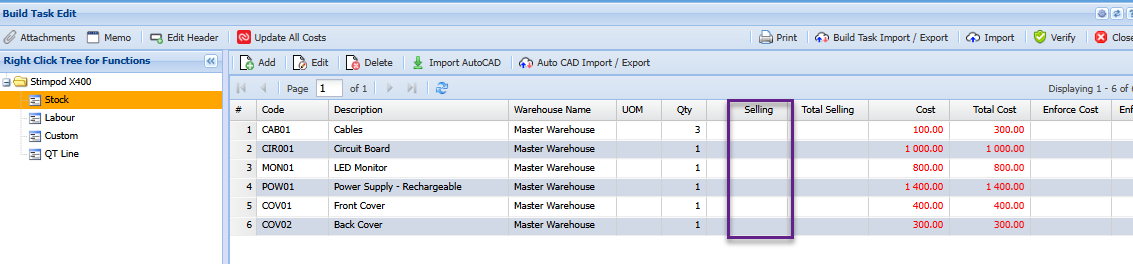
Then add an additional Custom line item with only the selling price
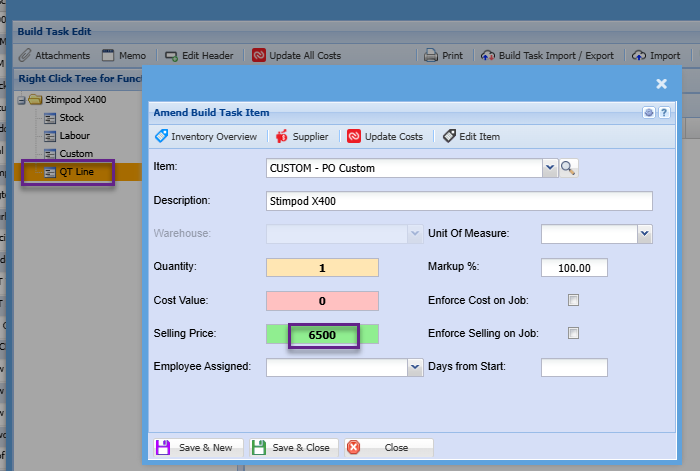
when this is added onto the job and there is a need to replace one of the components with another item, then do not manage the item not being used and add and manage the new item.
This will affect the managed cost on the job correctly. And the selling price as quoted initially will not be affected.
2. Using Replacement item option
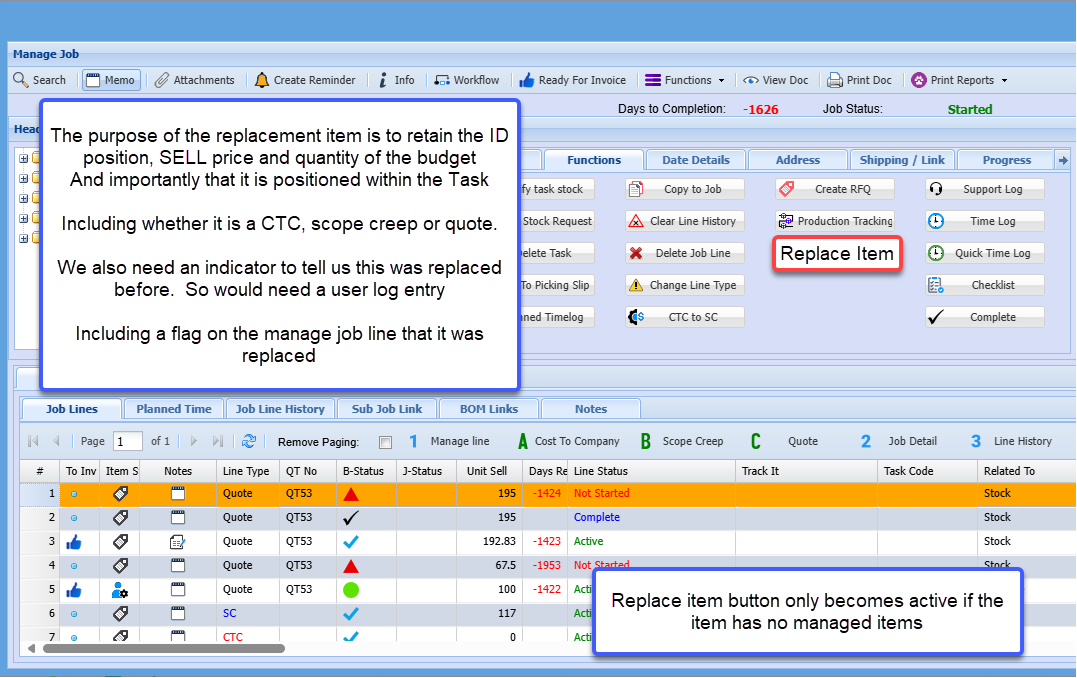
Replacement form will allow to replace one to one or one to many
As long as one puts the sell price of what was quoted onto the new line, it does not look at the item pricing structures etc.
Quantity needs to be the same.
The Replace Item button is only active if no quantity has been managed on the line.
No Comments