Clear Internet Cache
Clearing internet cache for MS Edge and Google Chrome
Clearing internet cache is recommended after updates have been done on the system or if errors are occurring in the system.
See sections for MS Edge and Google Chrome
Microsoft Edge Browser
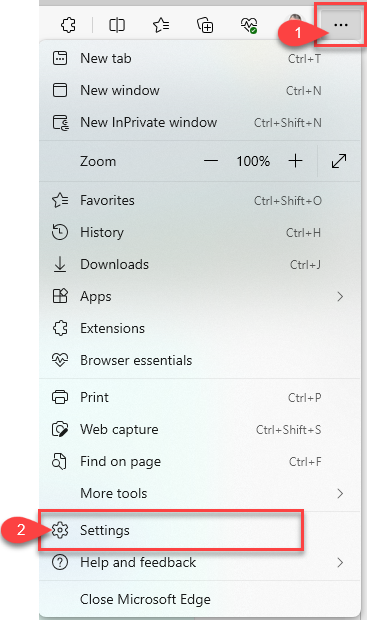
Open up your browser
Click on the three dots to open up settings
Click on settings
.png)
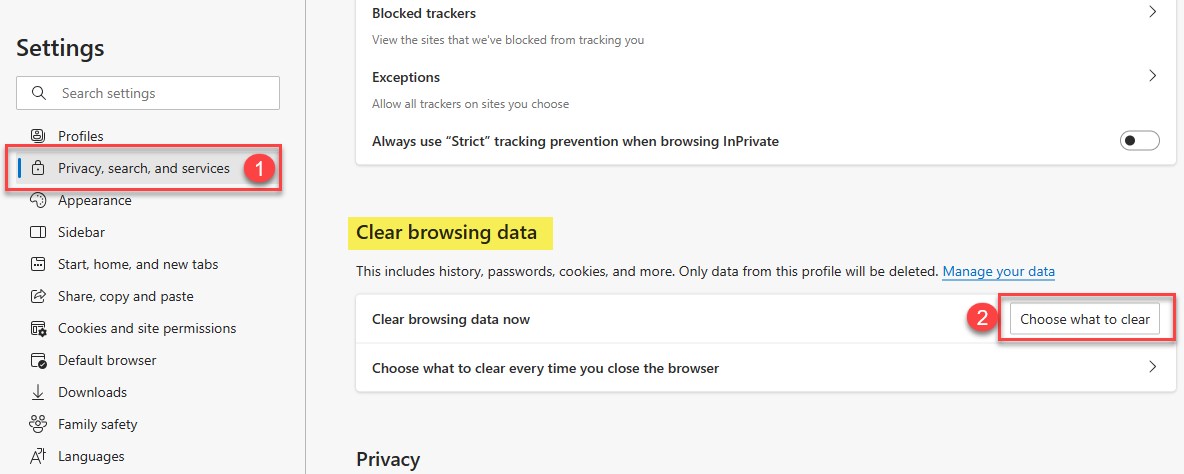
Click on privacy, search and services
Click on Choose what to clear button
.png)
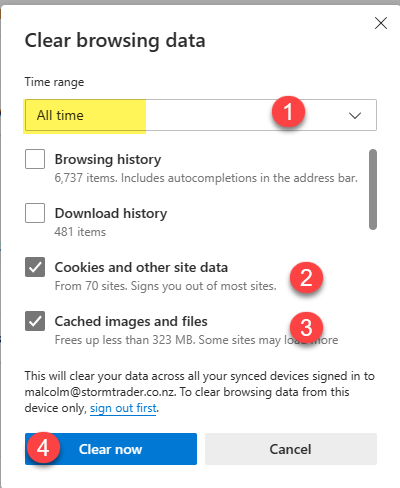
Clear internet cache
Ensure that the Time range is set to All Time
Ticks need to be put on forfor:
Optional is the browsing history and download history
Click on Clear now button
Important note
Close browserall browsers and log onto the system
Google Chrome Browser
.png)
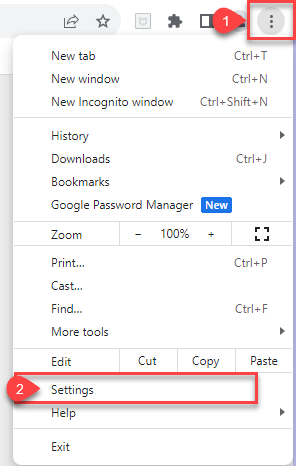
Click on the three dots to open up settings
Click on settings
Click on Privacy and Security
Click on Clear browsing data

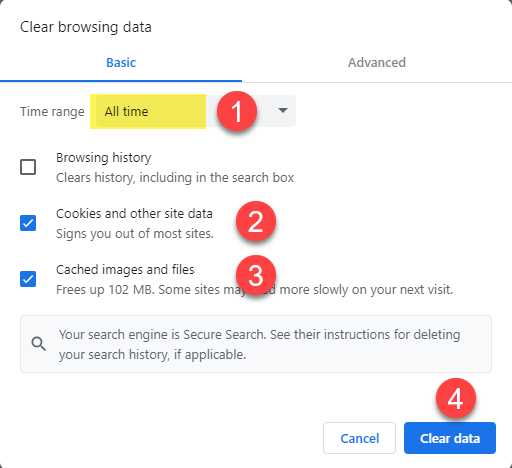
Clear internet cache
Ensure that the Time range is set to All Time
Ticks need to be put on for:
Optional is the browsing history and download history
Click on Clear data button
Important note
Close all browsers and log onto the system