
Memo Notes - Colour Hex Code
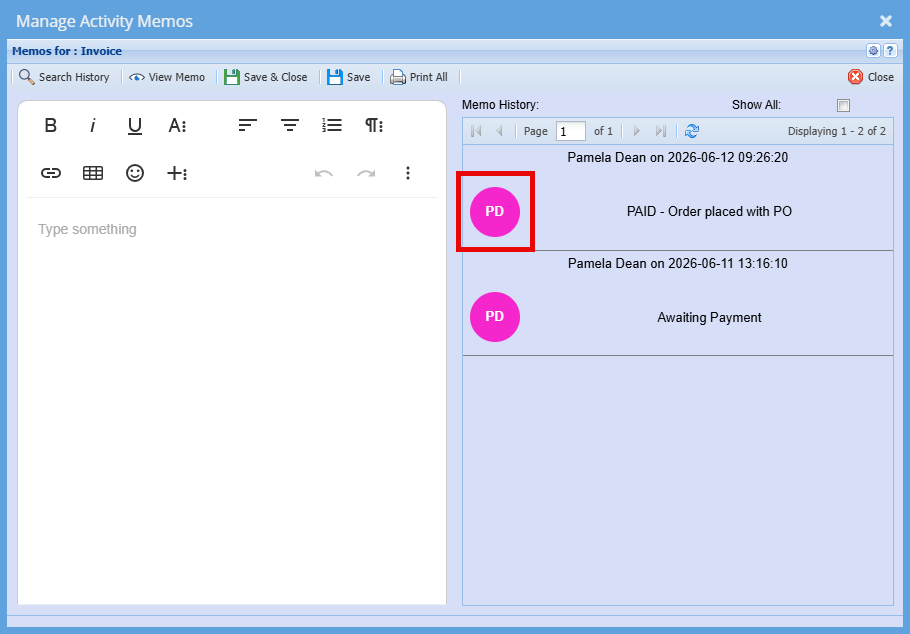
Each user can be colour-coded within the memo section, making it easy to quickly identify who has added each note. As shown, each entry displays the user’s initials in a coloured circle, along with their full name, the date and time the note was added, and the content of the note itself. This helps provide clear visibility and tracking of activity across different users.
Setup:
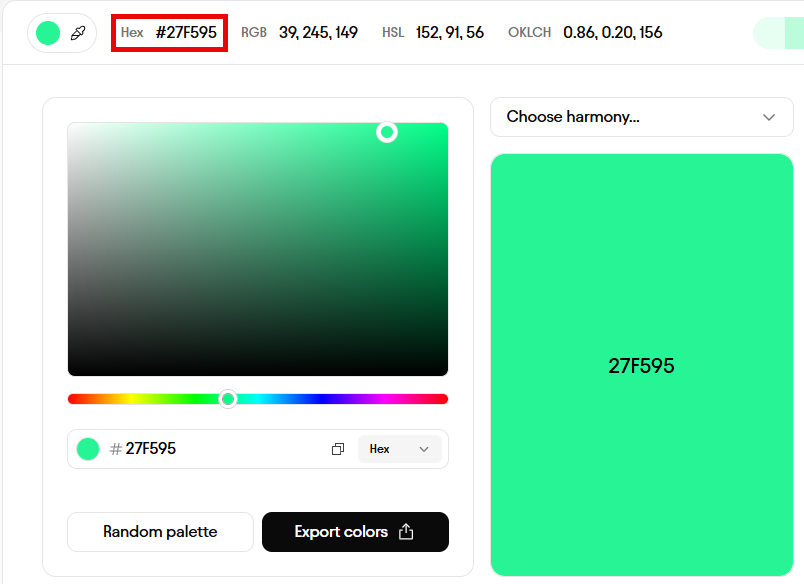
Click on the below link to find the colour of your choice
Copy the Hex Number
In Huge ERP:
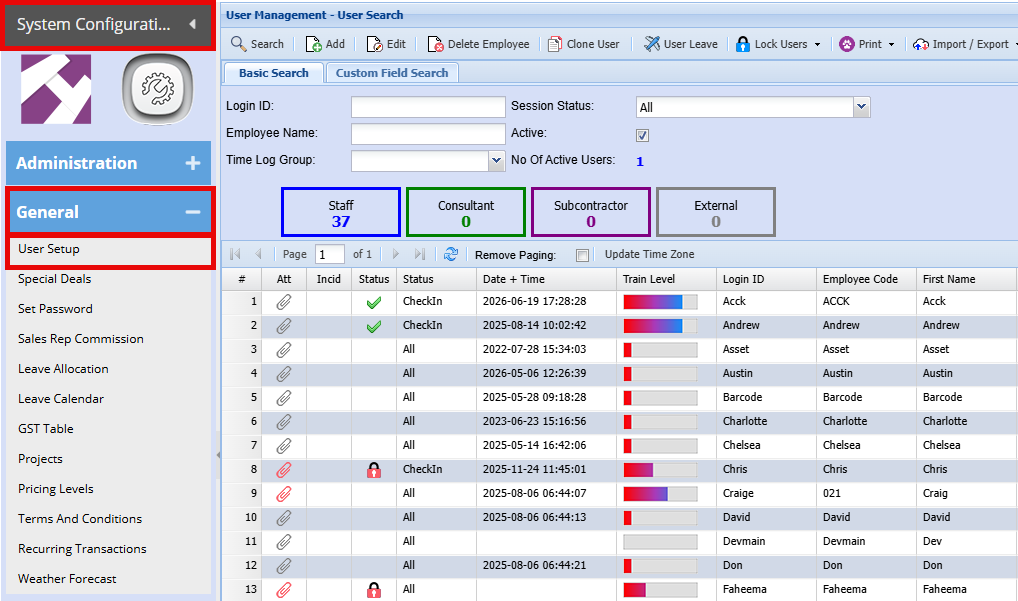
System Configuration > General > User Setup
- Double click on the username of the person you want to set a colour for
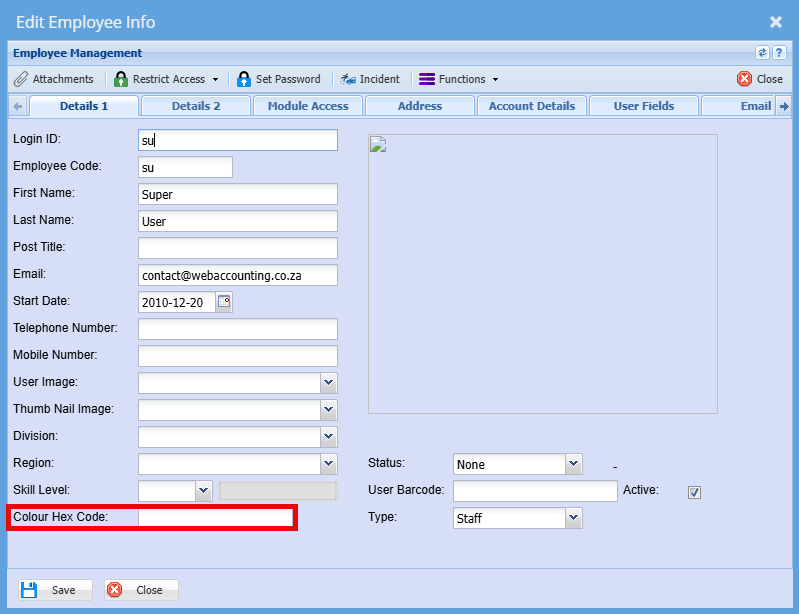
- Paste the colour code into the "Colour Hex Code" field
- Click "Save"
No Comments