
Test Add
Adding a new test on the LabSample Testform
There are four tabs each holding information on each test
| Tabs | Details |
| General Tab | This holds the basic information of the test |
| Test Tab | The test results |
| Checklist | Viewing multiple checklists against a test |
| Logs |
Shows the logs for this test Status change, % Complete change, Checked by, Retest by, Invoice By, Certificate Issue, Published by |
| Button | Details |
| Attachment | Add in attachments specific to the test |
| Authorise | Authorise the Test to before publishing |
| Complete | Complete the test and issue certificate |
| Print the test | |
| Print Certificate | Print the Certificate |
| Info | A word like document information |
Test General Tab
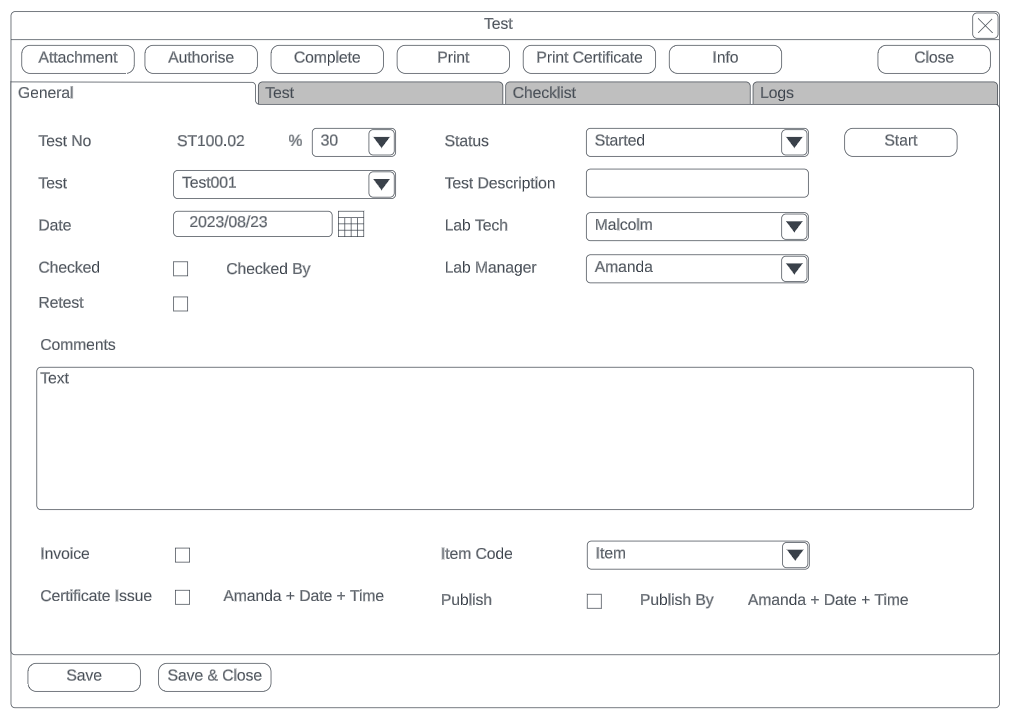
| General Tab | Details |
| Test No | The test number with the decimal points after |
| Percentage complete |
the percentage complete The percentage complete will automatically be set a certain status changes |
| Status |
Changes the status of the sub test Created, Started, In Progress, Checked, Retest, Certificate Issued, Publish, Completed |
| Test Type | The type of test done |
| Test Description | The description of the test |
| Date created | Date test is created |
| Lab Tech | Lab Tech assigned |
| Lab Manager | Lab Manager assigned |
| Checked | Checked tick box with checked by |
| Retest | Retest tick box with Retested by |
| Comments | Make comments |
| Invoice | Tick for invoice |
| Item Code |
Item code becomes active when invoice tick box is activated This item will be added to the Lab test chargers window |
| Certificate Issue | Certificate tick box with who by |
| Publish | Publish tick box with who by |
Test Results tab
Add information on the test
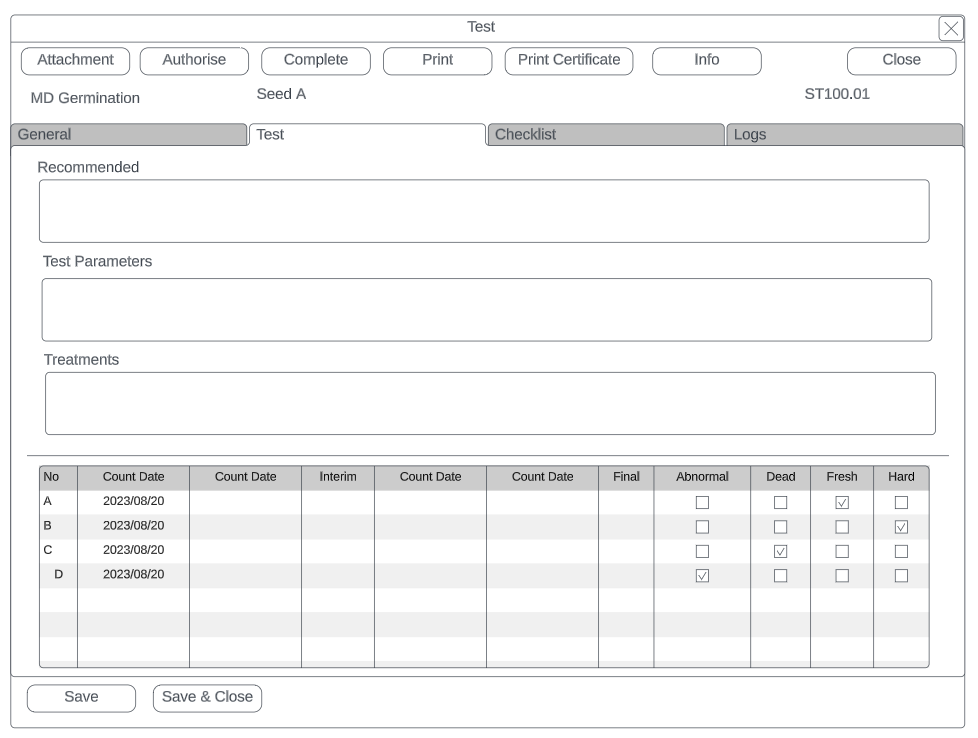
| Test Tab | Details |
| Recommended | Shows recommended information from Test setup |
| Test Parameters | Shows recommended information from Test setup |
| Treatments | Shows recommended information from Test setup |
| Test Results | Test results will be dependent on the type of test |
Checklist Tab
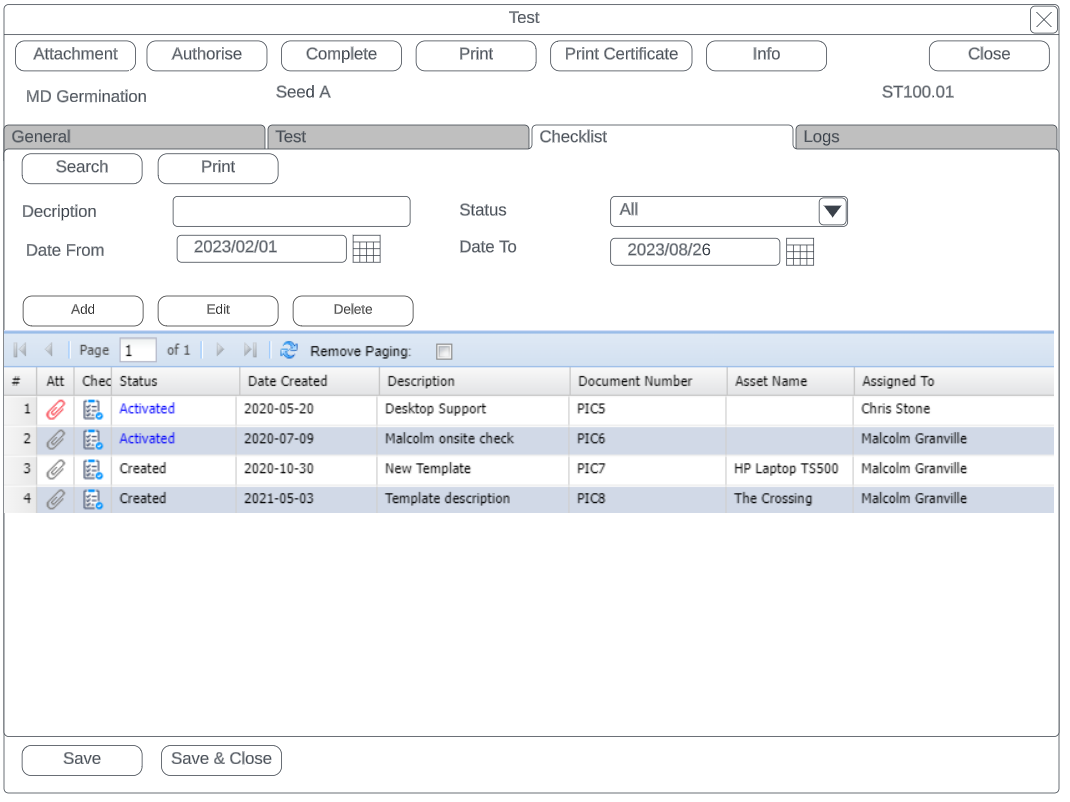
| Checklist Tab | Details |
| Search Button | Searches all checklists against lab test |
| Print Button | Print checklist out |
| Description | Description of checklist |
| Status | Status of checklist |
| Date from and to | Filter by date of checklists |
| Add, Edit and Delete | Add, edit or Remove checklists against lab test |
Logs Tab
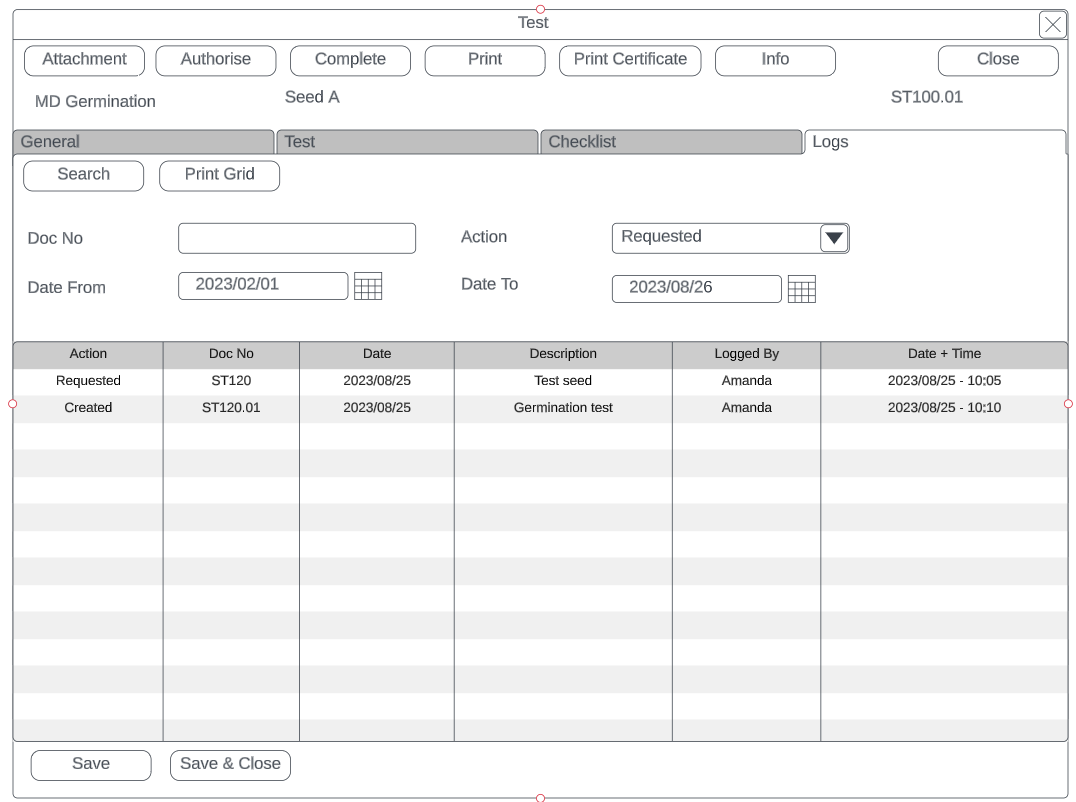
| Logs Tab | Details |
| Search button | Searches the logs |
| Print Grid | Prints the grid and allows to export |
| Action | Filter by Action |
| Doc No | Search by Document No |
| Date From and To | Searches logs by date from and to |
| Grid | Details |
| Action |
Type of action logged Status change of Lab test, Status change on tests, Authorised By, Percentage update on tests, Publish notice, invoice created |
| Doc No | Indicates which test is been logged, main Lab test or test |
| Date | Date of log |
| Description | Description of action |
| Logged by | User name logged of change |
| Date and Time | Date and time logged |