
Job List
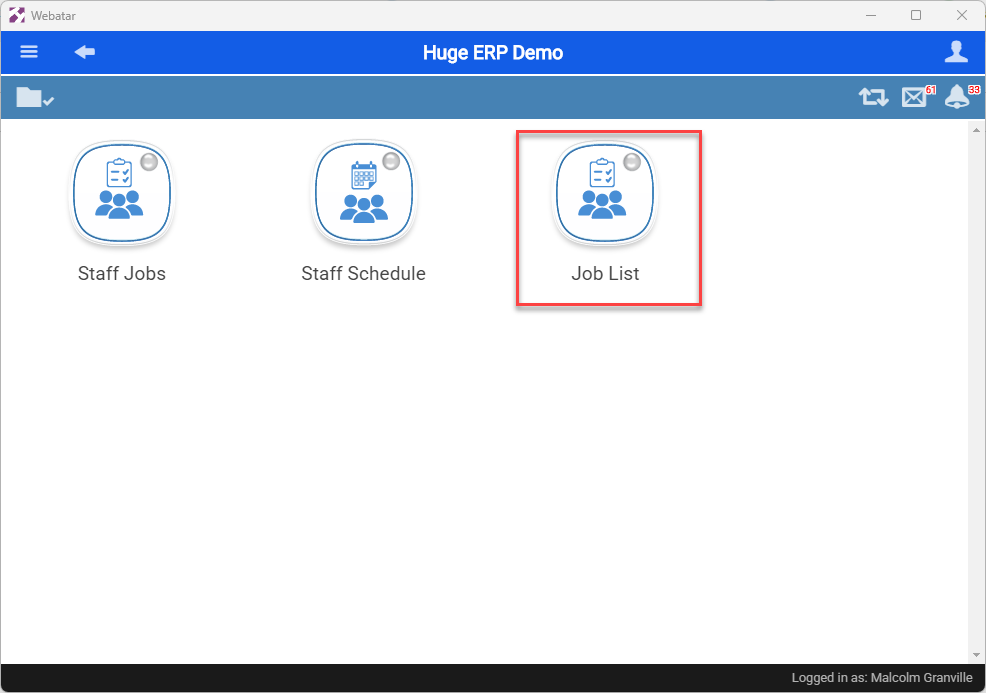
Job list gives the user view of open jobs and view of job lines.
It is part of the Job Group
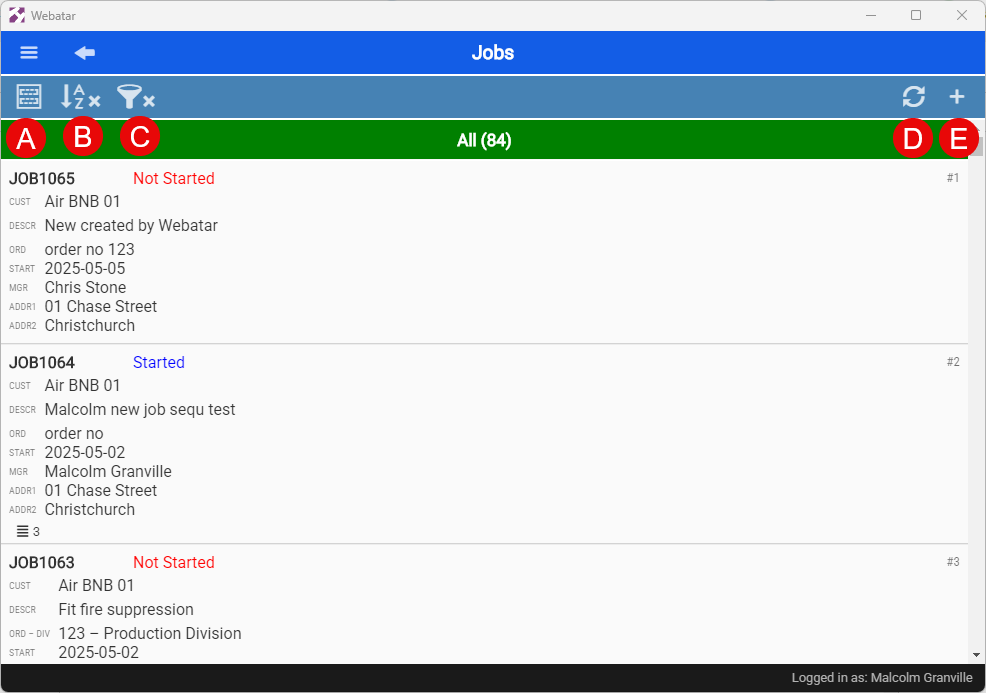
Searching for Jobs
| A | Compac view or detail view |
| B | Grouping and sorting |
| C | Searching and filtering data |
| D | Refresh grid |
| E | Add new job (this is govern by security) |
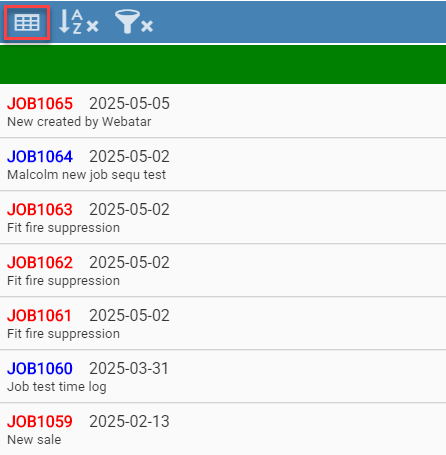
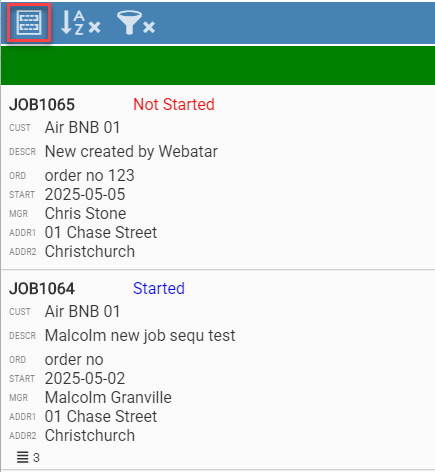
Compac View or detail view
| Compac View | Detail View |
|
|
|
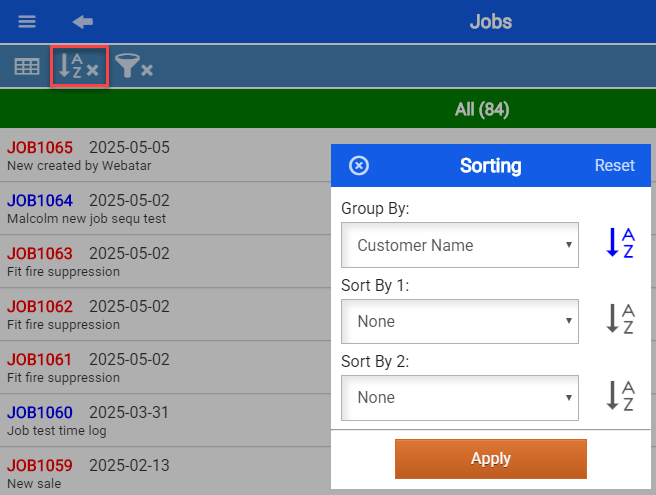
Grouping and sorting
When applying grouping, this will remember when next accessing the Job list.
This will be indicated with a tick if the grouping is active.
| Group By | None, Date Started, Job Status, Customer Name, Job Manager, Asset |
| Sort By 1 | None, Date Started, Job Status, Order No, Customer Name, Job Manager, Asset Name |
| Sort By 2 | None, Date Started, Job Status, Order No, Customer Name, Job Manager, Asset Name |
Searching and filtering data
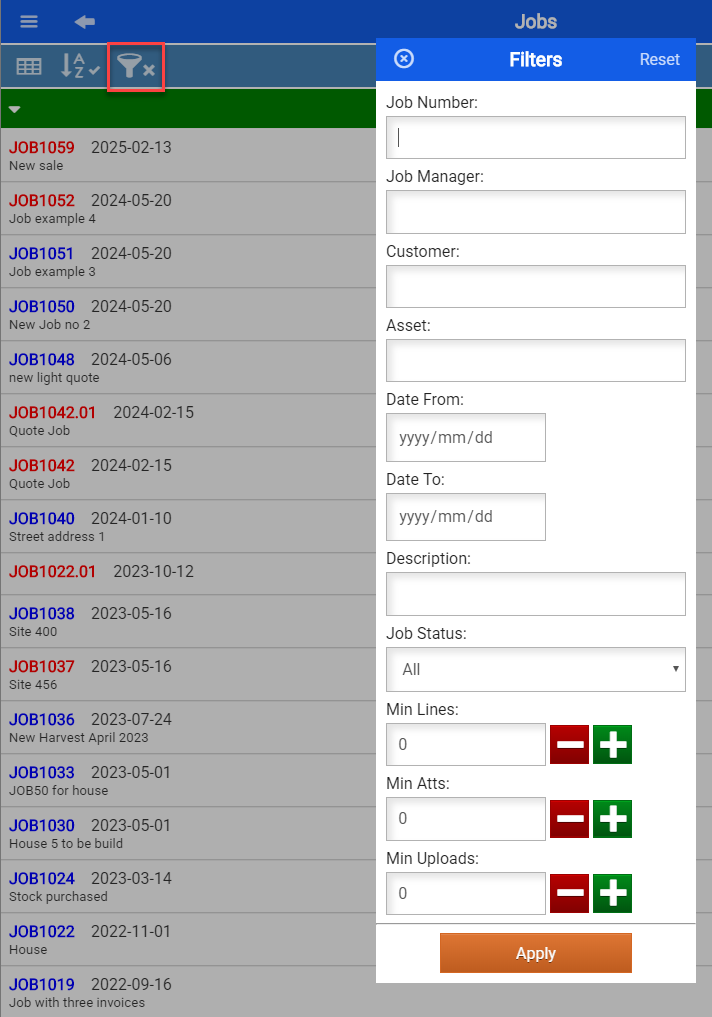
When applying searching and filtering, this will remember when next accessing the Job list.
This will be indicated with a tick if the filter is active.
| Job Number | Search by a Job number |
| Job Manager | Filter by Job Manager |
| Customer | Search by customer name |
| Asset | Filter by Asset Name |
| Date from and Date to | Search by job date started |
| Description | Search by Description |
| Job Status | Filter by All, Started and Not Started Jobs |
| Min Lines | Search for jobs with minimum job lines |
| Min Atts | Search for jobs with minimum attachments |
| Min Uploads | Search for jobs with minimum uploads |
No Comments