
Barcode Labels Integration
IfOur new Barcode Integration feature is designed to elevate efficiency and accuracy across various operational processes. Whether you goare engaged in inventory management, order processing, or other applications, our advanced barcode system promises to inventorystreamline set upworkflows and significantly reduce errors.
Across the system you open up an item over here, you'llwill see thatthe you'veprint goticon/ thesebutton buttonsas hereshown that'sbelow: got

When you click on the print button a barcode,prompt OK.will appear, allowing you to specify the number of copies you wish to generate.
IfWhen Iyou click printOK now,a it'llphysical come upprinting of howa manybarcode copies.label, displaying the layout containing information specific to the selected item.
And if I click OK, which I don't want to do, it'll actually physically print out on a barcode, printing the label layout of the barcode for all this item and information.
OK And we set that up in system configuration and let's see an event tree.
Yeah, soFor barcode printing, we canoffer actuallythe capability to set up templates, providing a template.
So if you come over herestructured and weconsistent sayformat OK,for ifyour I'mlabels. printingThis is accomplished by accessing a designated area and stopconfiguring test,the yousystem see this code over here.accordingly.
Now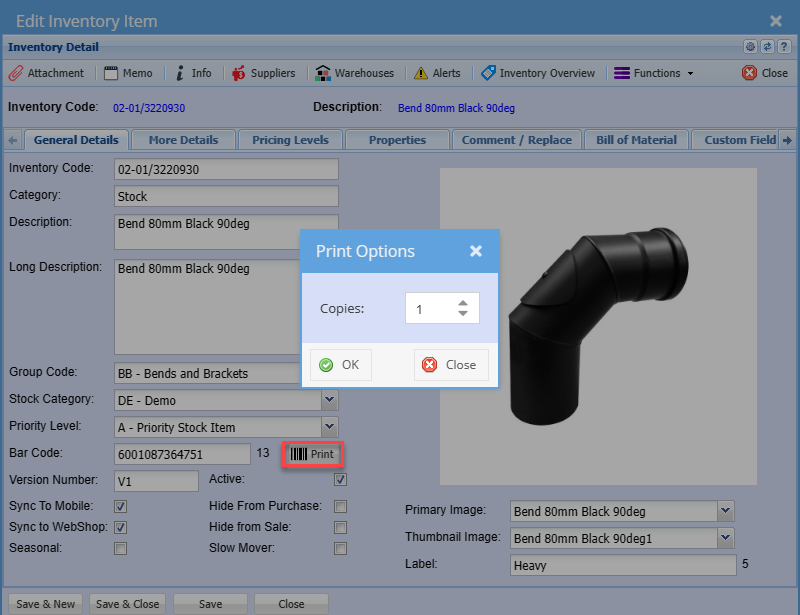
the printer comes a barcode label.