
Document Management Search
System Configuration>Reports>Document Management
| Search | |
| Add | |
| Edit | |
| Delete | |
| Print Grid |
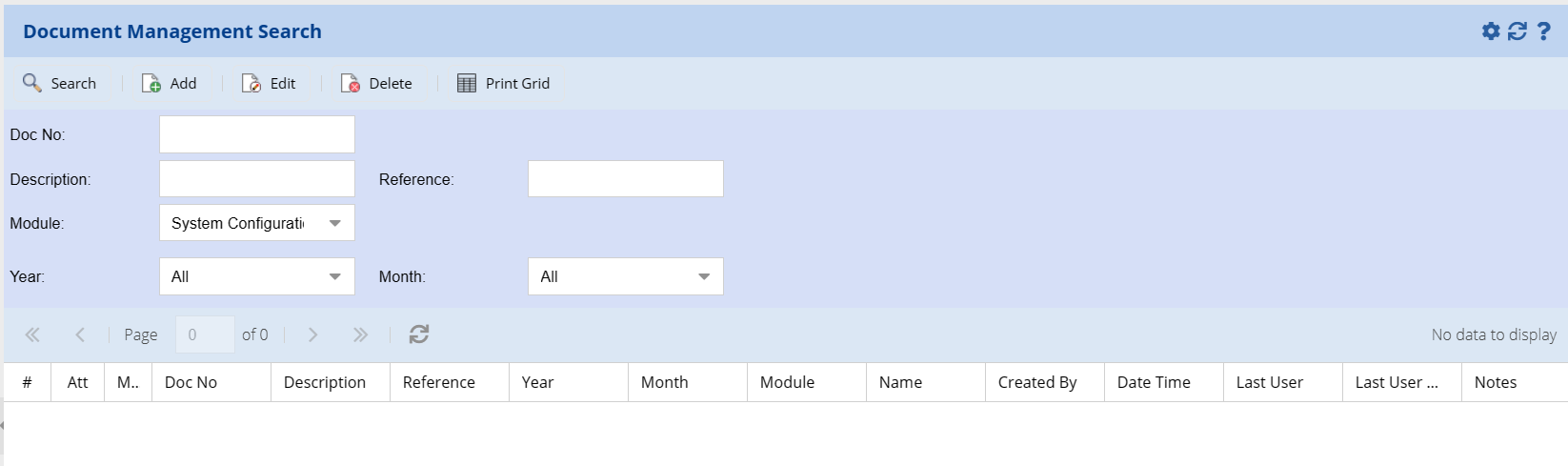
| Doc No: |
|
| Description | |
| Module | |
| Year | |
| Reference | |
| Month |
Adding or Editing Document Management
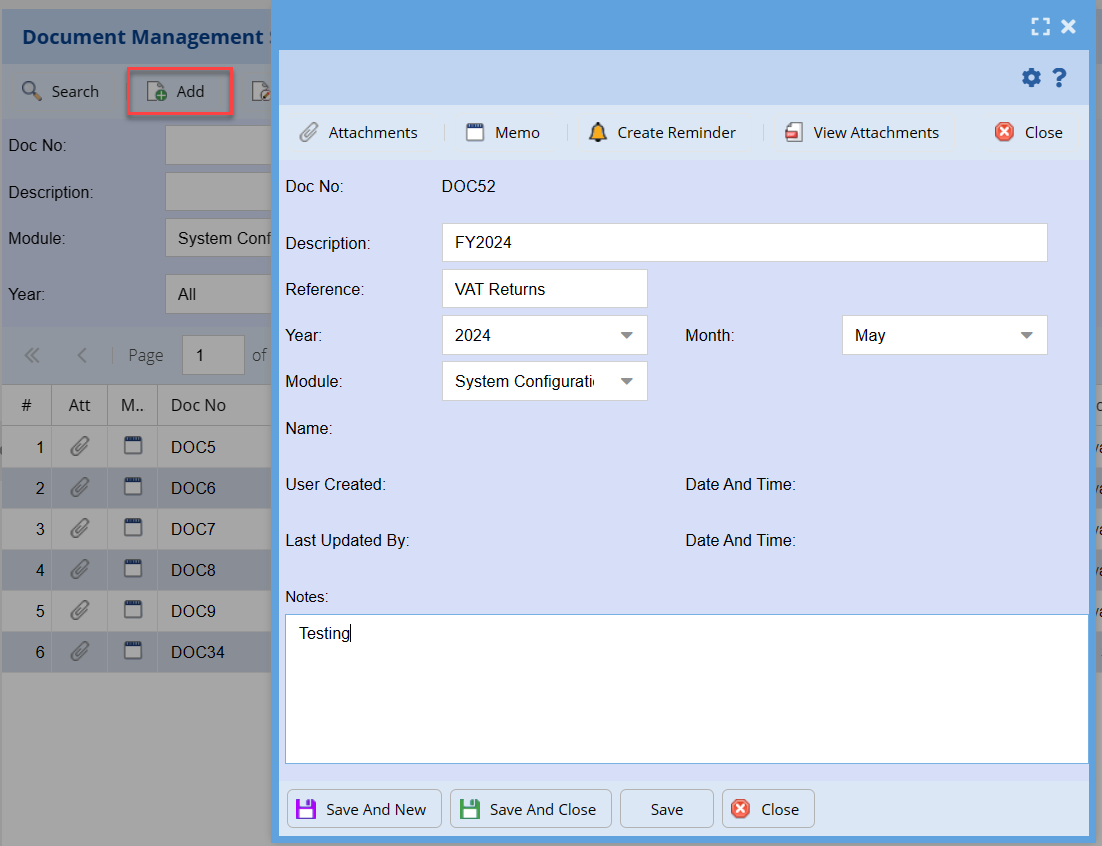
| Attachments | |
| Memo | |
| Create Reminder | |
| View Attachments | |
| Doc No | |
| Description | |
| Reference | |
| Year | |
| Month | |
| Module | |
| Name | |
| User Created / Date and Time | |
| Last Updated By / Date and Time | |
| Notes |
Create Reminder
This screen is where you set up and manage a reminder.

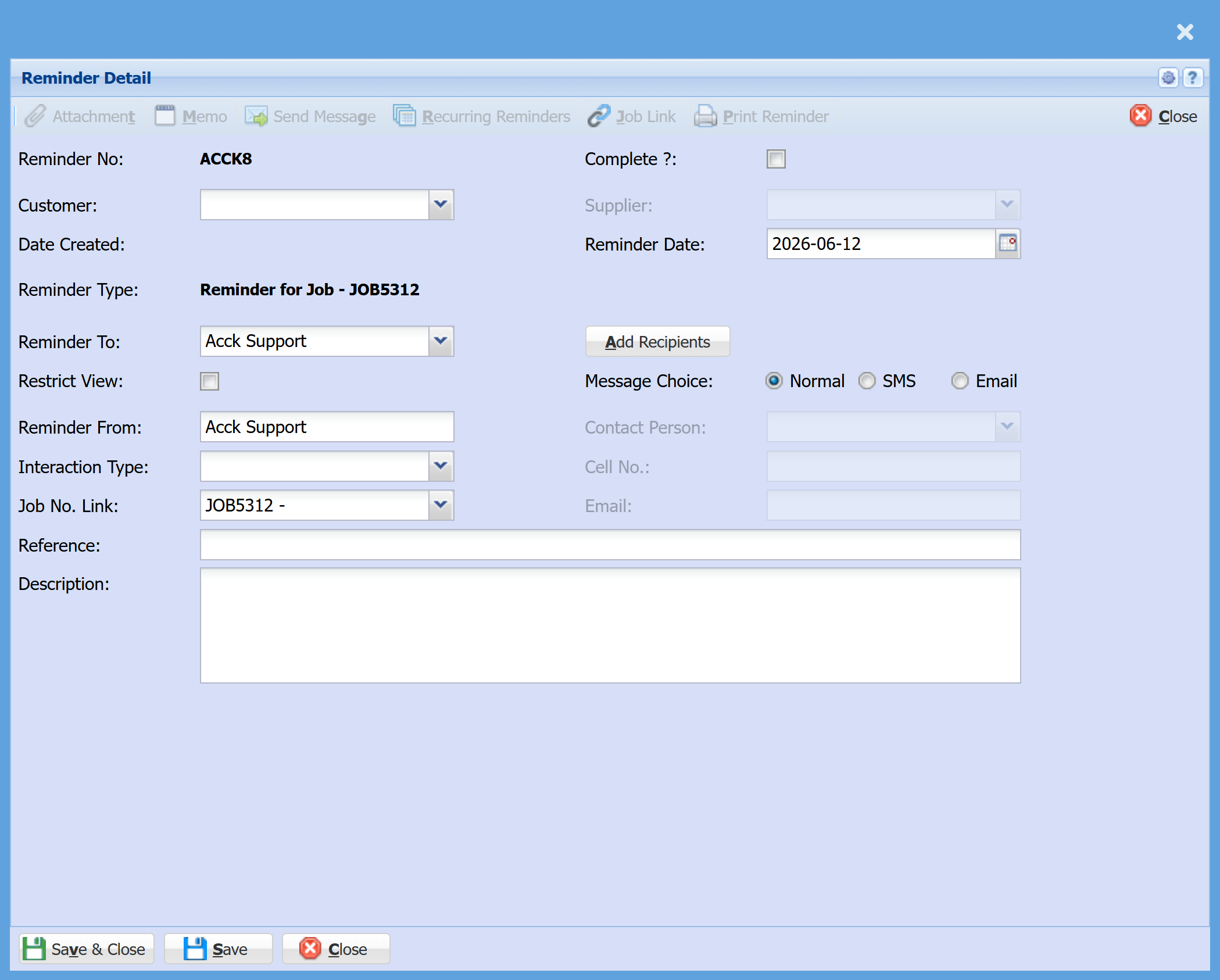
| Reminder No |
A unique reference number generated by the system for this reminder.
|
| Customer |
Link the reminder to a customer.
|
| Date Created |
Automatically populated once the reminder is saved, showing when the reminder was created. |
| Reminder Type |
Automatically links the reminder to the job (e.g. Reminder for Job – JOB5312).
|
| Reminder To |
Choose who the reminder is assigned to.
|
| Restrict View Tick |
Limits visibility to certain users.
|
| Reminder From |
The user or team creating the reminder.
|
| Interaction Type |
This field is used to categorise the type of reminder or follow-up so it can be tracked and filtered more easily. You can select from the following options:
|
| Job No. Link |
The job the reminder is attached to.
|
| Reference |
Add a short title/subject.
|
| Description |
Enter details about what needs to be done. |
| Complete Tick |
Tick once the task is finished. |
| Reminder Date | Select Date you wish to be reminded on |
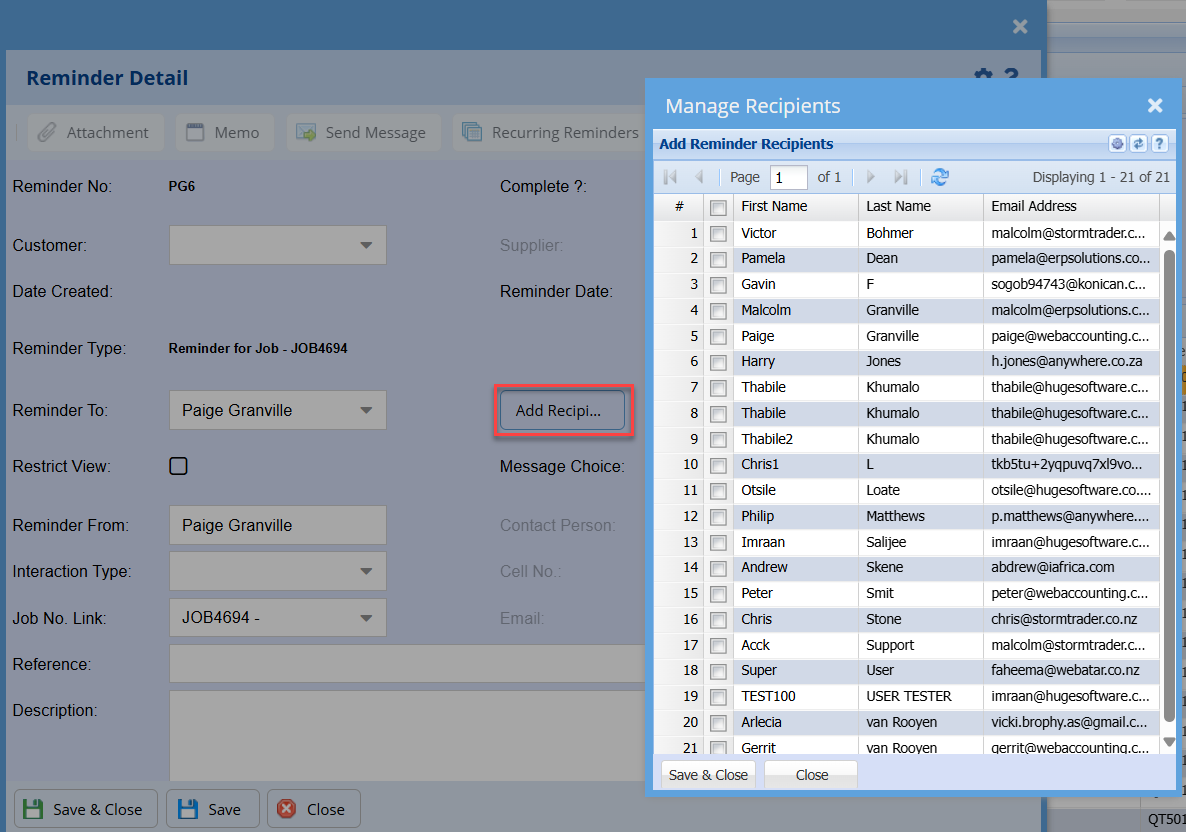
| Add Recipients |
Optional – add additional people to receive it.
|
| Message Choice |
Choose how the reminder is sent:
|
| Contact Person |
Populate the Contact Person
|
| Cell No |
Display or allow entry of the Cell Number
|
|
Display or allow entry of the Email address |
Recurring Reminders

| Reminder Date | |
| Frequency Selection | |
| Number Of Days | |
| Number Of Reminders |
Add Recipients
No Comments