
Additional Reports Activation
To Activate additional reports on a user profile, go to:
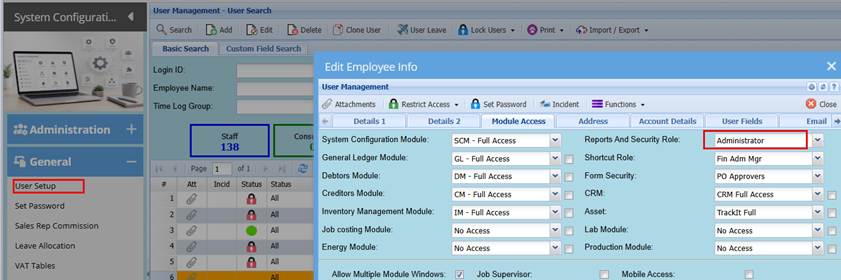
System configuration> General> User Setup
Search and select the specific user profile and then Click Edit.
Click the Modules tab
Take note of the Reports security profile
Close the screen.
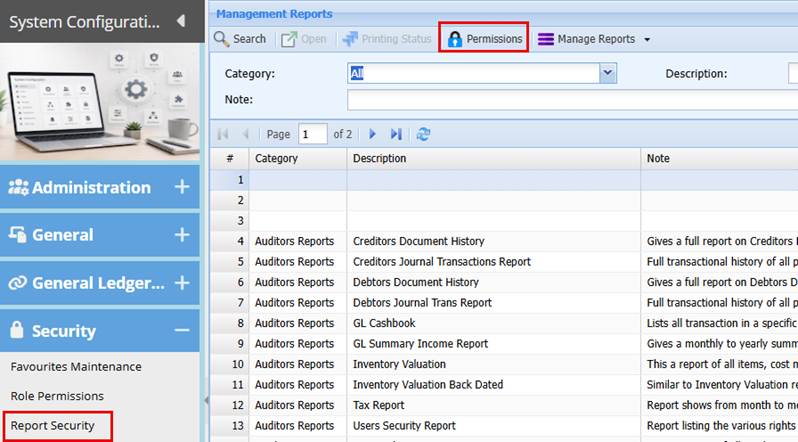
Go to: System Configuration> Security> Report Security
Click the Permission button at the top of the screen
Select the Reports security profile noted from the user setup
Then select the respective module for the reports access required
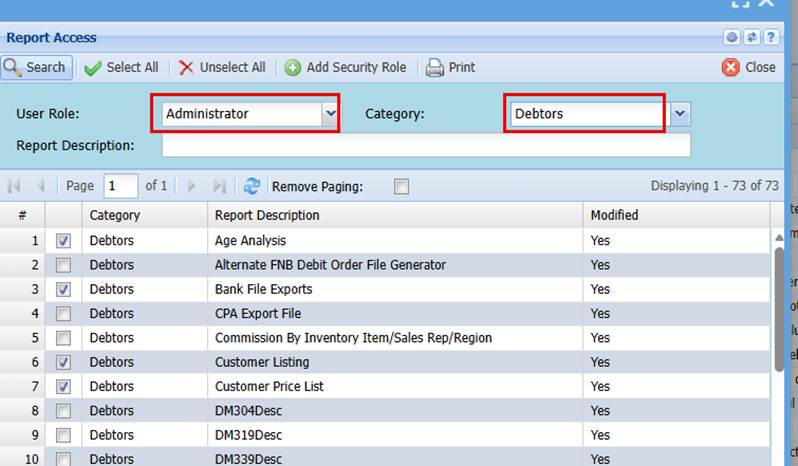
Tick the box adjacent to the reports required
Click Save
You can select the next category (module Reports)
Again, tick the box adjacent to the respective report required
Click save
This updated the reports security profile
When you go to the module reports list, the additional reports will be amongst the reports listed on your profile.
No Comments