
Individual Connection Point ICP
ICP Data
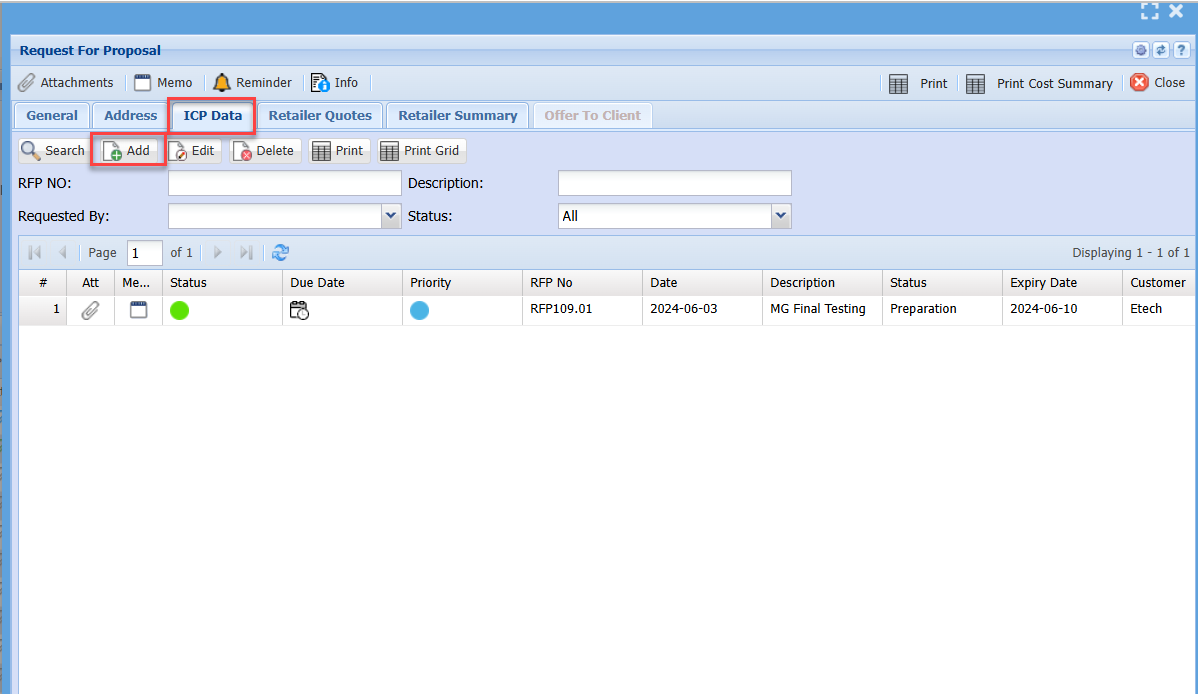
Go to the ICP Data tab
Click on Add to add in ICP.
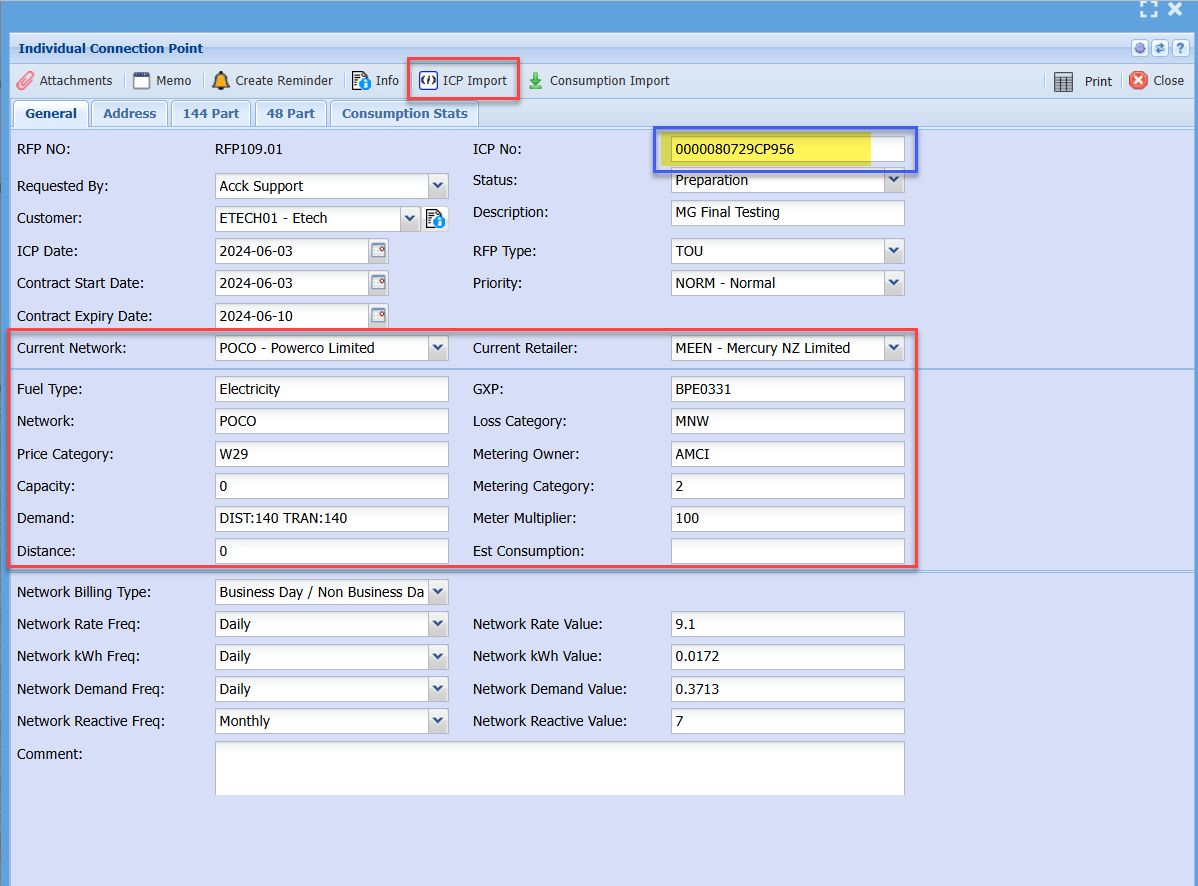
Enter the ICP number and save
ICP Import (Scrape)
Then click on the ICP import
This will update the various information, click on save again
Consumption data import
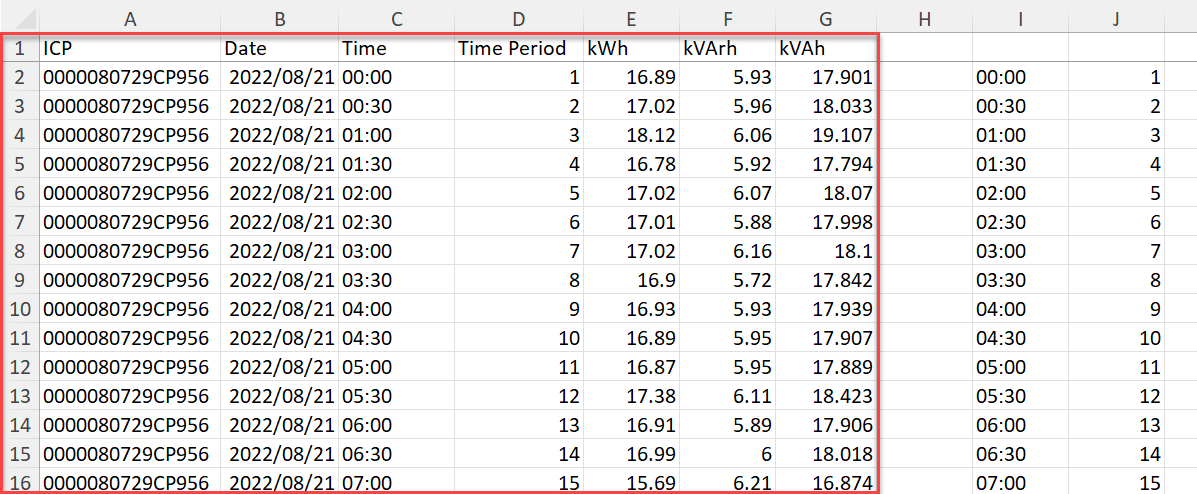
Once you have fixed the spreadsheet, make sure it is in this format
A sample of the Excel file is attached - Consumption Data Import.xlsx
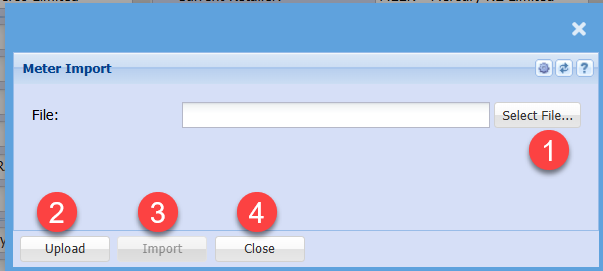
Import the consumption data
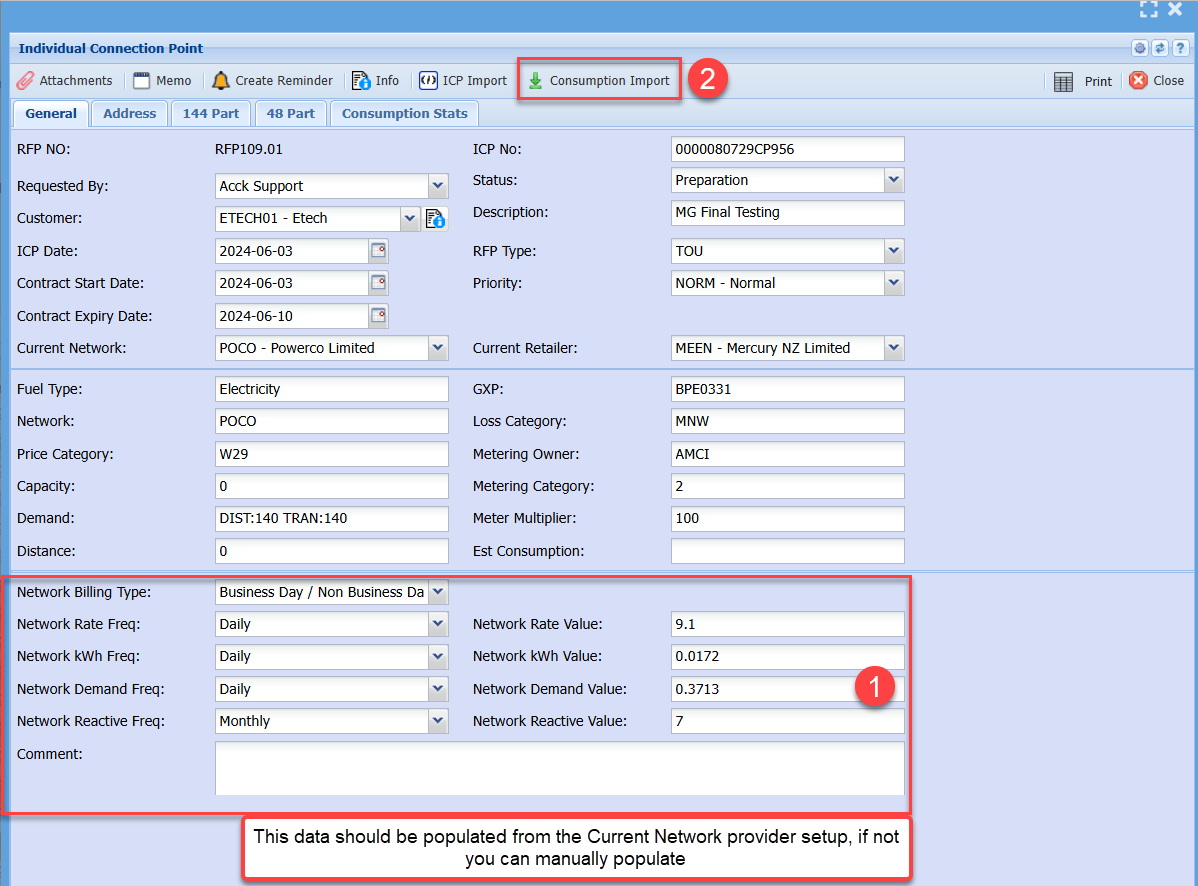
Find the file to import
Make sure the Excel sheet is saved and closed before importing
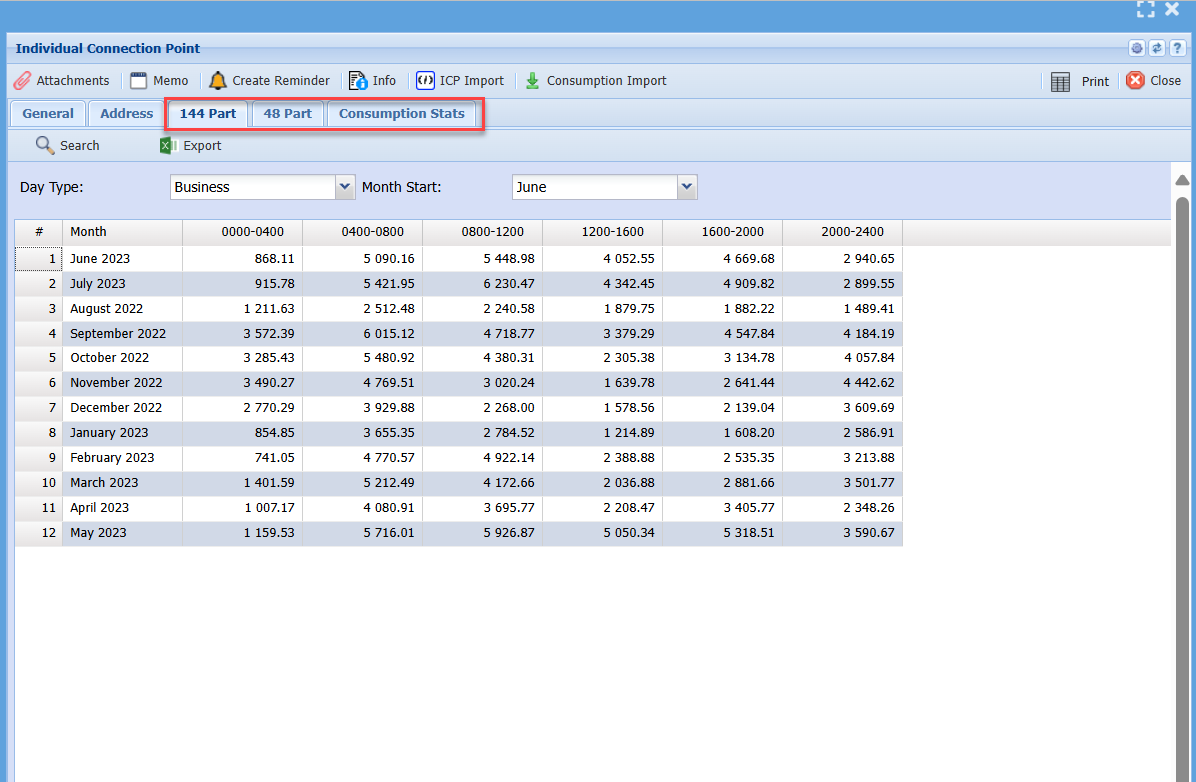
After the file is imported, it will update the following tabs
- 144 Part
- 48 Part
- Consumption Stats
After all the ICPs have been entered and Consumption data imported.
Save and Close and go back to the RFP
No Comments