
Add Request For Proposal RFP
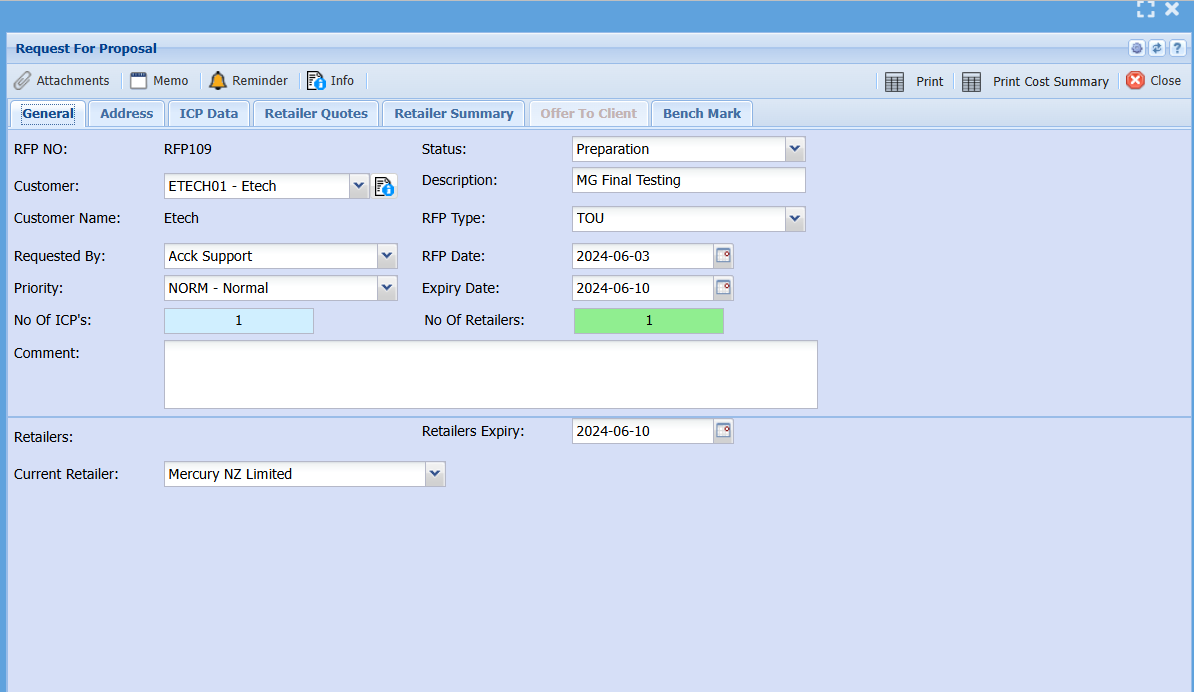
Fill in the information of the client wanting an RFP
Save the RFP
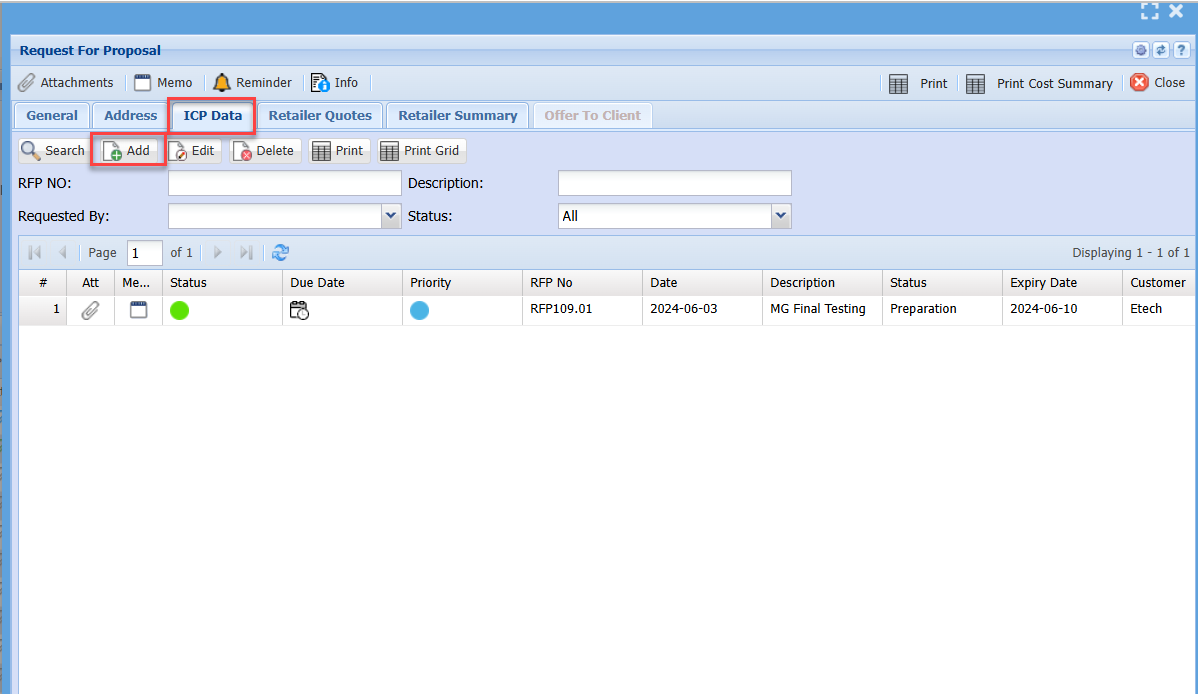
ICP Data
Go to the ICP Data tab
Click on Add to add in ICP.
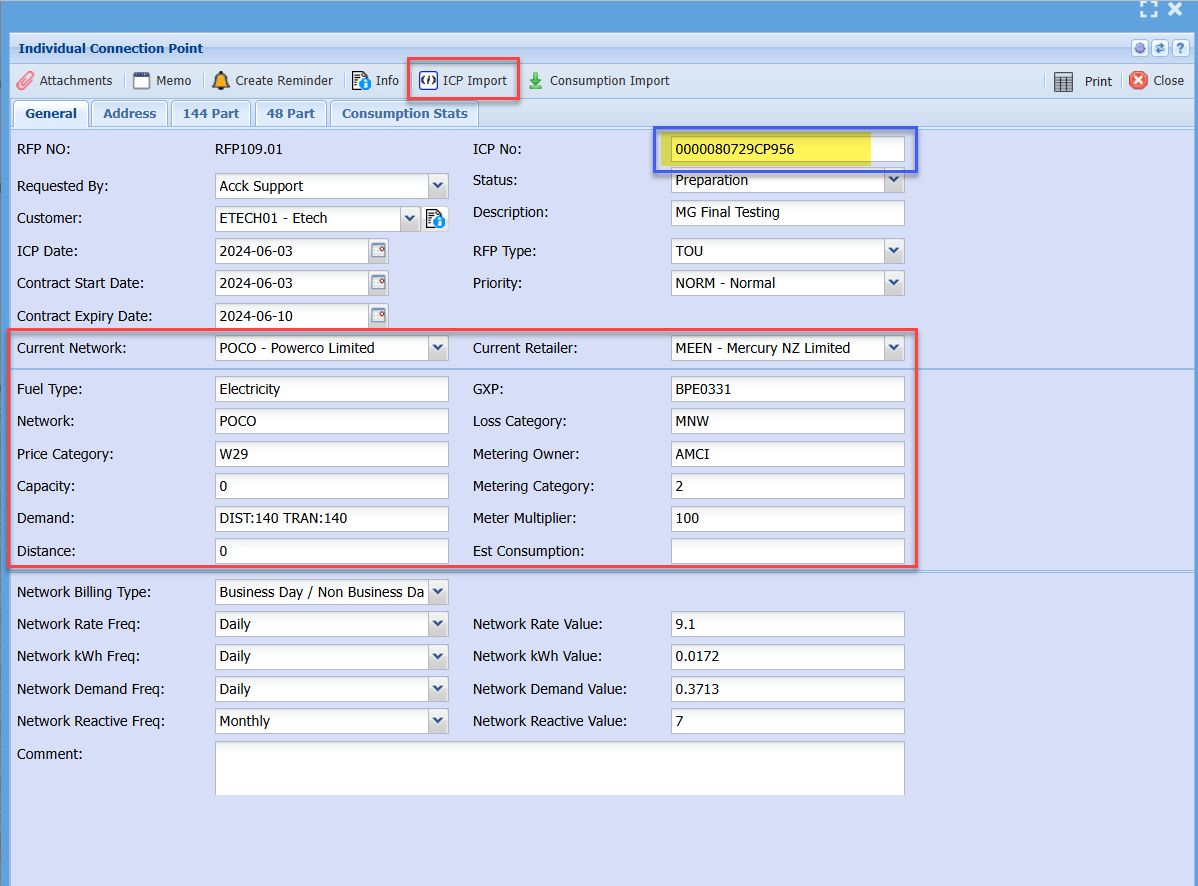
Enter the ICP number and save
ICP Import (Scrape)
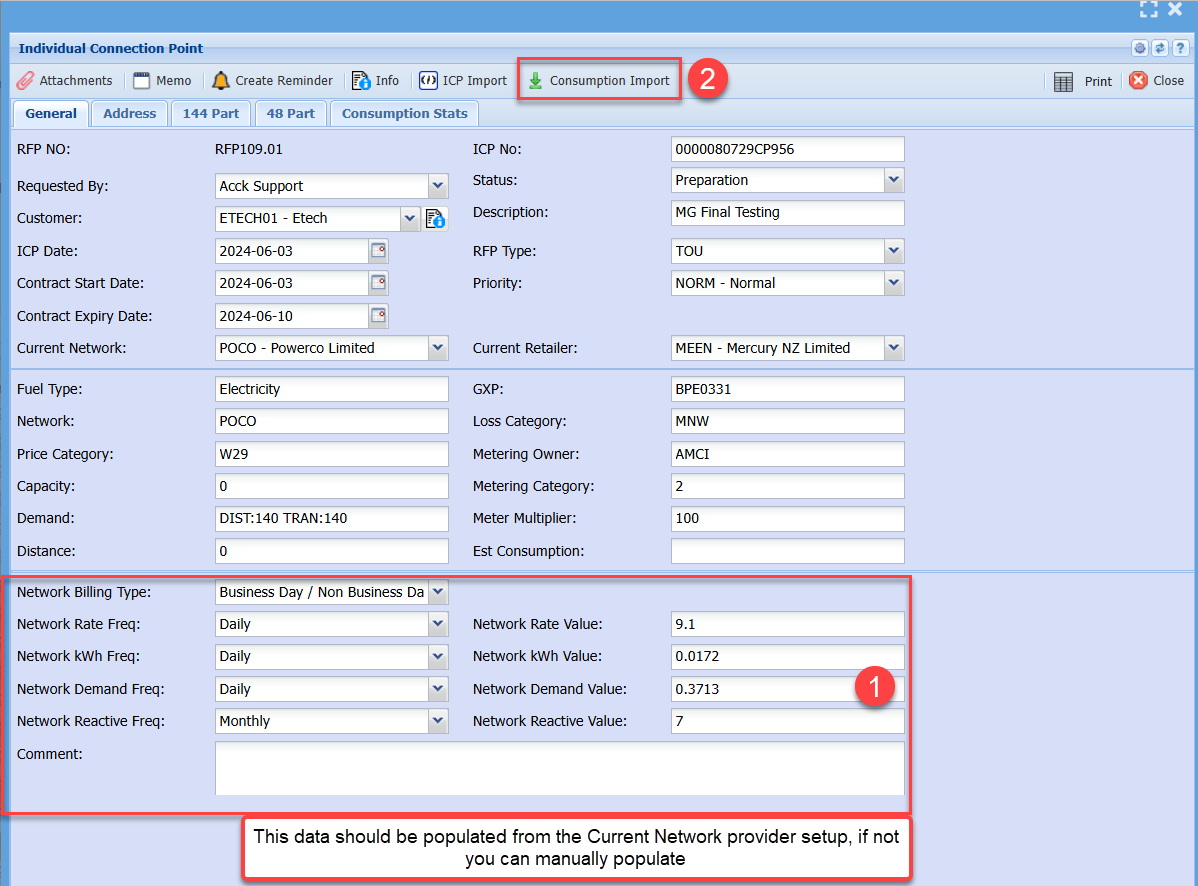
Then click on the ICP import
This will update the various information, click on save again
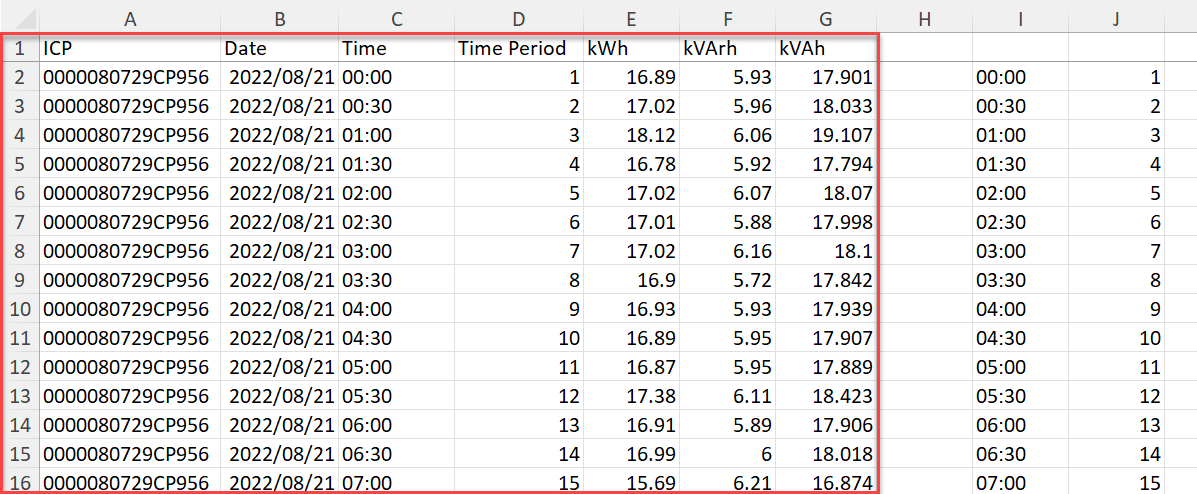
Consumption data import
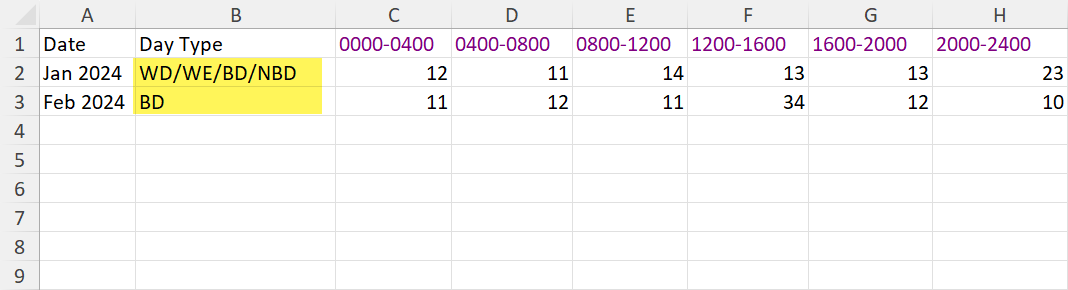
Once you have fixed the spreadsheet, make sure it is in this format
A sample of the Excel file is attached - Consumption Data Import.xlsx
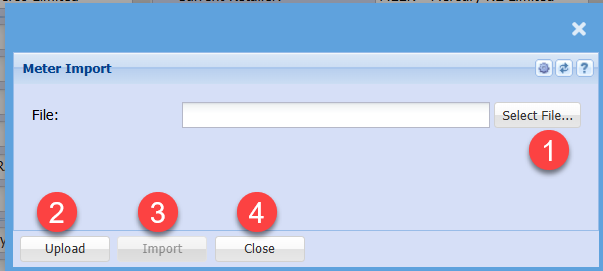
Import the consumption data
Find the file to import
Make sure the Excel sheet is saved and closed before importing
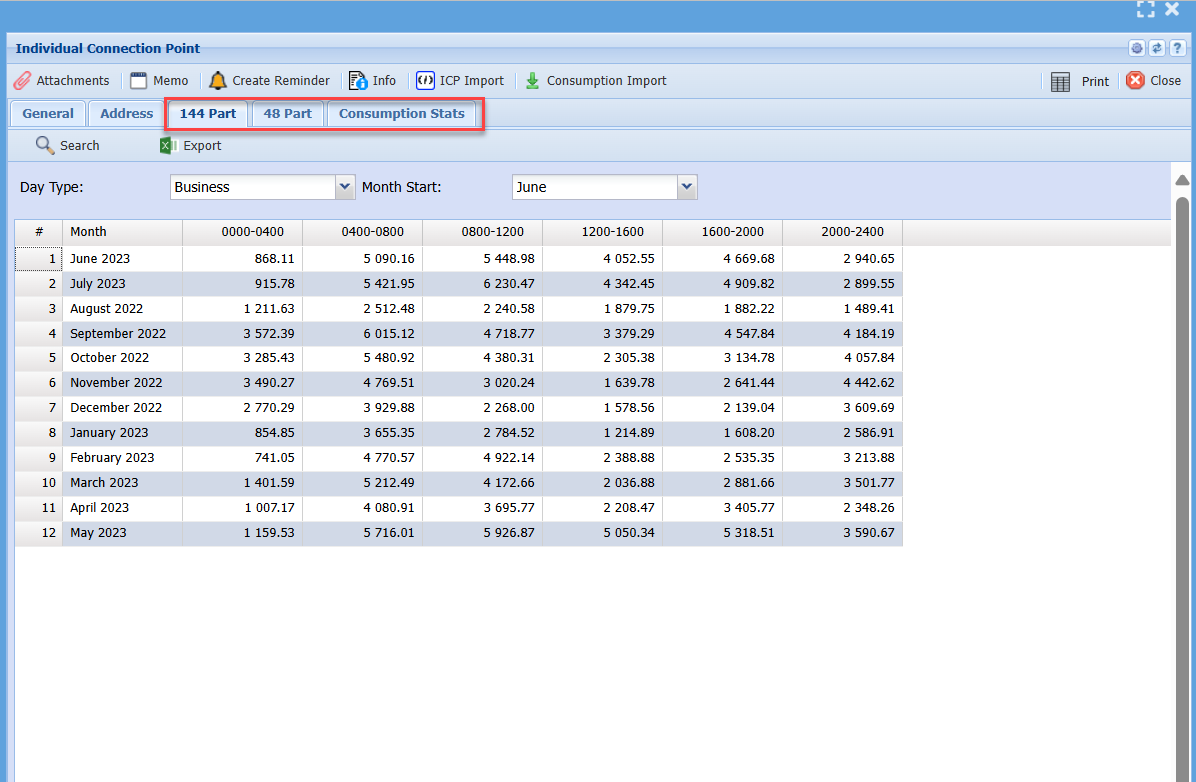
After the file is imported, it will update the following tabs
- 144 Part
- 48 Part
- Consumption Stats
After all the ICPs have been entered and Consumption data imported.
Save and Close and go back to the RFP
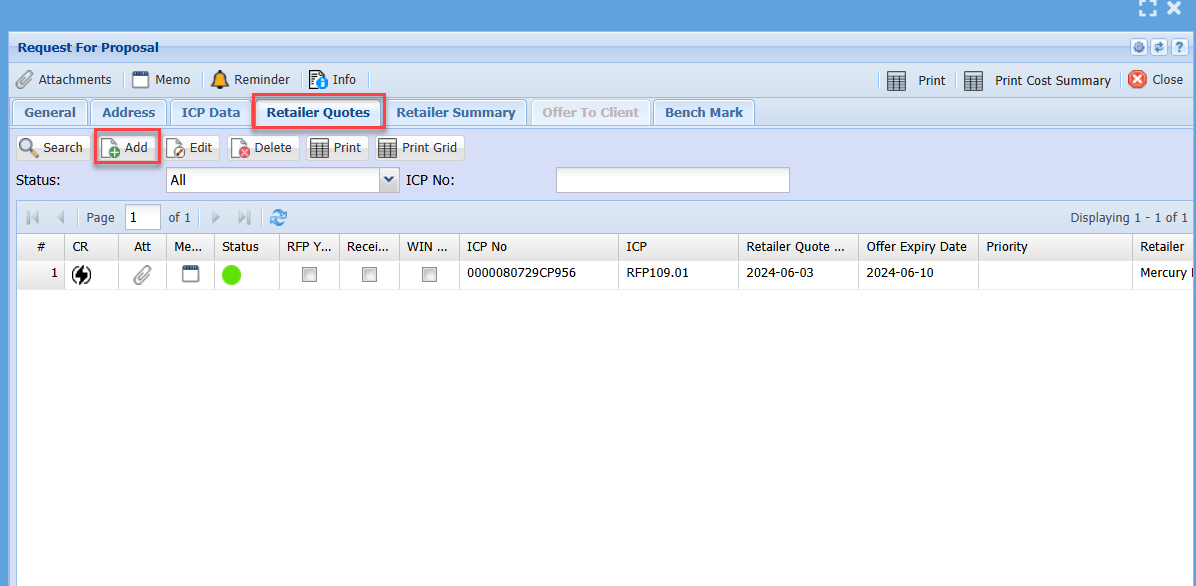
Retailer Quotes
Go to the retailer quotes tab to enter all your retailer quotes
Click on Add to add the quotes
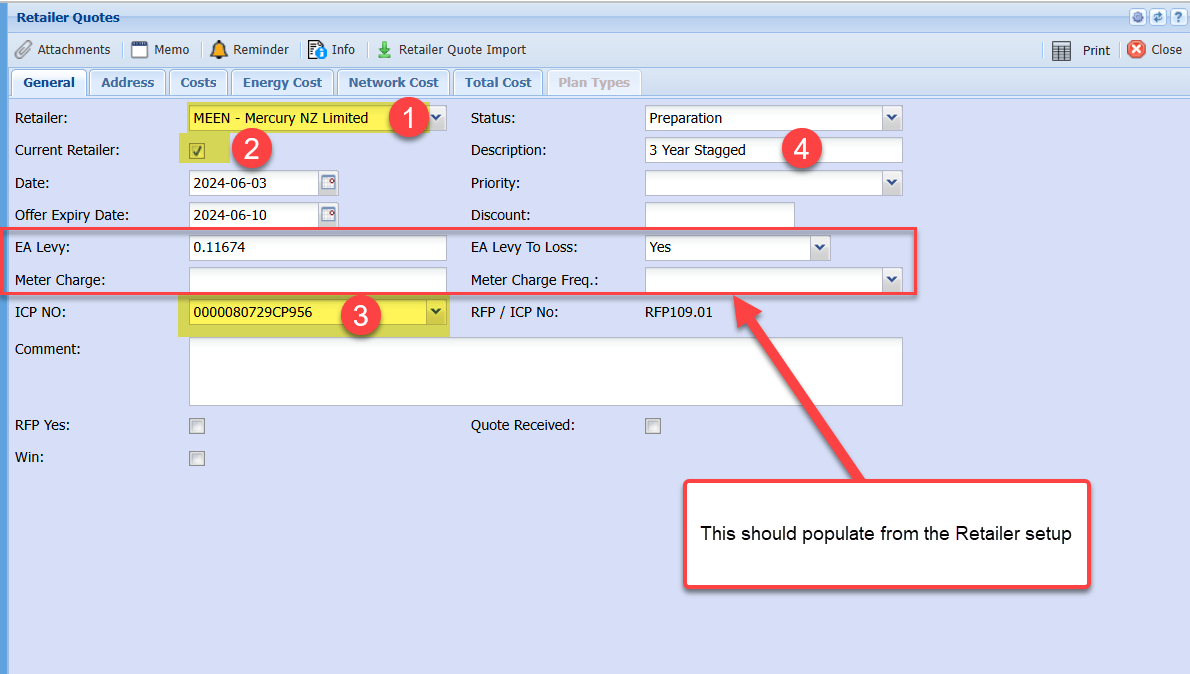
Enter the Retailer that the quote is for.
If this is the current retailer, put a tick on
Select the ICP that this quote is for
Put in a description
EA Levy and Meter charge will populate from Retailer selected
After you have saved, tabs become available
Retailer Quote Import
Prepare the import file from the Retailer Quote
See sample file - Retailer quote import.xlsx
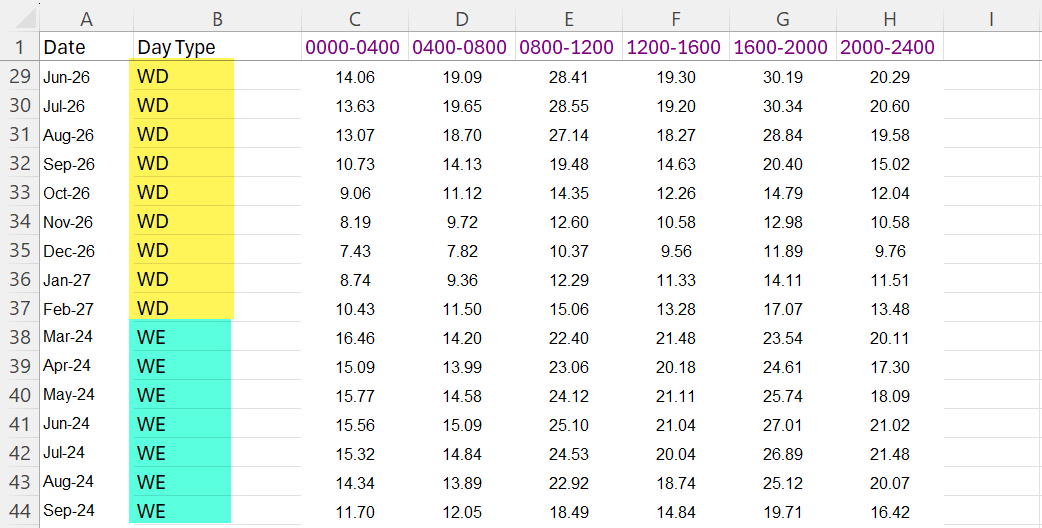
Enter both WD and WE OR BD and NBD
under each other
Here is a sample of a 3 Year Stagged file
Sample attached - Mercury 2-3yr.xlsx
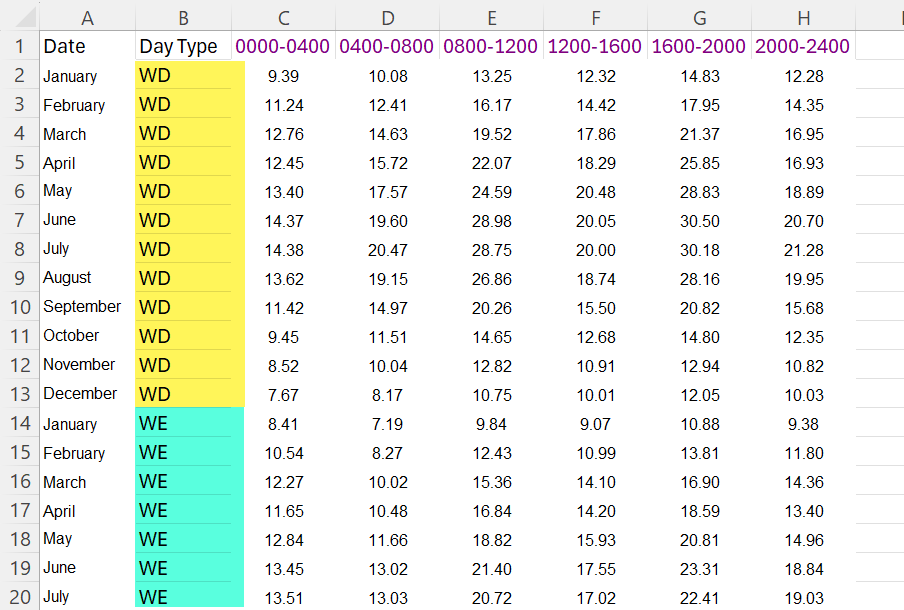
Here is a sample of a 5 year flat file
Sample Attached - Mercury 5yr Flat.xlsx
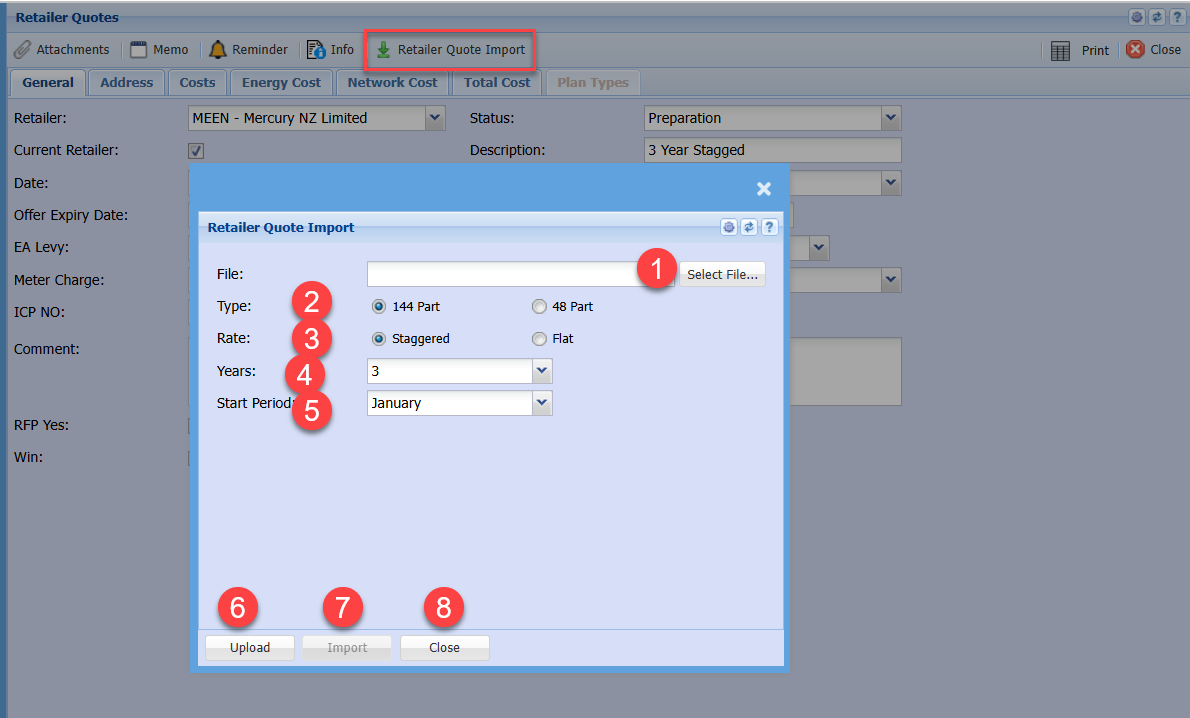
Once the Excel files are prepared, go to Retailer quote import
Fill in the information as to the Type, Rate, Years and Start Period
Then Upload and Import
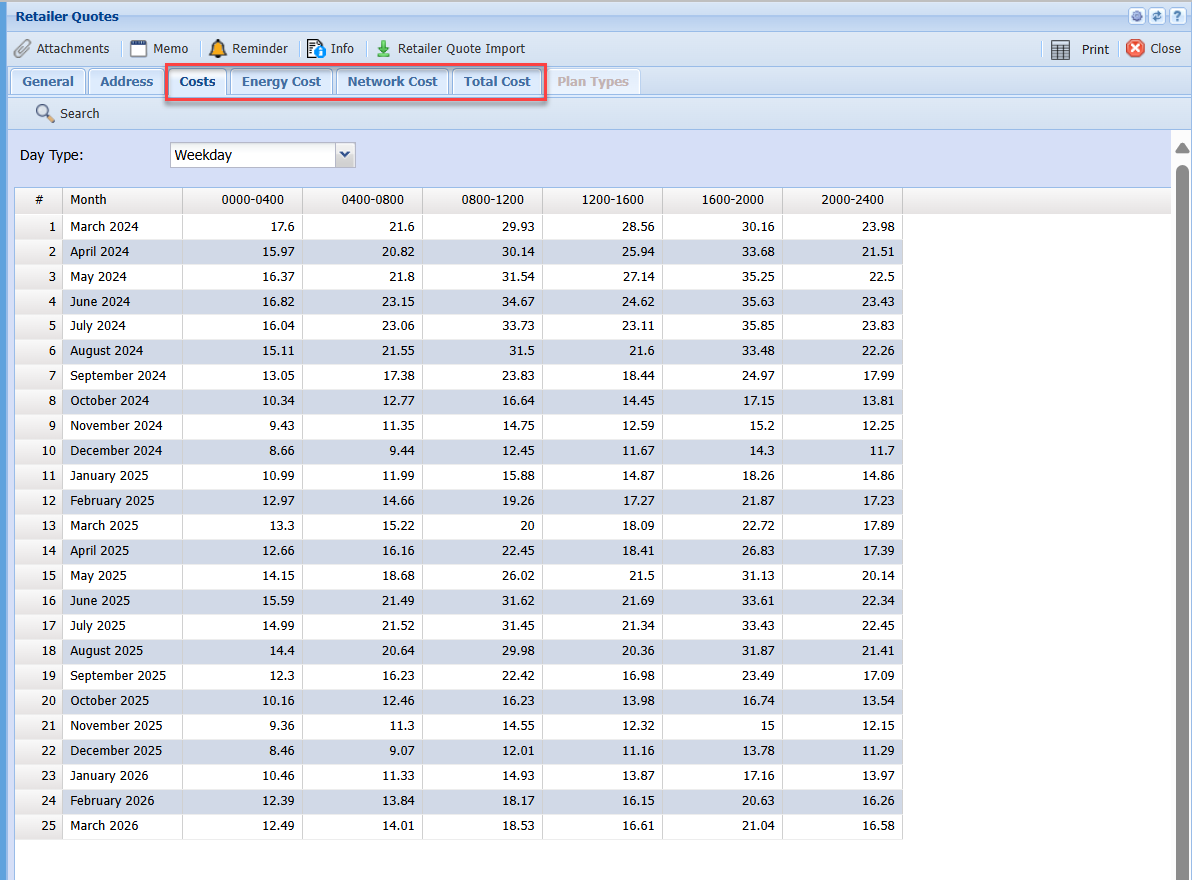
After import is done, it will populate all Tabs with cost data
- Costs
- Energy Cost
- Network Cost
- Total Cost
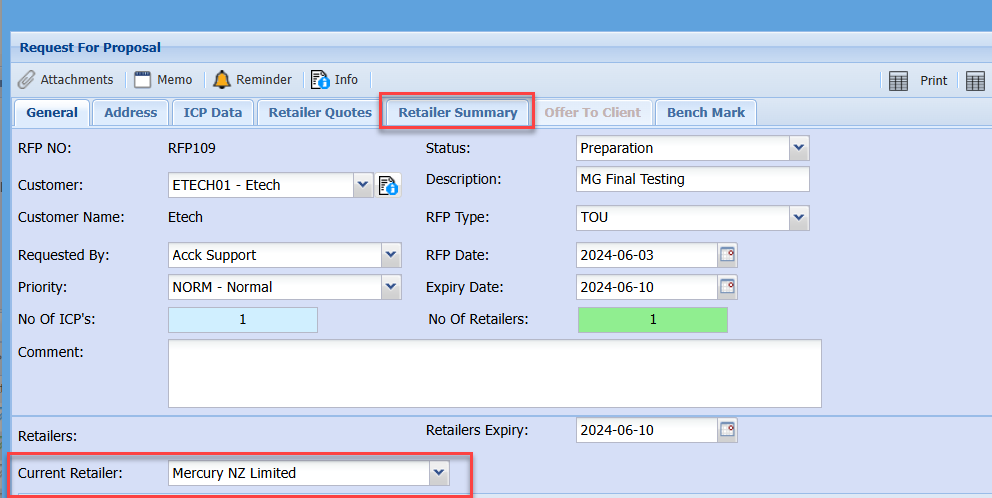
Retailer summary
In order for the Retailer Summary and Benchmarks to work
The Current Retailer needs to be set.
This will show all the information on the various Retailers
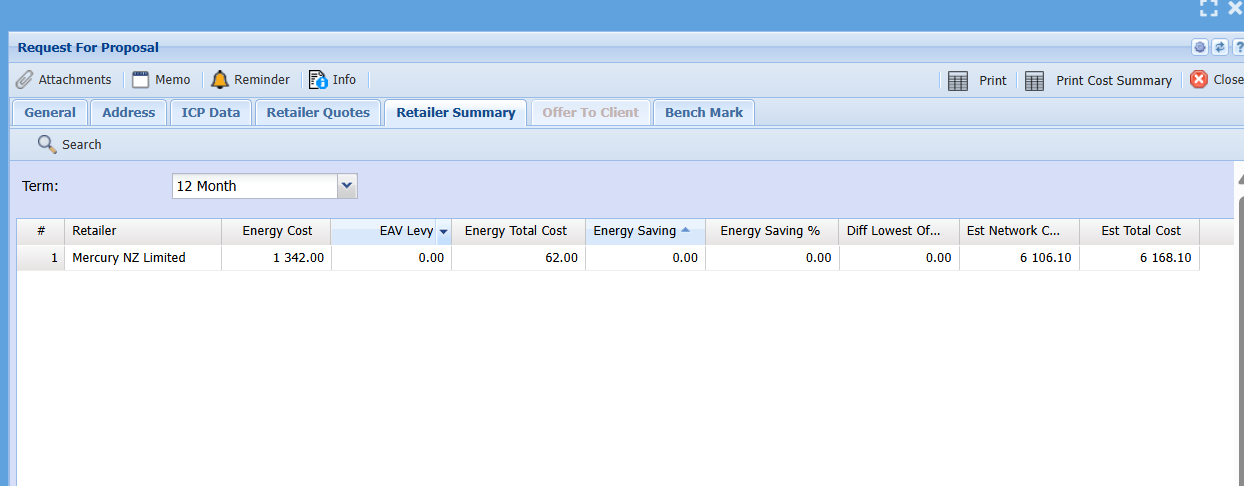
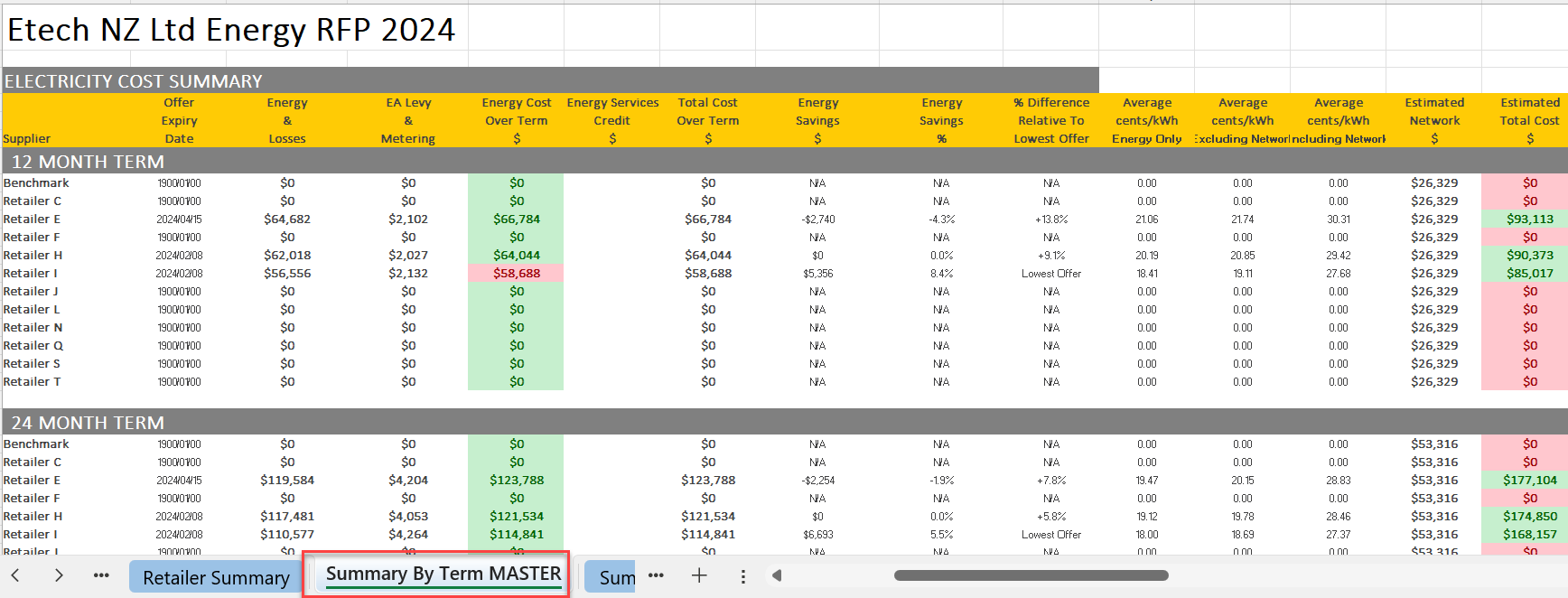
This is similar to your Excel sheet for Summary by Term Master
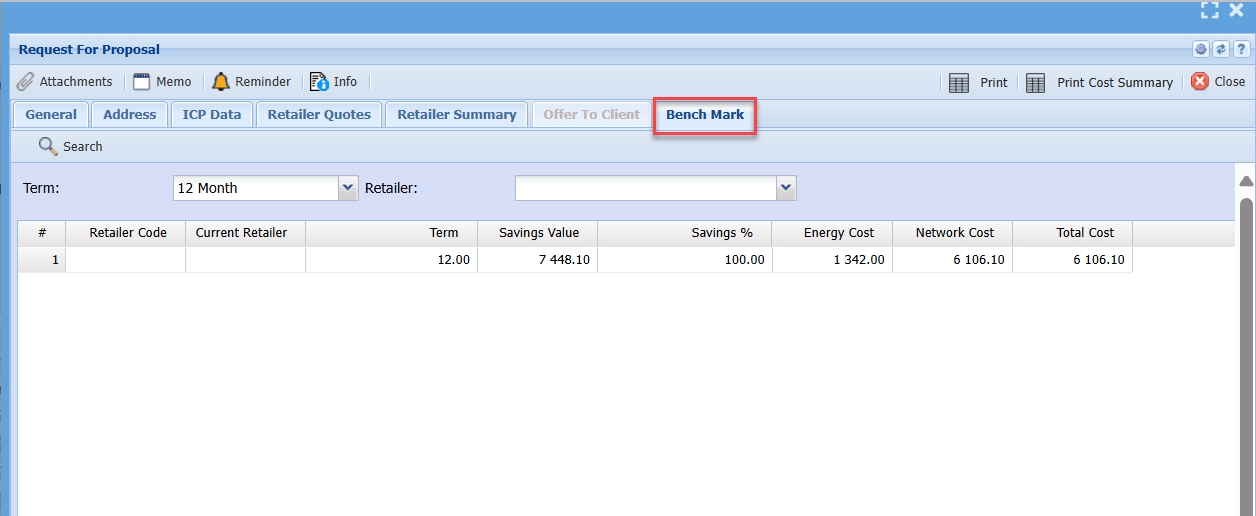
Benchmark
This shows the information on the various levels of benchmark
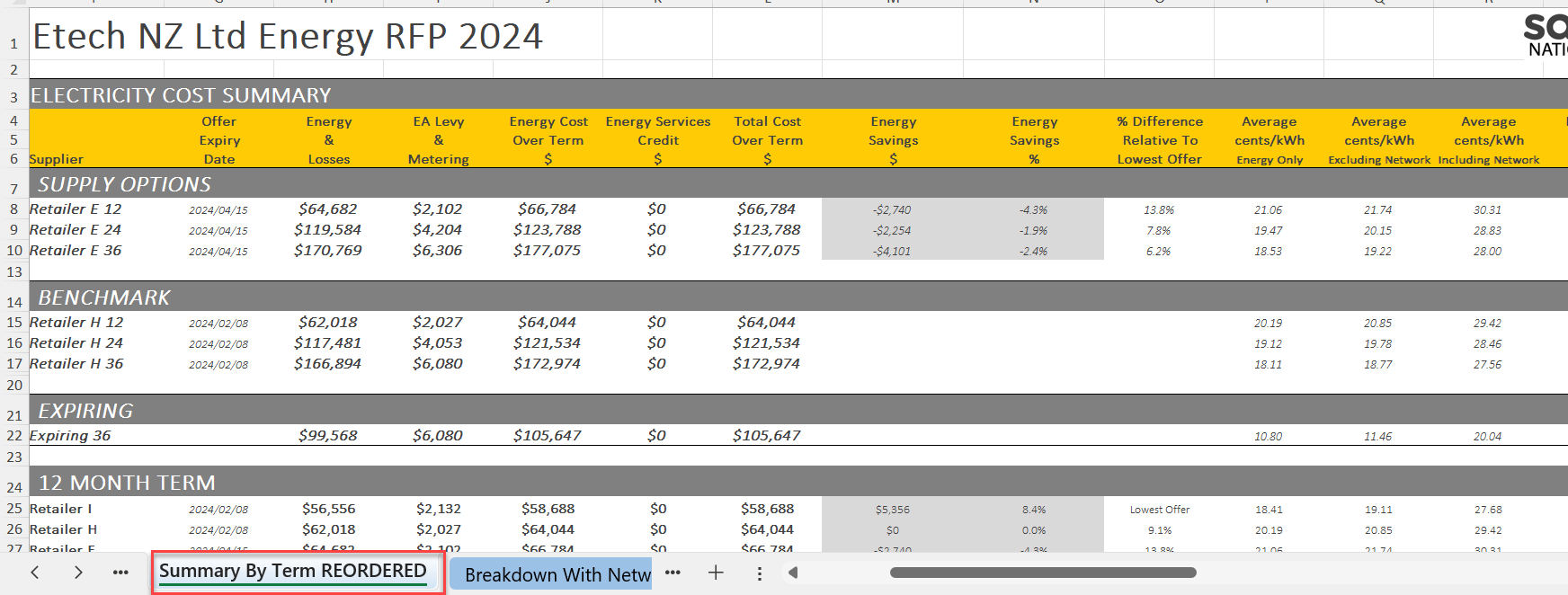
This is similar to Summary by Term
No Comments