
Inventory WIP Breakdown
Inventory module>Reports> Reports List
This report shows all inventory stock type items of total movement taken place in warehouses vs warehouse instance as well as movement in Work in Progress areas. Checks that stock balance movements are correct.
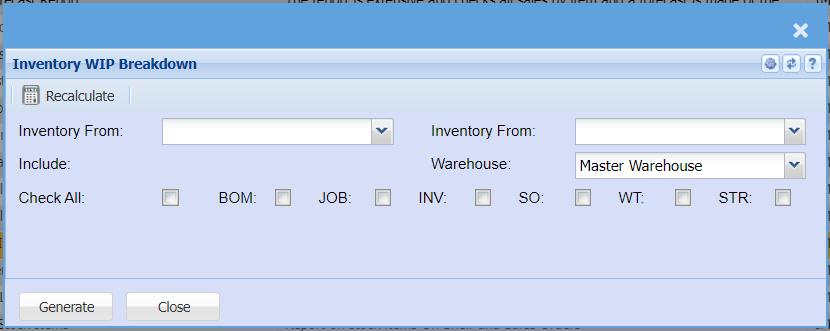
To run the report, select the inventory as the start item and inventory to as the end item. The
report will run according to the selection made.
Master Warehouse – to select one potion from the drop down arrow
Include – this allows the user to select some or all of the options that will included on the report
From Recalculate tab, recalculate button is used to recalculate inventory WIP breakdown.
Generate button – to run the report
Close button – to close the form