
Custom Fields Report
Inventory module> Reports> Reports List
When setting up custom fields against inventory items, run a report showing the list and cost of each item for the selected custom field.
Inventory module> Reports> Reports List
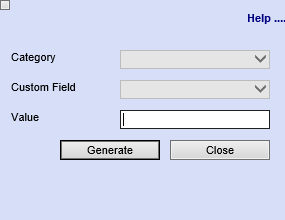
| Category | To generate the report the report, the user has to select the |
| Custom Field | Select a custom field from the drop down |
| Value | Enter a value |
| Generate Button |
Click the You To view the report in an Excel document, copy the report and paste it into an Excel file |