Financial Performance by Period
General Ledger > Reports > Report List
View a year of Financial Performance per period in one report, one can also drill down on the values to the detail
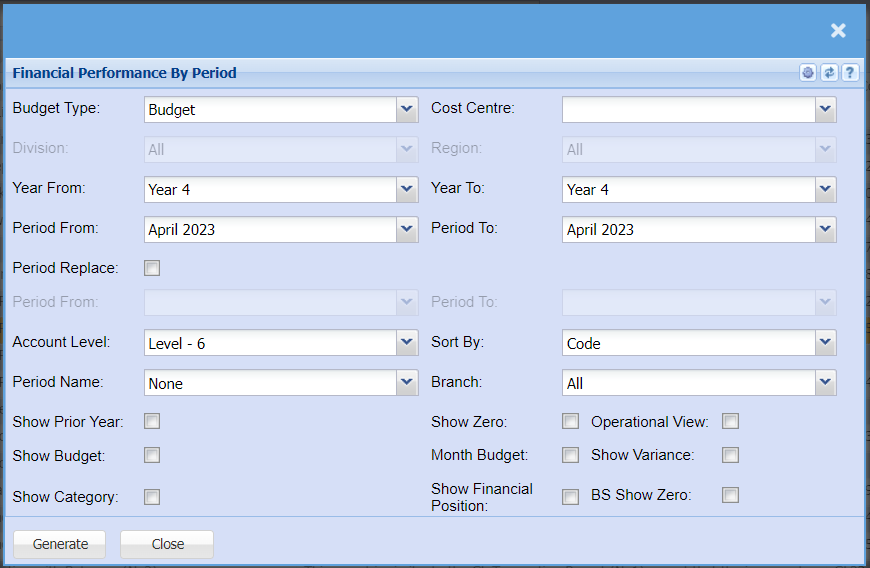
Report criteria defined
| Budget Type |
View the budget or the revised budget for this report Budget is the default |
| Cost Centre |
Select which cost centre you want to enable for division and region Division and region is disabled until a cost centre is stipulated |
| Division | Run the report for a specific division |
| Region | Run the report for a specific region |
| Year From | Select the year from to start your report |
| Period From | Select the period from which is derived from your year from |
| Year To | Select the year To for the end of your report |
| Period To | Select the period from which is derived from your year To |
| Period Replace |
Enable period replace so that your budgets replace the months that are still to come. Great report if you're looking at the whole year and you still have a few months to go to the end of the financial year. |
| Period From | Select the period from that you want budgets to replace actuals |
| Period To | Select the period To that you want budgets to replace actuals |
| Account Level | Select the level that you want to report on, the lower the number the more roll up will occur. Default is always the last level |
| Sort By | Allow the report to sort by General Ledger code or by General Ledger name |
| Period Name | These are three customizable names to run reports, mainly used in the dairy farming industry. |
| Branch | Filter the report by branch |
| Show Prior Year | Show the prior year for the same time in that period |
| Show Zero | Enable show zero to show all accounts that have not had a movement in them within the period that you have selected |
| Operational View |
This is a great report for operational managers, it splits the profit and loss into two versions, operational profit and loss and then general profit and loss. There is a tick on each ledger account to enable the ledger account to be in the operational view |
| Show Budget |
Show the budget total at the end of the report Shows total variance between actual and budget |
| Month Budget | Show the monthly budget |
| Show Variance | Show the variance between your actual and budget per month |
| Show Category |
Show the category of each ledger account Good to have when you're exporting and want to summarise by category |
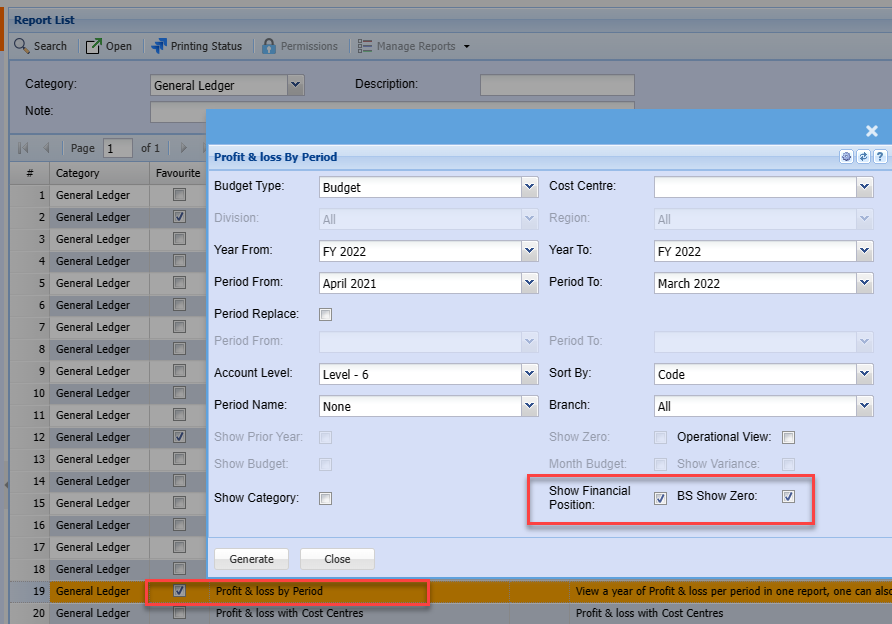
| Show Financial Position |
Show the financial position / Balance sheet at the bottom of the profit and loss report. This will show as a monthly movement with each month. The report shows the opening balance sheet balance and closing balance sheet balance with the movement in between |
| Show BS show zero | Show all accounts in the balance sheet that have not had a movement in that month |
Show Profit and Loss and Financial Position
Display both profit and loss and financial position in one report by selecting two ticks.