
Debtor Sales Distribution By Groups
Debtors> Reports> Report list
Debtor Sales Distribution by Groups.
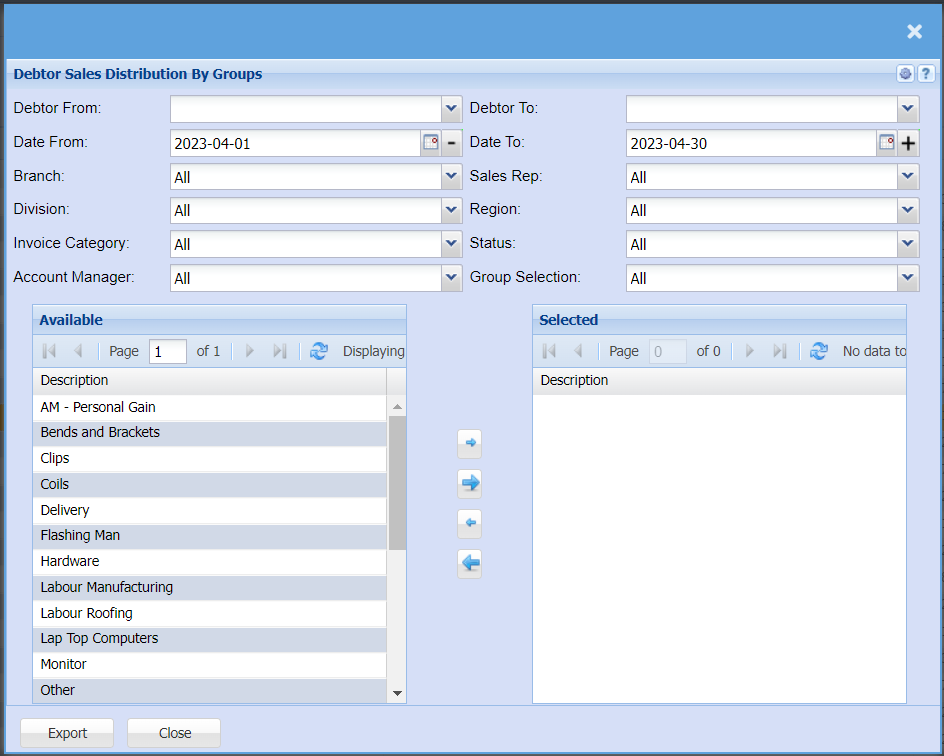
This is debtor’s sales distribution from different groups
| From Debtor | to select the debtor from which the report should run from e.g. “A” |
| To Debtor | to select the debtor, where the report will stop e. g “Z” |
| Date From | to select the date from which the report should run from – can take the back |
| Date To | to select the date from which the report will stop can be the current date |
| Branches | to select the branch from the drop down arrow |
| Sales Rep | to select the sales rep from the drop down arrow |
| Division | to select the division from the drop down arrow |
| Region | to select the region from the drop down arrow |
| Invoice Category | to select the category from the drop down arrow |
| Debtor Status | to select the status from the drop down arrow |
| Account Manager | to select the account manager from the question mark button |
| Group Selection | |
| Generate button | to run the report |