
Support Report
CRM>Reports>Report List
This report shows the detail of all support logs captured within the date range specified. In a list format, one can see all support logs captured and all related information on each support log, without having to open each log individually to ascertain respective problems/solutions. The report can be generated per employee or per debtor or accumulatively.
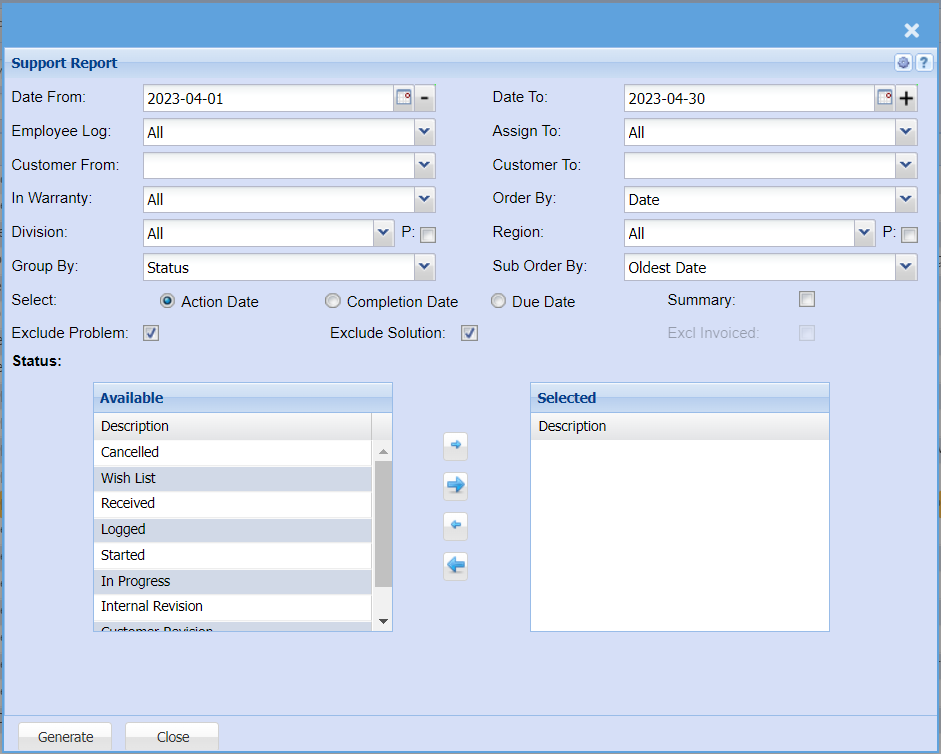
This is the customer’s support log report
Select the date, the employee log, the person that the support had been assigned to, the
customer or leave it blank.
Select either Action or Completion date.
From the available column, select the ones that will appear on the report by moving them
to the right hand side column.
Generate button – to run the report
Close button – to close the form