
Detailed Age Analysis
Creditors >Reports > Report List
Shows the detail of unallocated transactions of Creditors in a list in detail per document
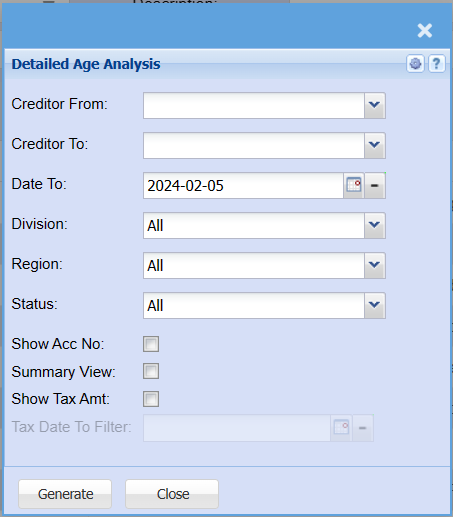
| Creditor From | |
| Creditor To | Select a Suppliers/Creditors you wish to |
| Date To | |
| Division | If you have set up divisions for your debtors, you can pull the report for all your debtors or you can select a specific Division from the drop-down menu. |
| Region | You can pull the report for all your debtors, or you can select a specific Region from the drop-down menu if you have set up Regions for your debtors. |
| Status | If you select all the report will pull all statuses. If you want to view report by status, select the status on the drop-down menu |
| Show Acc No. | By ticking Show Acc No. the report will add a column that will have the Creditors account number. |
| Summary View | If you put the tick on the report will only pull limited information |
| Show Tax Amt | If you put the tick on the report will show the tax amount in a separate column. |
| Tax Date To Filter | If you have ticked show Tax Amt you will be able to select a date to filter up to. |
| Generate | Click the "Generate" button to |