
Stock weight log
View all stock with weight changes
Found in Inventory Module > Analysis > Stock Weight Log
Setting up Webatar app - Webatar Stock weight change
Search for all logs and Export data to Excel to analysis
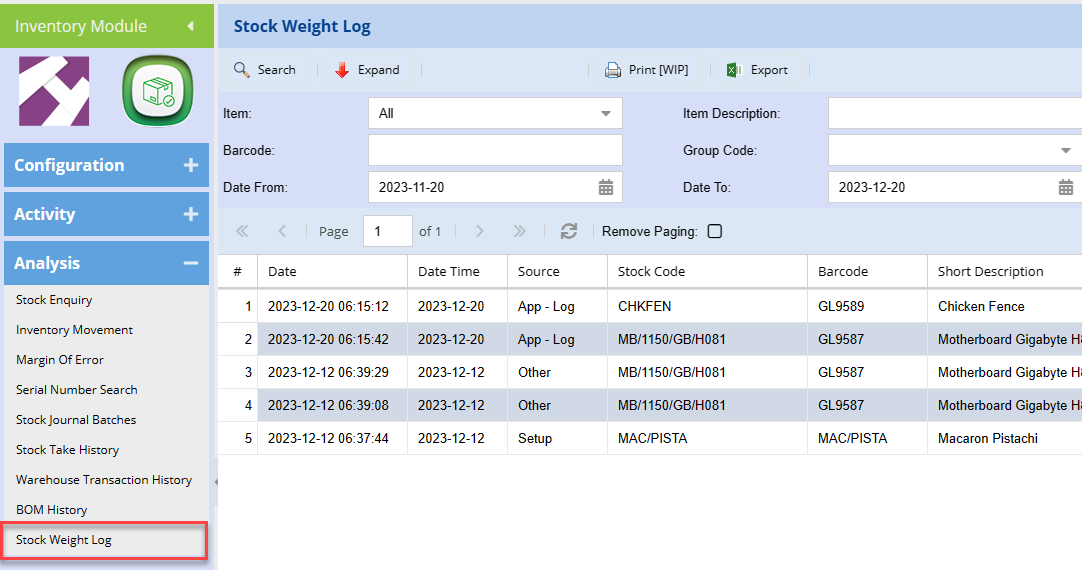
Source definitions
Weight can be changed in multiple places, the source tells the user where the change occurred
| Setup |
Weight changed on Setup New item created with weight |
| App - Setup | Webatar App inventory enquiry weight change |
| App - Log | Webatar App menu item called Weight change |
| Other | Any other weight changed that is not defined as above |
Weight is kept against the inventory item
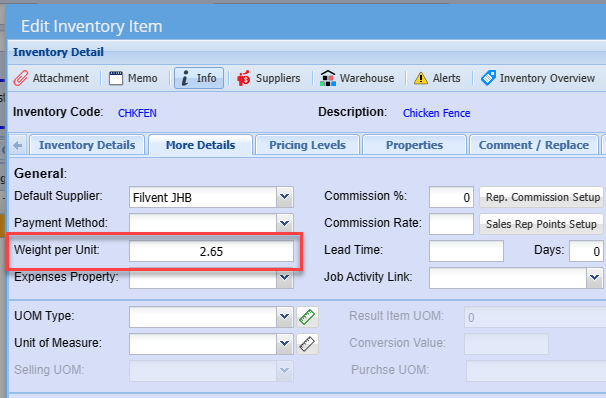
Weight change is logged with previous weight, current weight change and difference.
If the weight is below the previous weight, the weight is logged in red with a negative figure
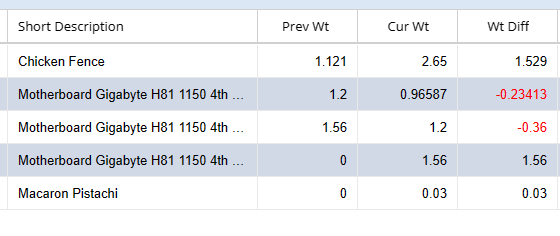
| Prev Wt | Previous Weight |
| Cur Wt | Current Weight |
| Wt Diff | Weight Difference |
No Comments