
User Management – User Search
Video Training Manual 2016 - Click Here
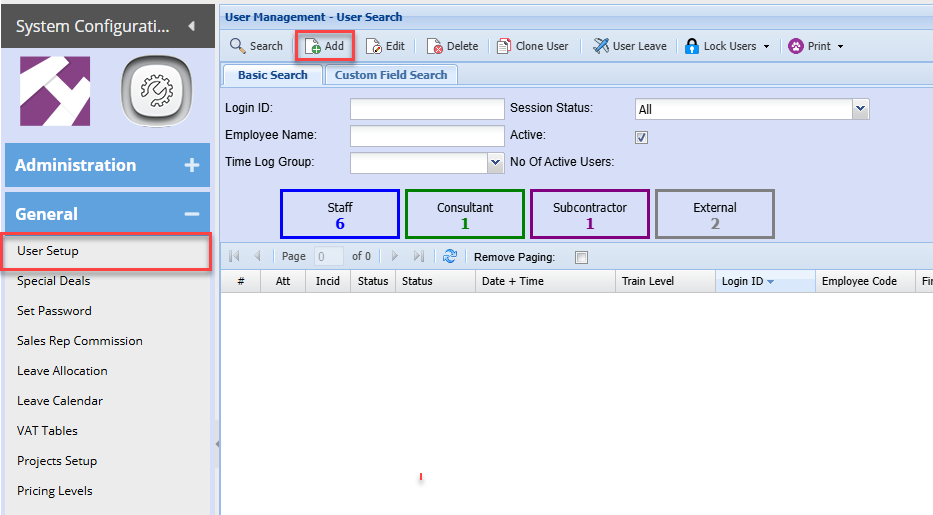
To add a new user go to
Systems Configuration Module> General> User Setup
To add a new user click Add
Once complete click save and then click on Details 2
Details 2
| User Leave | Shows the leave allocated to that specific User. |
| Log User Off | Logs the currently selected Employee out. |
| Lock User | Locks the currently selected Employee. |
| Unlock User | Unlocks the currently selected Employee. |
| Lock All Users | Locks all Employees. |
| Unlock All Users | Unlocks all Employees. |