
User Management – User Search
Video trainingTraining manualManual 2016 - Click Here
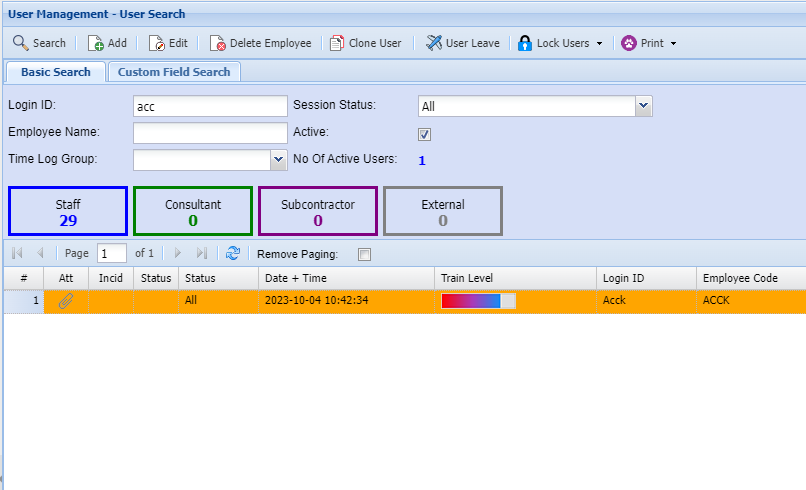
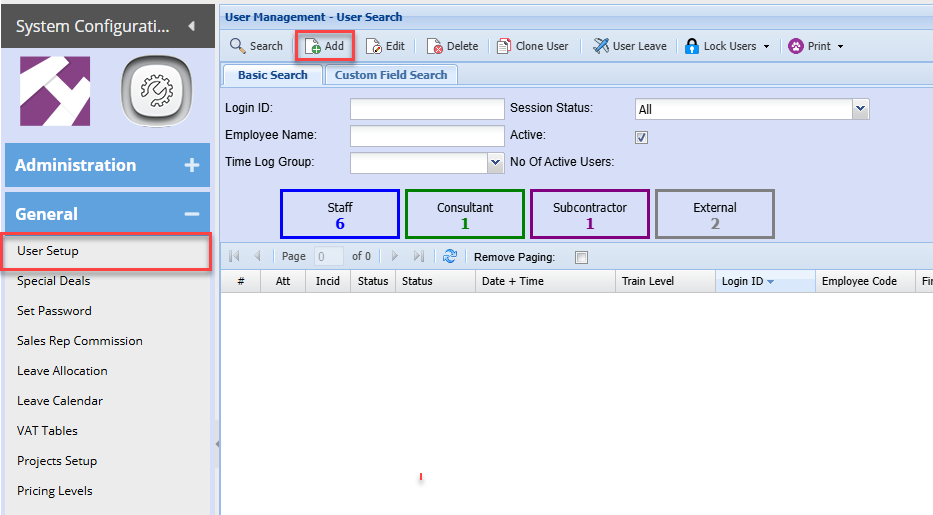
To add a new user go to
Systems system,Configuration Module> General> User Setup
To add a new user click onAdd
Details 1
The screen below will appear, add information as show
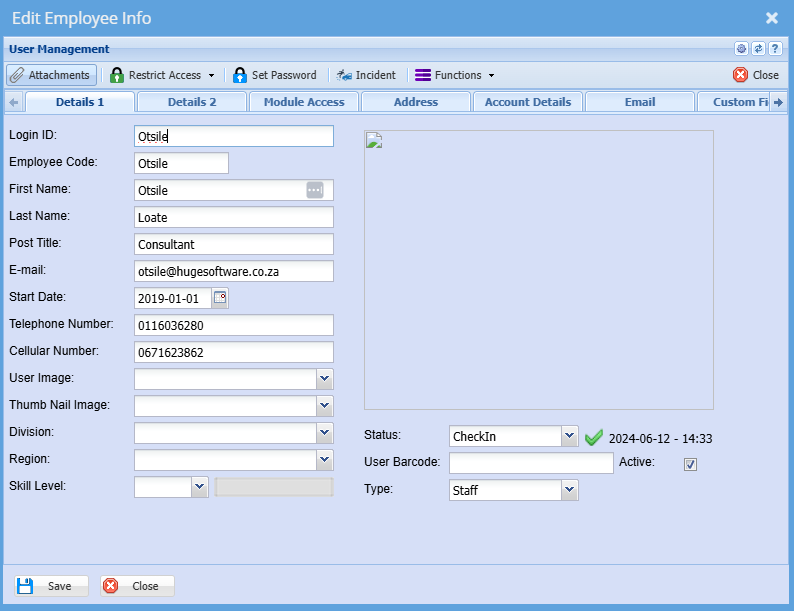
Note the various Tabs on the top of the screen.
This Enter the user's username it can contain letters and numbers Enter the user's email address The email address will be used to send out documents from the system Enter the date the user started working for the company. Cellular Number Enter the user's cellphone number. This is not compulsory Once complete click save and then click on Details 2 You
will
needLoginID
to complete details on each tab.
E.g.is User Details 1 will require you to insert
a user Id, The user’s name, etc.username
Employee Code
Enter the user's employee code
First Name
Enter the user's first name
Last Name
Enter users surname
Post Title
Enter users title
Email
Start Date
Telephone Number
The company telephone number or user work number
Details 2
User Leave
Shows the leave allocated to that specific User.
Log User Off
Logs the currently selected Employee out.
Lock User
Locks the currently selected Employee.
Unlock User
Unlocks the currently selected Employee.
Lock All Users
Locks all Employees.
Unlock All Users
Unlocks all Employees.