Two Factor Authentication
Two-factor authentication is a security method that requires two different types of verification to confirm your identity when logging into an account. It’s designed to add an extra layer of protection beyond just a password.
To activate the Two Factor Authentication on a user's login:
Systm configuration > General > User Setup
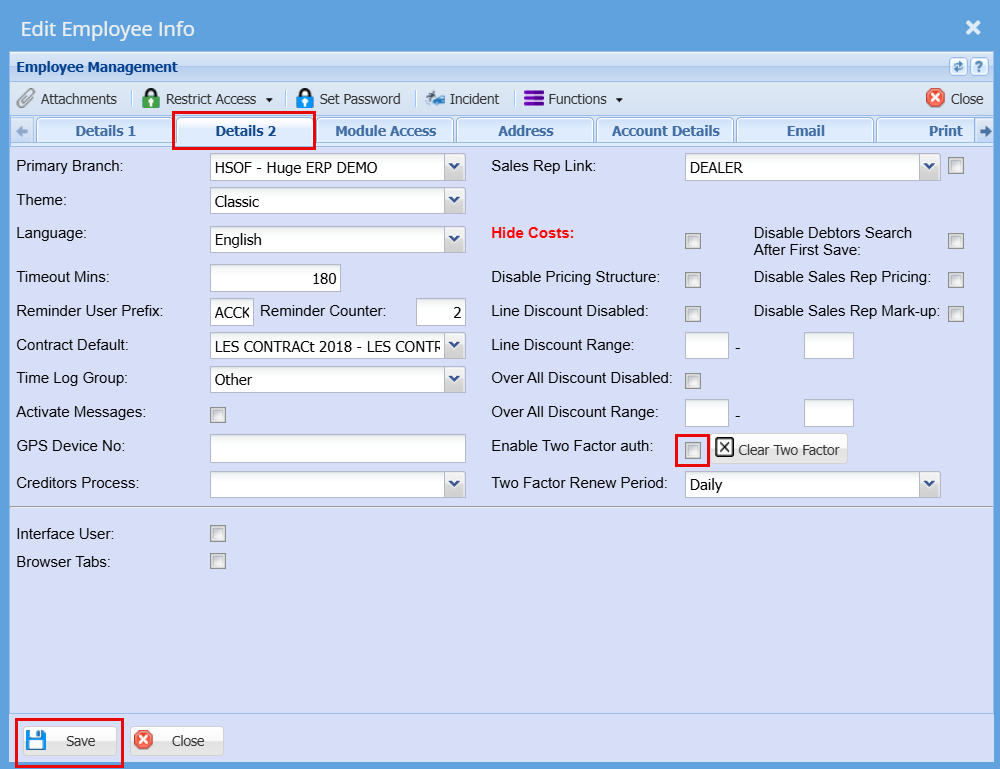
Double click on the user you would like to activate Two Factor Authentication
Go to "Details 2" tab
Tick the Box that says "Enable Two Factor Auth"
Click "Save"
The user will need to close any active sessions and login again to Huge ERP where they will see the below screen.
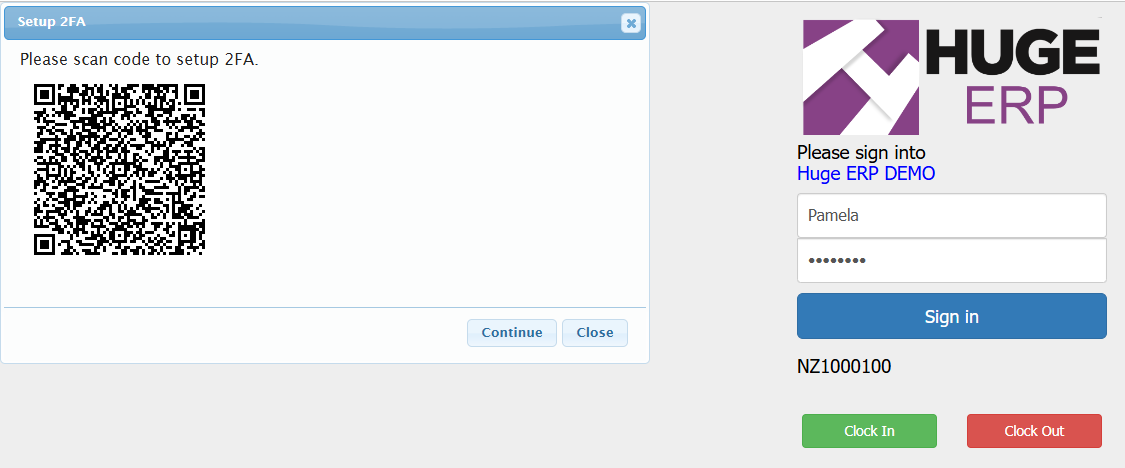
On your phone they will need to find the Authenticator App.