Job Item Details
Job Item Details displays items that have been set up for tracking.
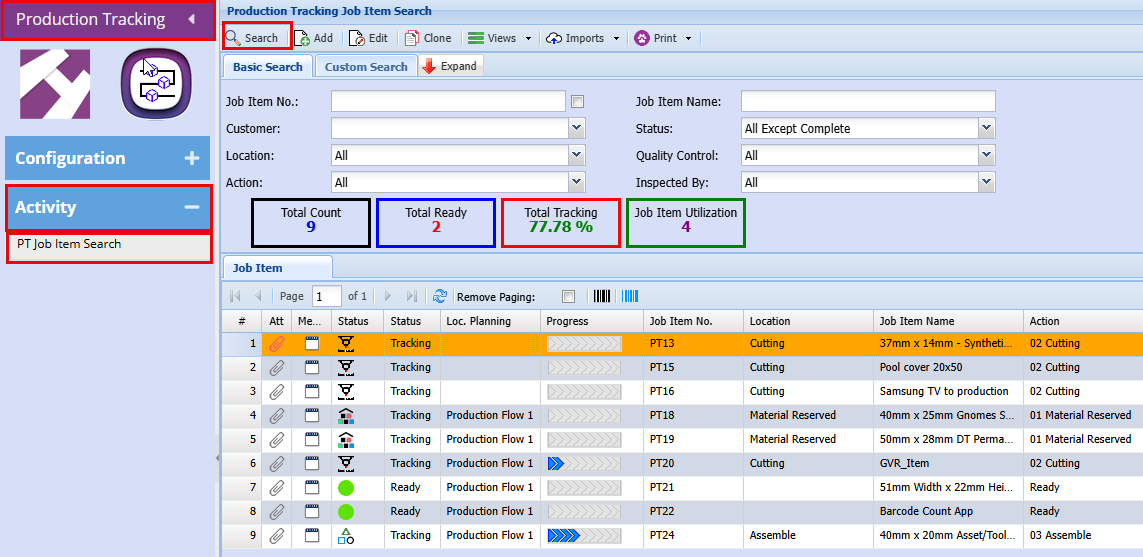
Production Tracking > Activity > PT Job Item Search
Main tab
Double click on the job line that want to view
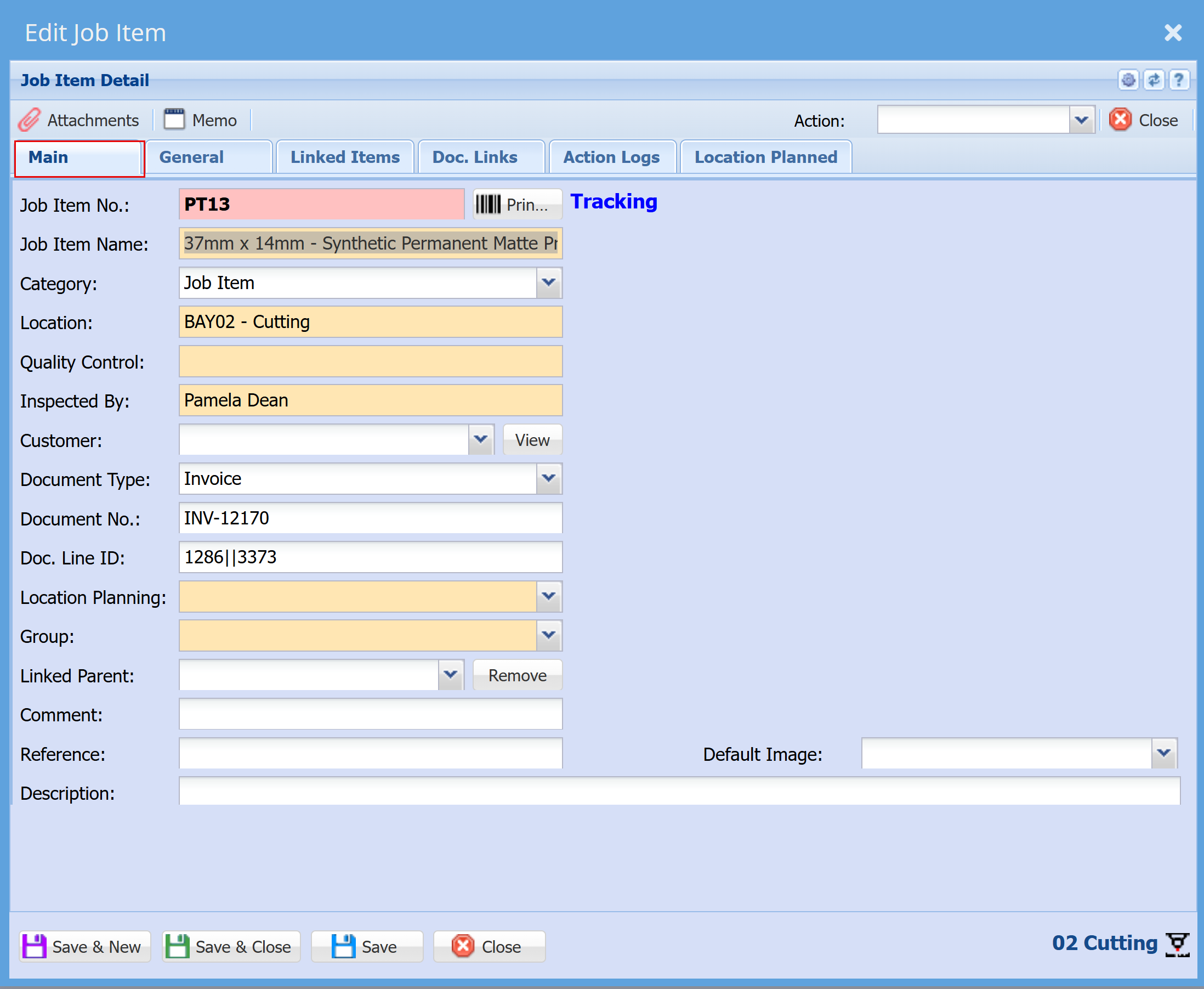
| Job Item No. |
This number is generated automatically as a consecutive numerical value when a new job is created
|
| Job Item Name | Identifies the item being produced, processed, or tracked within a job.
|
| Category | Used to group the job item, such as by production line, process stage, or item type. These are setup in configuration.
|
| Location | Specifies the position within the production line, such as the individual bays where processing takes place.
|
| Quality Control | Displays the result once a quality check or inspection has been completed, such as a pass, fail, or noted damage.
|
|
Inspected By |
Records the name of the person who completed the quality check or inspection.
|
| Customer | Identifies the customer associated with the job or item being tracked.
|
| Document Type | Indicates the type of document the job was created from, such as a Quote, Invoice, or other source document.
|
| Document No. | Displays the reference number of the document the job was initiated from. |
| Doc. Line ID | |
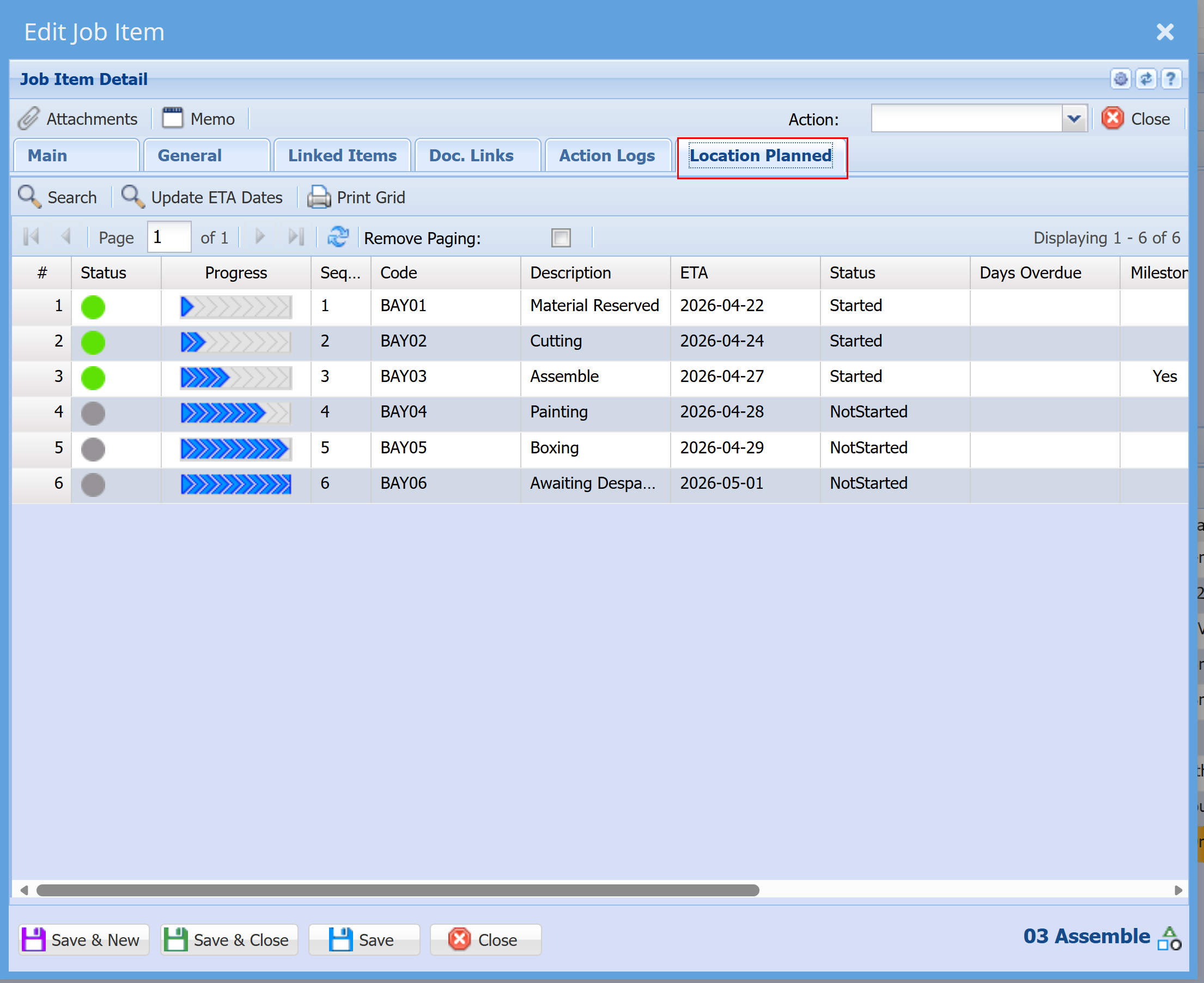
| Location Planning | Location Planning defines the workflow path selected for a specific job. These are configured under PT Location Planning in system configuration. Within this setup, you determine how frequently checks or inspections are performed, and whether email notifications are triggered for progress updates or delays. |
| Group | Function similarly to categories and can be defined to suit industry‑specific requirements. These are configured within the system settings.
|
| Linked Parent | |
| Comment | Allows users to add notes or additional information related to the job or item.
|
| Reference | |
| Description | |
| Default Image |
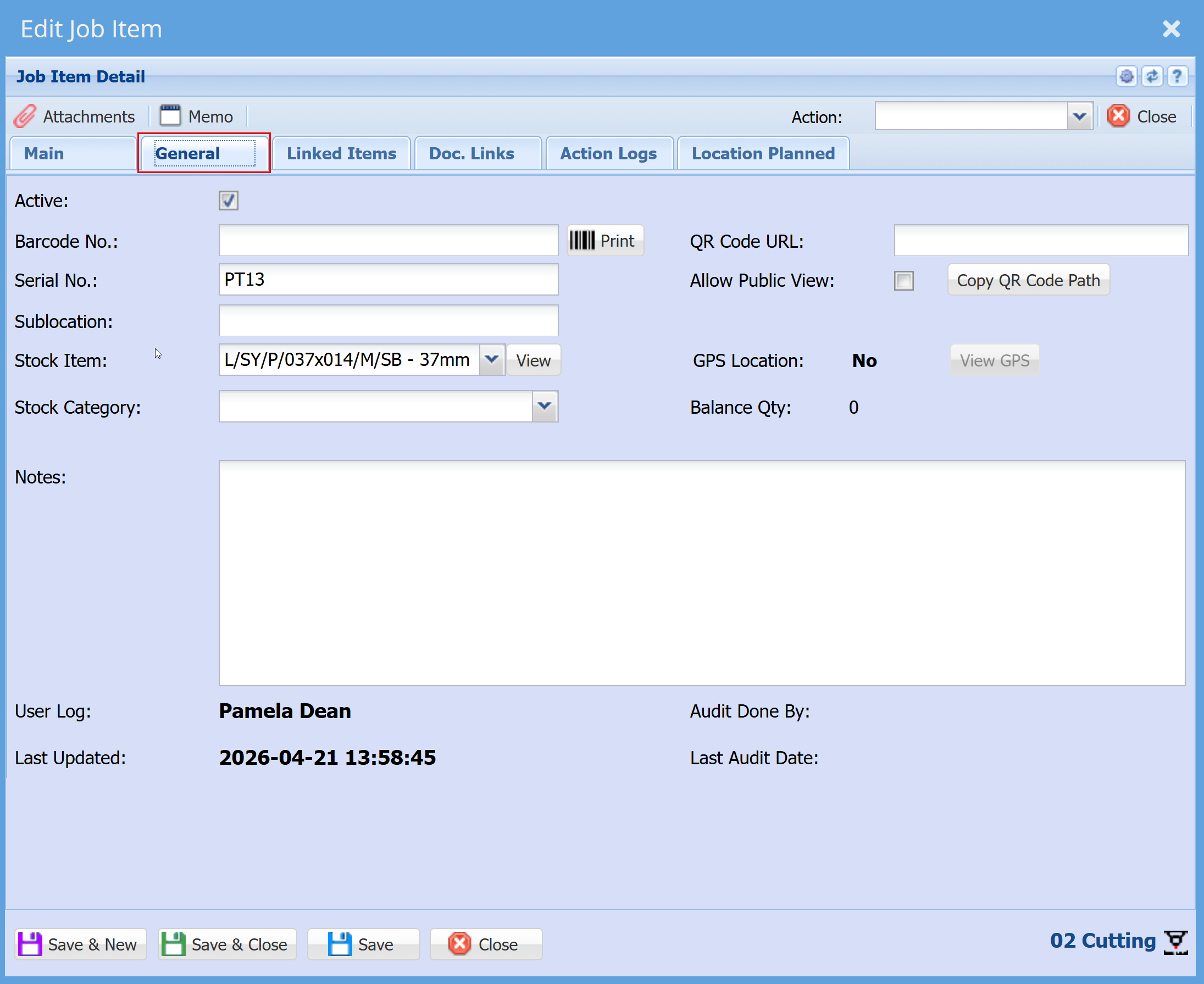
General Tab
Location Planned tab