
Sales Order Unconfirm Quantity
Go to Debtors Module> Activity> Sales Orders
Search the required Sales order
Remember you need to change the search screen status to find Sales orders that have already been confirmed and migrated from preparation status
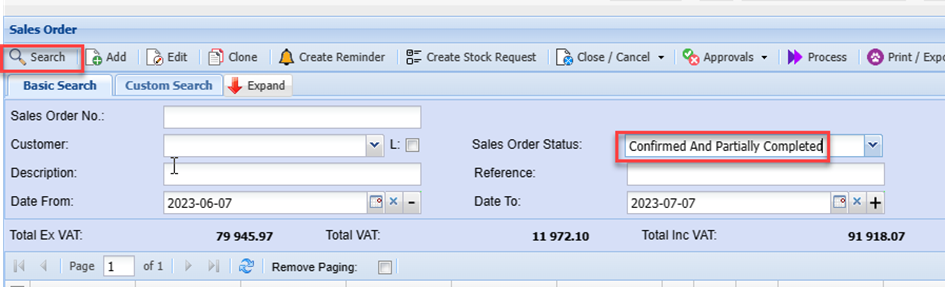
Once you have found the required sales order. Double click the line.
The sales order will opena nd you can verify the details of the order
You will be able to see the respective quantities confirmed on each item line
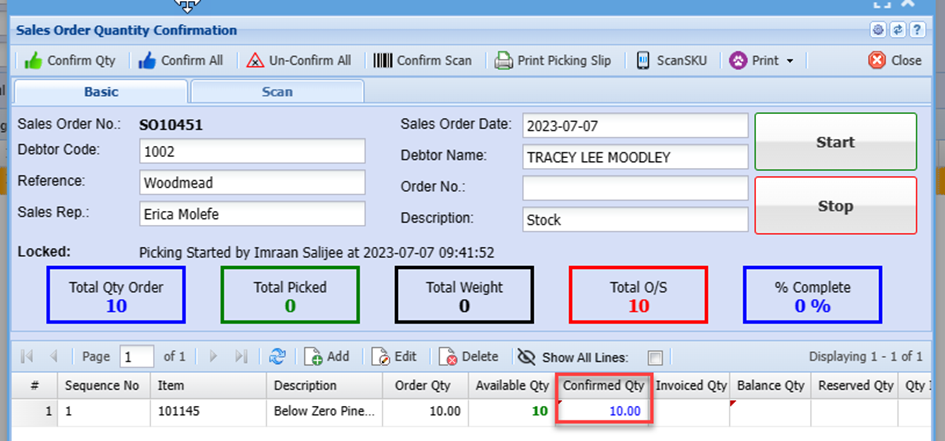
Note. Once item quantities have been confirmed, the line will be hidden from the grid.
This is so the user can easily see which items are still outstanding in cases where you have large
orders with many item lines.
To unhide these confirmed lines, tick “Show All Lines” box
This displays all the sales order item lines
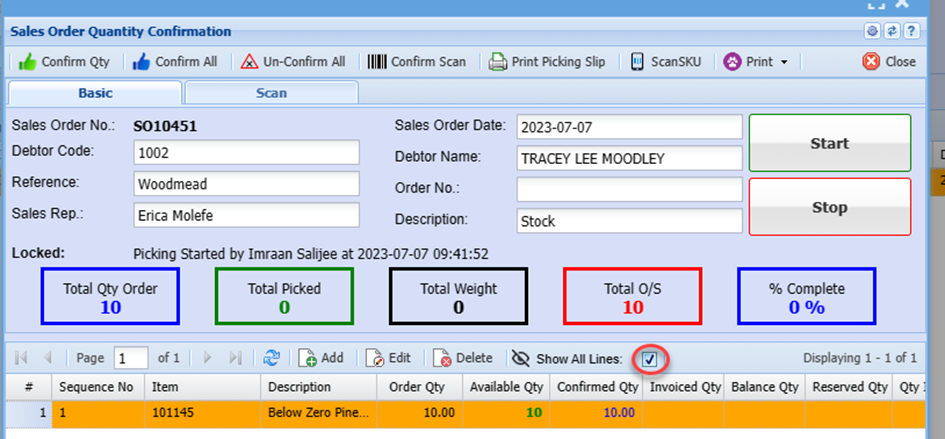
You can then search the item you wish to unconfirm quantities on
Double click the line
Click the Clear Confirmed Qty Button
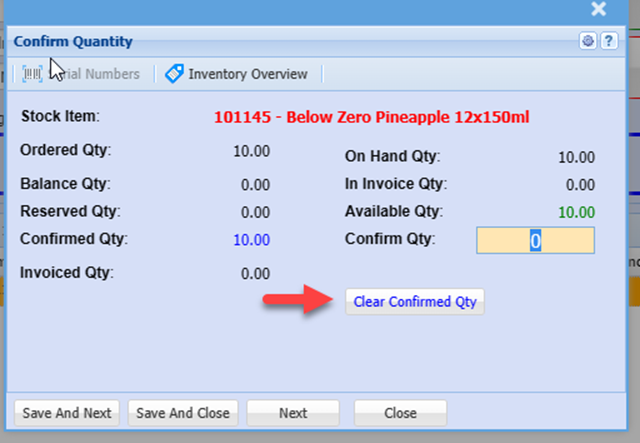
If you have multiple item lines on the sales order that have confirmed quantities and you wish to unconfirm all the lines, then click the Un-Confirm All Button
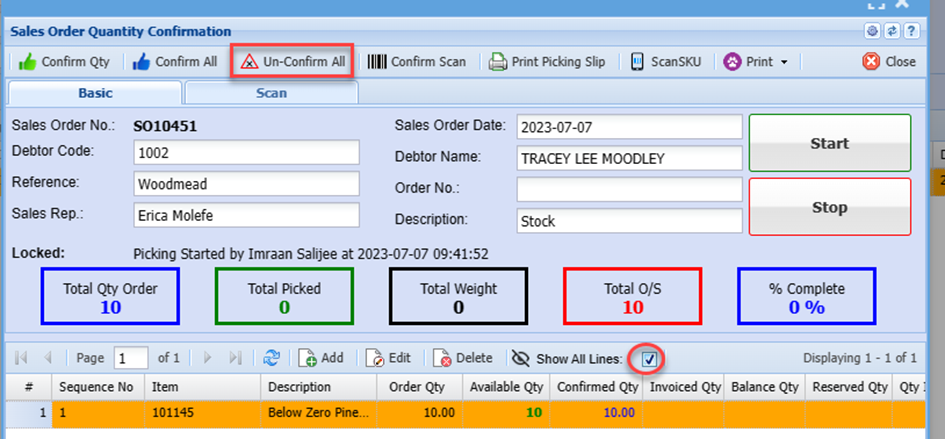
You can then reconfirm the items with amended qunatities, or
You can Unauthorise the sales order and this allows u=you to edit the lines items and add addition items if need be.