Move a payment to another customer
Move a payment to another customer when payment was incorrectly processed to the wrong customer account.
They currently show an outstanding balance of $115 but have confirmed payment.
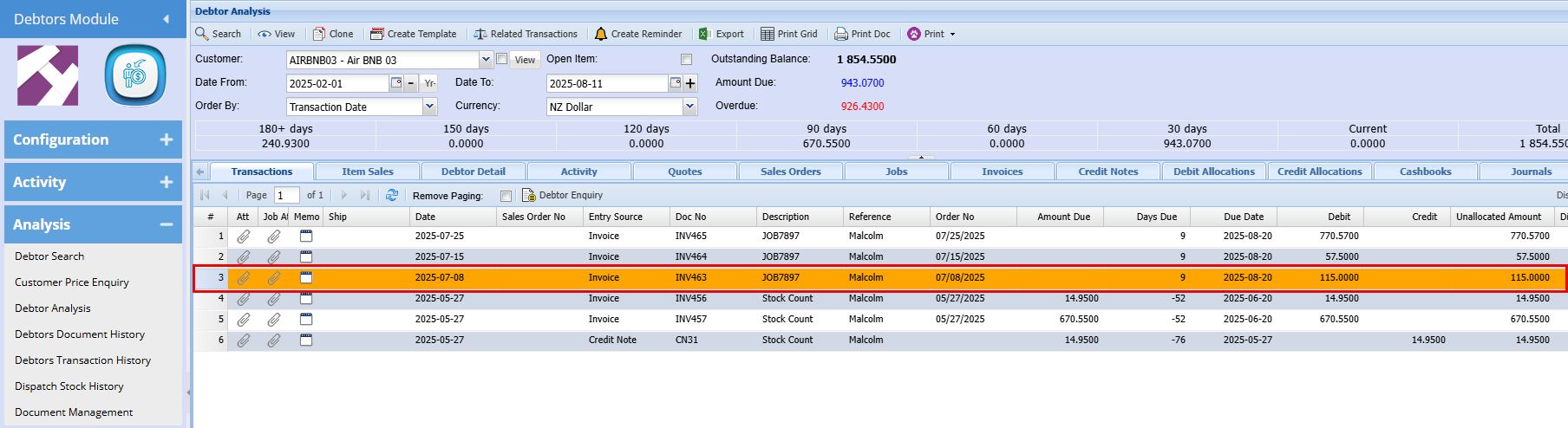
A payment was mistakenly applied to the wrong customer account. Upon review of the cashbook, you find the funds were incorrectly allocated to AIR BMB 01 instead of AIR BMB 03.
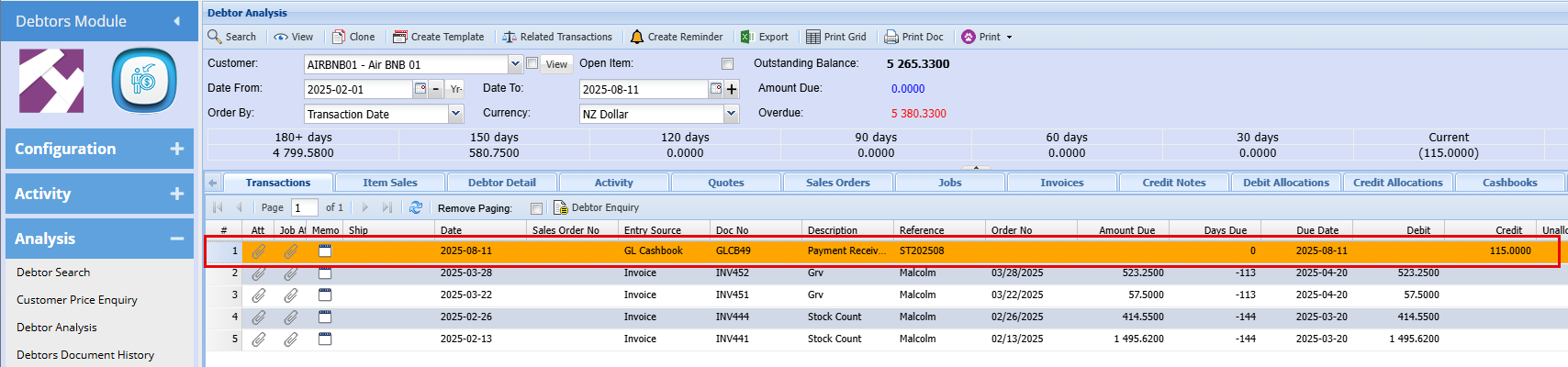
To resolve this, we need to adjust the incorrect account which in this case is AIR BMB 01. When determining whether to apply a debit or credit, simply perform the opposite of what currently appears in the account.
In this case, as shown below the $115 is in the Credit column and you’ll therefore need to process a Debit to AIR BMB 01 to reverse the misallocation.
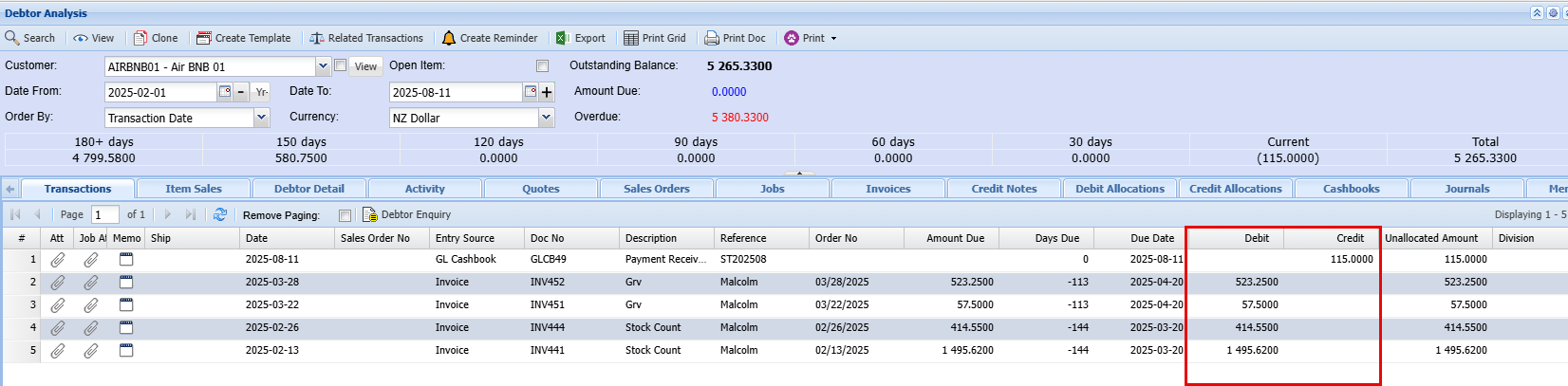
If you're working within the Allocations screen, the same principle applies:
When the amount appears in the Credit lines, you’ll need to process a Debit to correct it
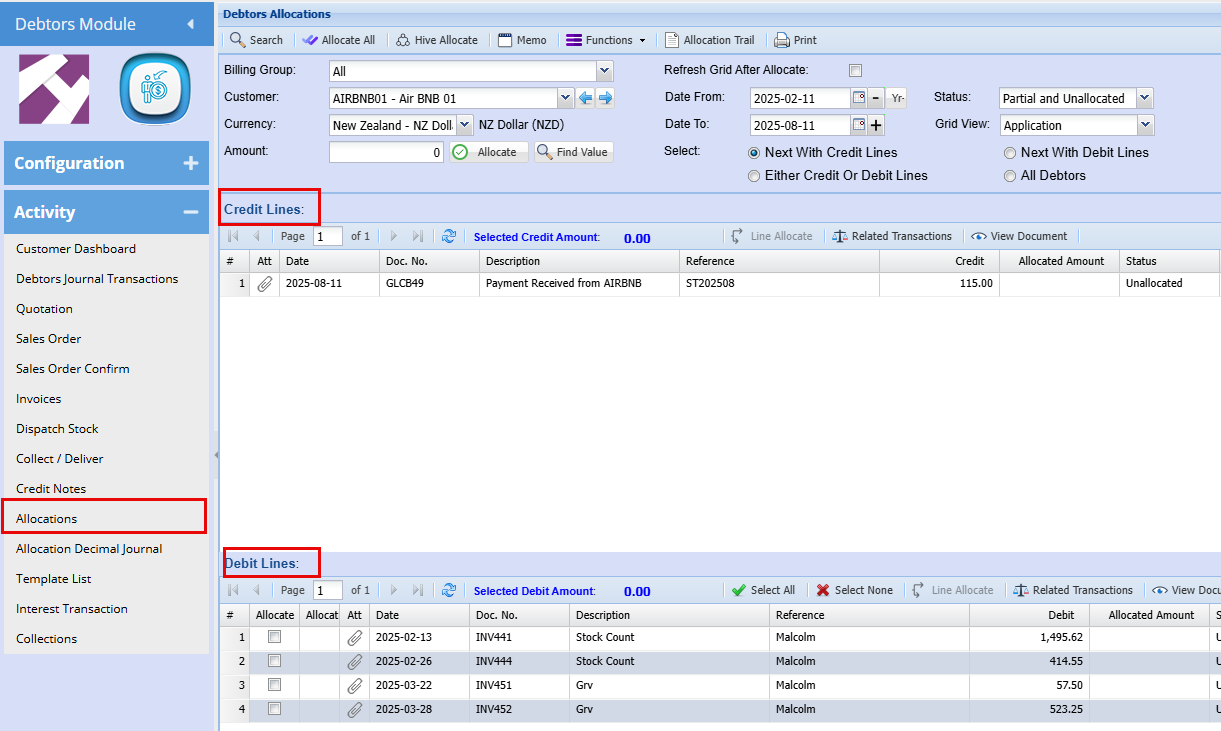
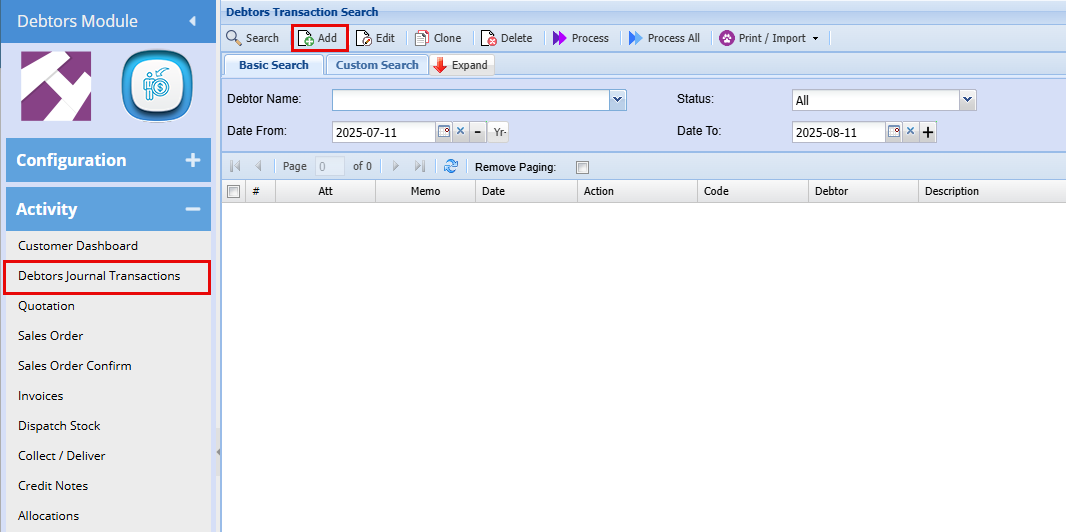
We now need to process a Debtors Journal Transaction to counter this error