
Debtors Journal Transactions
Video Training Manual 2016 - Click Here
This is where we capture debtors/customer's journal entries in Huge ERP
These are direct adjustments to the balance of debtors/customer's account
A few examples of journal entries will be
Discounts allowed/receivedGain/ LossWrite-OffsTake on Balance
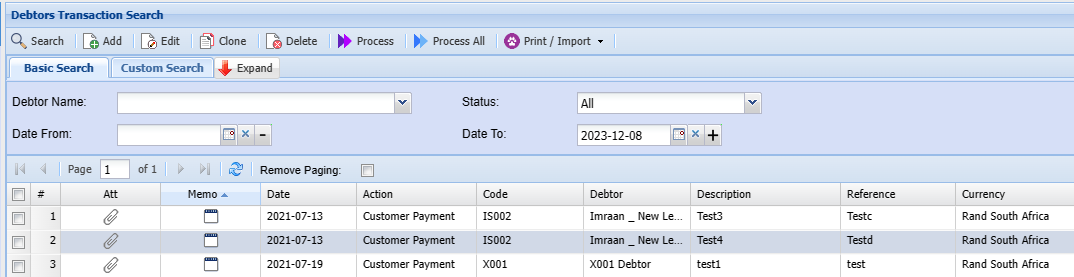
Debtors Module> Activity> Debtors Journal Transactions
Process All
This Function enables a user to select a list of Transactions to process at once.
.png)
Print / Import function
This function allows you to print existing debtor/customer journal transactions and import new journals to the system.
Import clone refers to loading an existing debtor from the system. All you need to do is make changes as per current journal.
Debtors Module >Activity > Debtors Transactions > Print /Import
.png)
Print option takeswill take you to print the user to the option of printing theselected debtors transaction selected.transaction.
.png)
Import takes the useryou to the option of bringing in data from a saved csv file
.png)
See Thethe process Isof Selectimporting <a Uploaddebtor/ >customer Importjournal andtransaction Closeinto windowthe system:
- Click Select
The - Upload
- After, uploading the CSV file the import button will open allowing you to import the file
isintoastheshownsystem - Once, complete click close
Important CSV File notes and format tips:
•ImportDebtorsfile Transaction Help
•Mustmust be saved as a CSV
•Please don'theyour data
•
•
•
•FileSee the file Layout for CSV file
|
1 |
AccountCode |
Required |
|
2 |
Date |
Required |
|
3 |
Reference |
Required |
|
4 |
Description |
Required |
|
5 |
Amount Inc Vat |
Required |
|
6 |
ExchangeRate |
Required (Default 1) |
|
7 |
Action |
Required |
|
8 |
TaxType |
|
|
9 |
AutoAllocate |
1/0 |
|
10 |
CheckZero |
1/0 |
|
11 |
Division |
|
|
12 |
Region |
|
|
13 |
GL Account |
Required |
Import Clone