
Debtors Journal Transactions
Video trainingTraining manualManual 2016 - Click Here
Debtors Module> Activity> Debtors Journal Transactions
This is where we capture debtors/ customerscustomer's journal entries in Huge ERP
These are direct adjustments to the balance of debtors/ customerscustomer's account
FewA few examples of journal entries will be
- Discounts allowed/received
- Gain/ Loss
WriteWrite-Offs- Take on
BalancesBalance
Debtors Module> Activity> Debtors Journal Transactions
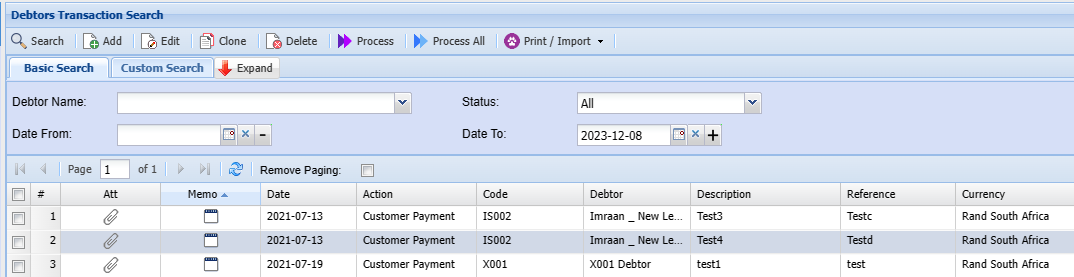
Process All
This Function enables a user to select a list of Transactions to process at once.
.png)
Print / Import function
Debtors Module >Activity > Debtors Transactions > Print /Import
.png)
Print option takes the user to the option of printing the debtors transaction selected.
.png)
Import takes the user to the option of bringing in data from a saved csv file
.png)
The process Is Select < Upload > Import and Close window
The format of the file is as shown below
•Import Debtors Transaction Help
•Must be saved as a CSV
•Please don't put commas in the data
•Fields for values mostly require codes of those fields
•Date format must 2020/01/01 YYYY/MM/DD
•The column headings can be left in the import file.
•File Layout for CSV file
|
1 |
AccountCode |
Required |
|
2 |
Date |
Required |
|
3 |
Reference |
Required |
|
4 |
Description |
Required |
|
5 |
Amount Inc Vat |
Required |
|
6 |
ExchangeRate |
Required (Default 1) |
|
7 |
Action |
Required |
|
8 |
TaxType |
|
|
9 |
AutoAllocate |
1/0 |
|
10 |
CheckZero |
1/0 |
|
11 |
Division |
|
|
12 |
Region |
|
|
13 |
GL Account |
Required |
Import Clone