
Debtors Journal Transactions
Video training manual 2016 - Click Here
Debtors Module> Activity> Debtors Journal Transactions
This is where we capture debtors/ customers journal entries in Huge ERP
These are direct adjustments to the balance of debtors/ customers account
Few examples of journal entries will be
- Discounts allowed/received
- Gain/ Loss
- Write Offs
- Take on Balances
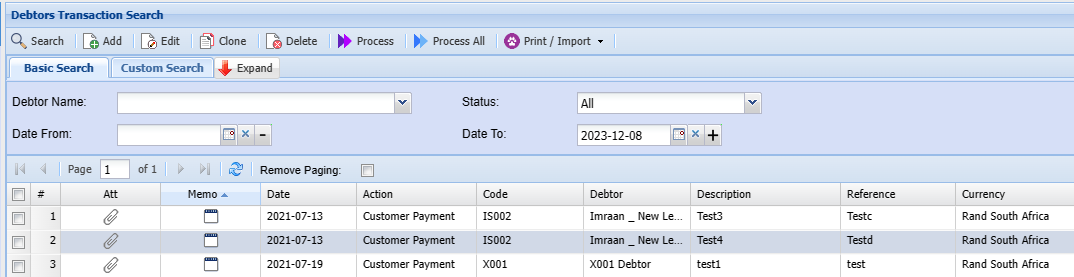
Adding a Transaction Procedure
Click Add to add a new Journal
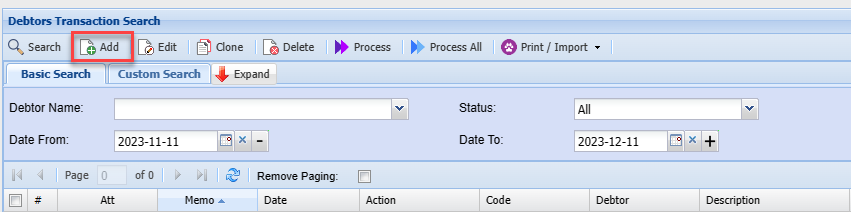
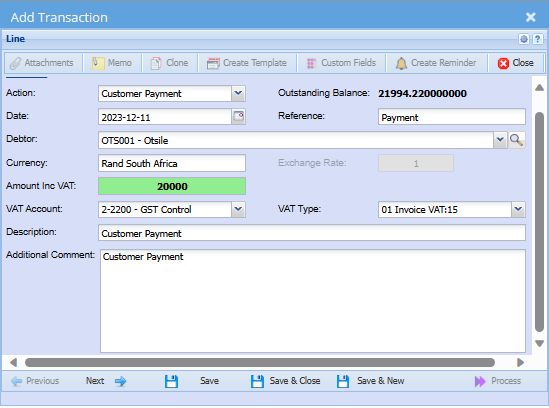
Complete the screen below
Add Transaction Line
| |
| |
| |
Once you complete entering the information above click next to go to the screen below
Additional Line Details
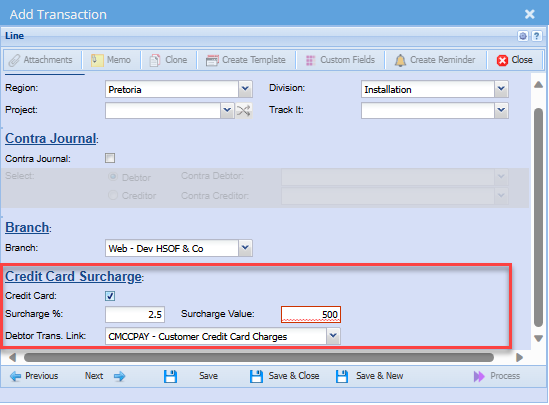
Select region, division, project or TrackIt item related to this journal entry
This field is not applicable to every client
You can click Next again to go to the posting window
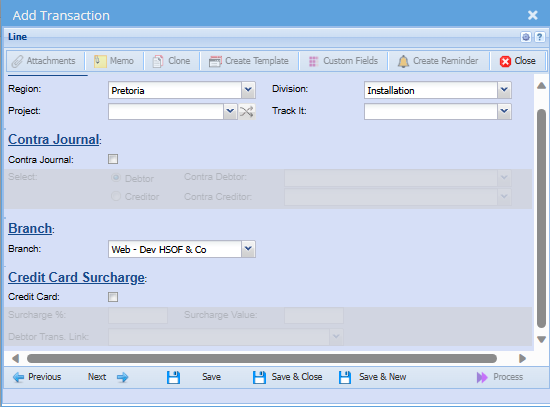
Contra Journal

Credit Card Surcharge
A credit card surcharge is an additional fee imposed by a merchant when a customer uses a credit card for a transaction
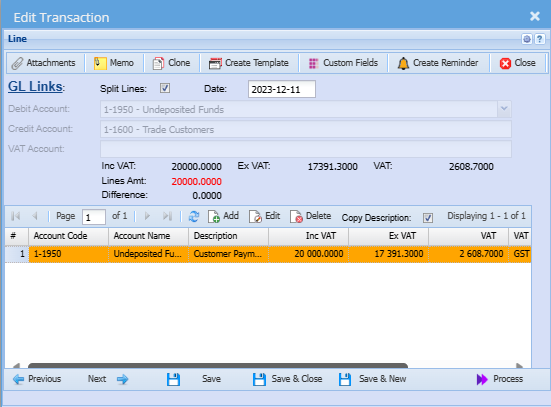
GL Links
The default GL Accounts will populate this window, but you have a choice to change the other leg of the posting to go to any other desired GL account
Once satisfied with the posting entries click save and next
Or alternatively save and close to process at a later stage.
Process Button
Process to complete the journal transaction