
Add Sales Order
Detail Tab
Debtors Module> Activity> Sales Order
The quotes screen will open
To search for existing Sales Orders, select your search criteria and click search
Search criteria can be sales order description, order number, customer name, etc
Select a date range
To create a new Sales Orde, Click the Add Button as shown below

After clicking Add the screen below will appear
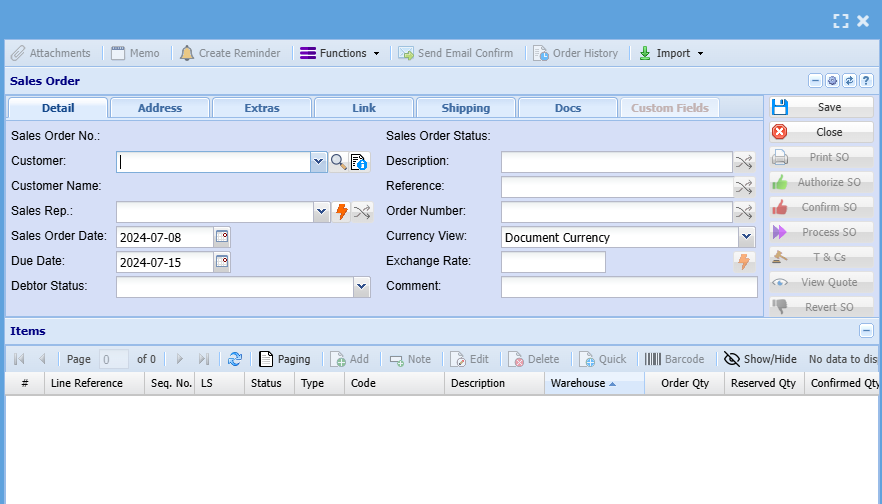
Add information below so that the greyed-out buttons can appear:
- Select the customer/ debtor you are creating a sales order for, from the drop-down menu.
- Select the sales rep on the drop-down selection, if applicable
- Update dates if necessary
- Add description and reference
- Add order number, if applicable
Then, once you are done adding all relevant information click Save and all the greyed-out buttons will be opened as shown