Sales lead Process
A salesSales leadLead is the identification of a person or entityorganisation that has theshown interest andin authority to purchasepurchasing a product or service.service and has the authority to do so. This step represents the first stage of athe sales process.
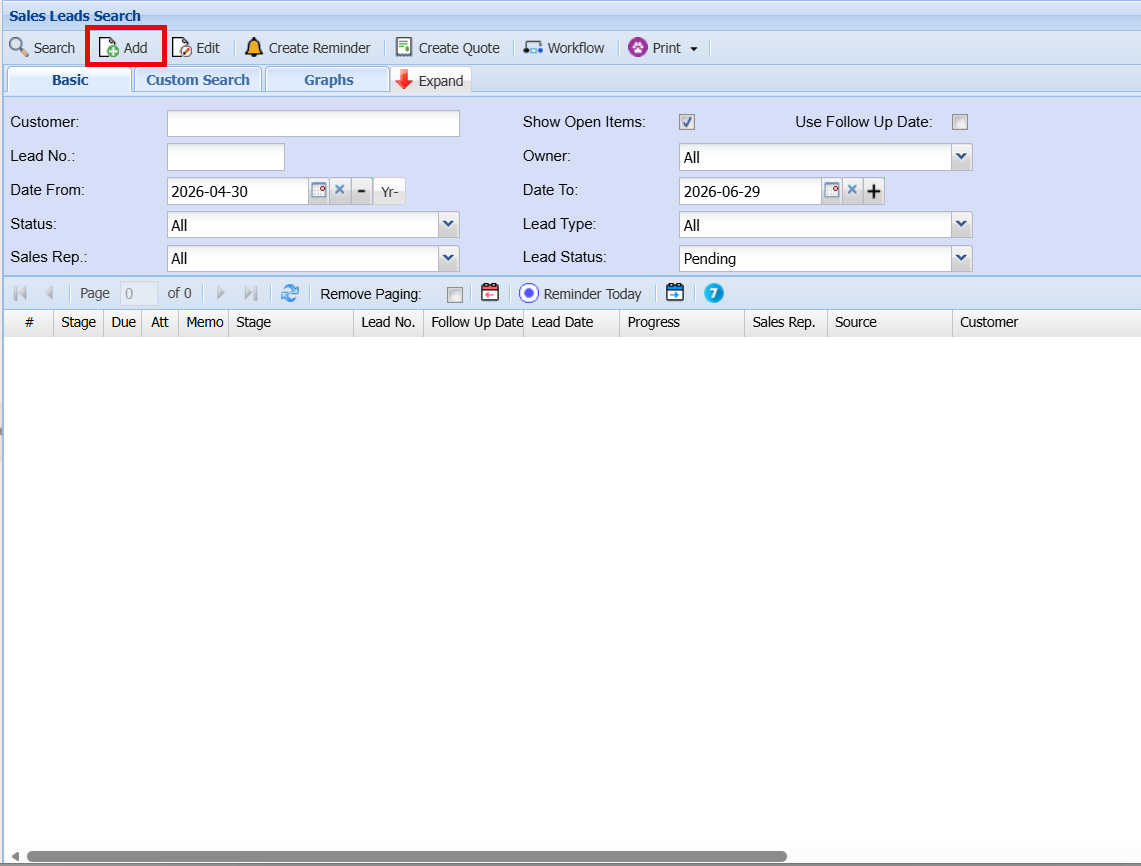
To create a new salesSales lead you need toLead, click onthe Add andbutton. theThe Sales Lead entry screen below will appearthen appear.
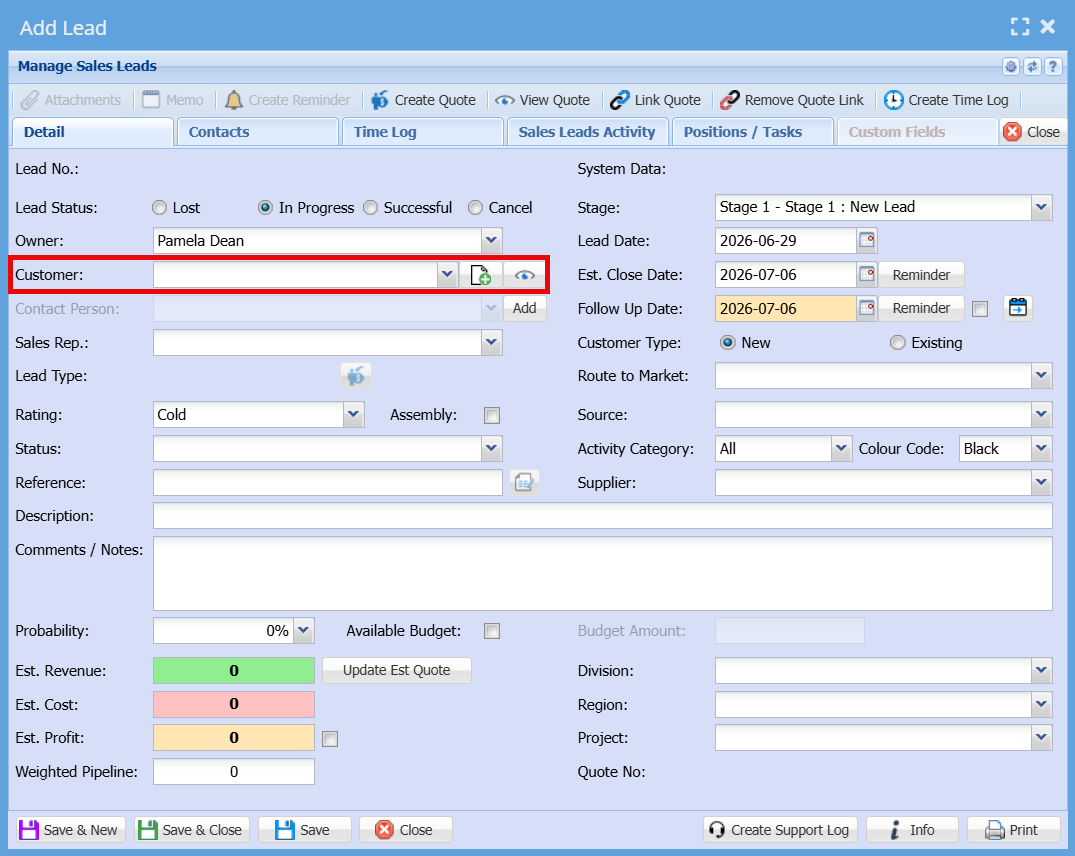
If the clientcustomer already exists and they are nowis interested in moreadditional businessbusiness, you can either enter thetheir name or select themit from the customerCustomer drop-downdropdown list.
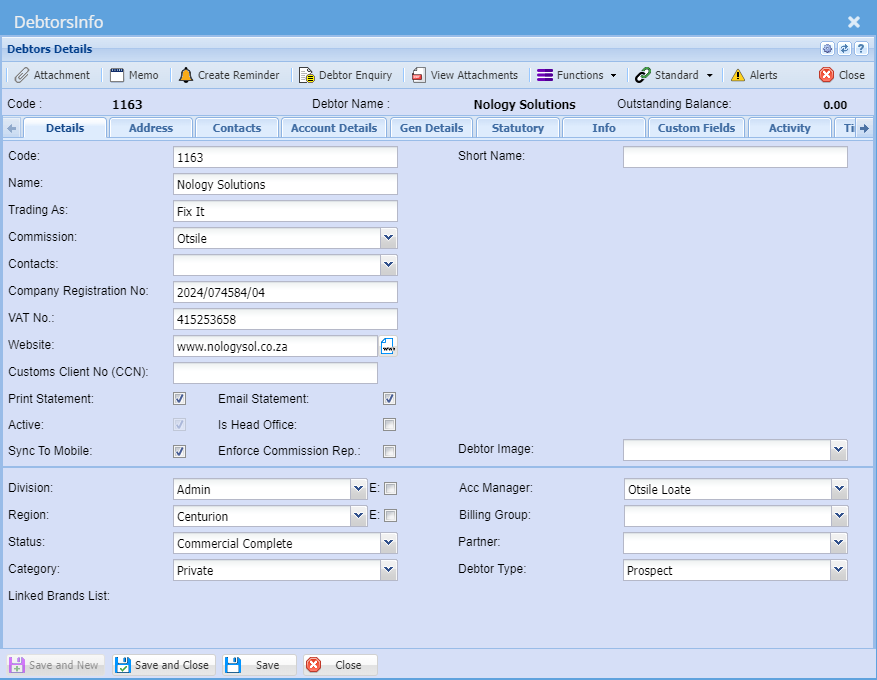
To createcreating a new prospect click
The Add Lead screen is used to capture and manage all relevant information for a new
SalesLead. Below is an explanation of each field and function.
CRM Module> Activity> Sales Leads
- Click Add
General Information
| Owner | The |
| Customer |
The
|
| Contact |
Displays or selection of the contact linked to the chosen customer. |
| Sales Rep | The |
Lead
Details
identified. finalised. based on likelihood. (e.g. In Progress, Lost, Successful). relevant reference number or identifier. summary of the opportunity. information about the lead. originated from. Lead. Tracks activities related to the lead.
Stage
–Defines
Thisthe iscurrent wherestage youof class yourthe lead select(e.g. theNew actionLead, thatQualified, definesetc.).thestage
on the drop down menu
Lead Date
–The date
When the Leadlead was Prospectedfirst
Follow Up Date
– The
Datedate whenscheduled for the follownext upaction isor tofollow-up.bedone
Est.
close Close Date– The
Estimatedexpected date when the sale iswill closed.be
Customer Type
–Indicates
Thewhether Customerthe Typecustomer Isis betweenNew Newor andExisting.existingselect
oneRating
RatingClassifies
- Allows you to rate athe lead hot,as warm,Hot, Warm, or Cold
Status
–Specifies
Herethe youcurrent can define The Statusstatus of the Leadlead
Reference
–AddEnter
Referenceany
Description
–addProvide a
descriptionbrief
Comments / Notes
-Add
adddetailed notes or commentsadditional Classification Fields
Route to
marketMarketSelect how the
categorylead itwas falls underbrought in the(e.g. dropdirect, downpartner, arrowonline).
Source
–Indicates
Addwhere the Sourcelead
Activity Category
–Categorises
Selectthe tetype Activityof Categorysales Fromactivity.TheDrop
Dow n Arrow
Colour Code
–Assign
Colour Code your Lead Selecta colour to visually identify or prioritise the lead.
Division / Region / Project
Assign organisational structure details for reporting purposes.
Financial Information
Probability (%)
The estimated chance of closing the deal.
Estimated Revenue
Expected income from the
droplead.DownArrow
ProbabilityEstimated
–CostRateAnticipated cost associated with fulfilling the
Probabilitysale.
Estimated Profit
Calculated or entered expected profit.
Weighted Pipeline
A calculated value based on revenue and probability.
Available Budget
Indicates if a budget is confirmed and allows entry of the
Leadbudget inamount.PercentagesEstimatedRevenue–Tabs
Addthe
Amount
for an estimated revenue
Estimated Cost – Add an estimated cost
Estimated Profit – Add an Estimated Profit
Weighted Pipeline -
Division – Select the Division
Region – Select the Region
Available Budget – Add the Available Budget
Save And New – to Save and add A new Sales Leads
Save and close - To Save and Close the Captured Sales Lead
Save to Save Only
Close To Close Only and Exit the Form
Contacts Tab
ThisDisplays
Willall Showcontact thepersons Contact Persons Linkedlinked to this LeadSales
Sales Leads
Activity:Activity Tab
Action Buttons
Save & New
Save the current lead and open a new blank form.
Save & Close
Save the lead and exit the screen.
Save
Save changes without closing the screen.
Close
Exit the screen without saving changes.
Click Edit to Change an activity category for an example.
Details Tab