Purchase Order Search
Creditors Module> Activity> Purchase Order

| Search | Allows you to search for an existing Purchase Order, Inventory Item, Creditor or Debtor based on system fields and which module you are in. |
| Add | Allows you to create a new Purchase Order, Inventory item, Creditor or Debtor depending on the Module you are in. |
| Edit | Allows you to edit the purchase order |
| Clone | Allows you to Clone an existing Inventory Item, Creditor or Debtor depending on the module you are in |
| Reminder | You can set a reminder to follow up on a PO or to send the PO off for Authorisation etc. |
| Approval | Click the Approval button to send the PO for approval |
| Authorise | Click the Authorise button to authorise a PO |
| Order | Once the PO is Authorised the order can be placed by clicking the Order button |
| Import | If you have a really long order that you have in the excel format, you can upload this order to create the PO rather than entering them one by one. |
| Cancel | Click Cancel to Cancel a PO |
| Copy To Template | Clock |
| Print/Export | If you have templates set up for your PO you can copy one PO over to another template. |
Basic Search

| PO Number | |
| Description | |
| Date Type | |
| Date From | |
| Supplier | |
| Reference | |
| Status | |
| Date To |
Custom Search

| Category | |
| Recurring Order |
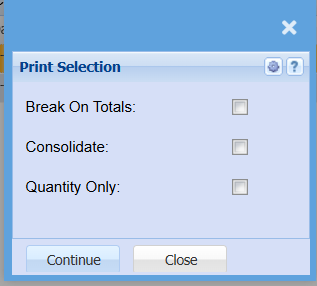
Print/Export