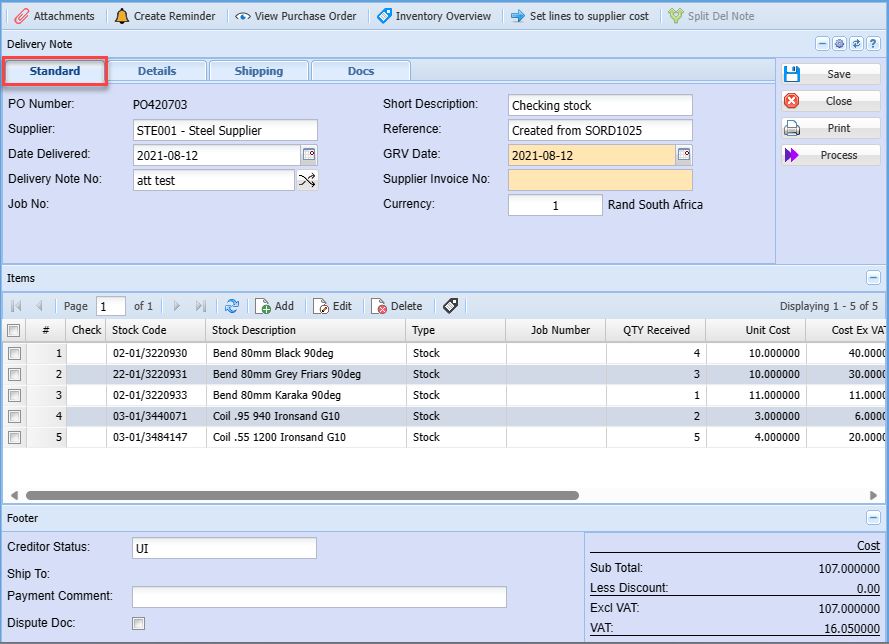
| Standard Tab |
|
| Supplier |
shows the selected supplier |
| Reference |
delivery note reference |
| Supplier Invoice Number |
to enter supplier invoice unique document number |
| Delivery Date |
to select the delivery date |
| Process GRV to job |
tick the box to process a GRV to job |
|
|
| Details Tab |
|
| Short Description |
brief description of the delivery note |
| Long Description |
detailed description of the delivery note |
| Division |
to select the division from the drop down arrow |
| Region |
to select he region from the drop down arrow |
| GRV Group |
to select the GRV group from the drop down arrow |
| Currency Tab |
shows the document currency |
| Standard Tab has one button |
|
| Amend button |
allows the user to view or make some changes on delivery note lines |
| Extra Tab has one button |
|
| View Purchase Order |
to view the purchase order |
| Reminder Tab |
to create a reminder of anything, works like alarm |