
Setting up restore password
System Configuration Module > Administration
More information on this button can be found at Password restore
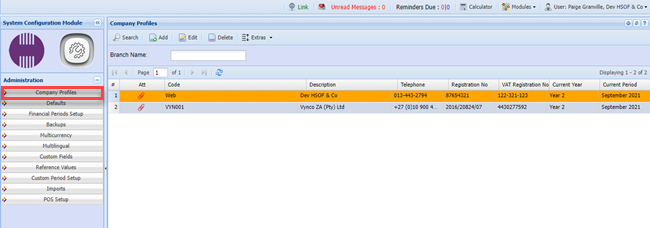
Edit the Company profile
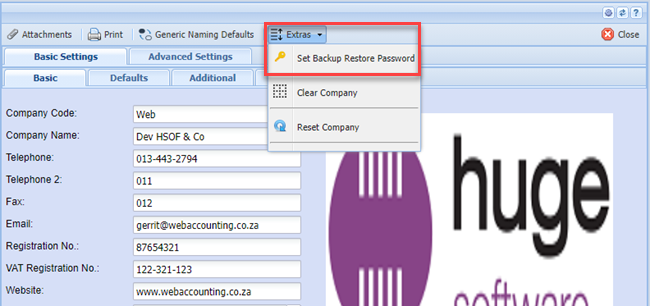
Click on the EXTRA TAB and then on the SET BACKUP RESTORE PASSWORD
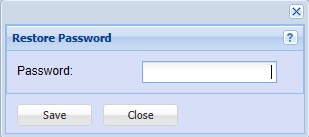
Put in a password that only you will know and then click on SAVE and CLOSE
Purpose of the secondary PASSWORD:
| 1 | Restoring Backups. |
| 2 | Downloading Backups off the system. |