
Production Tracking Location
Setting up various production locations
Production Tracking will have an audit as we can do an audit on a location to see if items are still in that location.
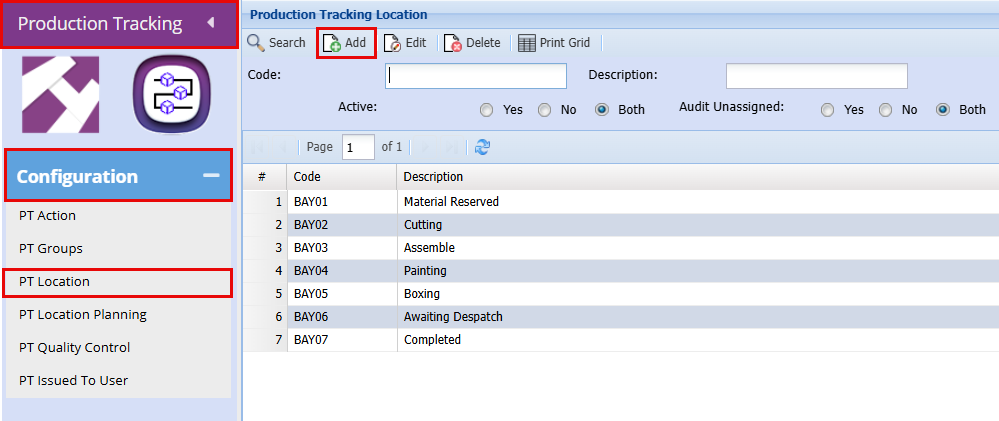
Production tracking > Configuration > PT Location
- Click "Add"
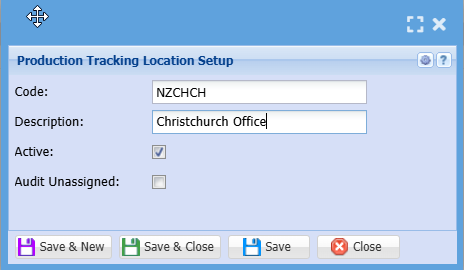
- Add a "Code"
- Add a "Description"
- "Tick" the Activate Box
- Click "Save and Close"
Production Tracking includes an audit feature, allowing audits to be performed on a location to verify whether items are still there.
No Comments