
Troubleshooting
Trouble processing an Invoice
If you are trying to process an invoice and you get an error, you can disconnect Huge ERP from Xero.
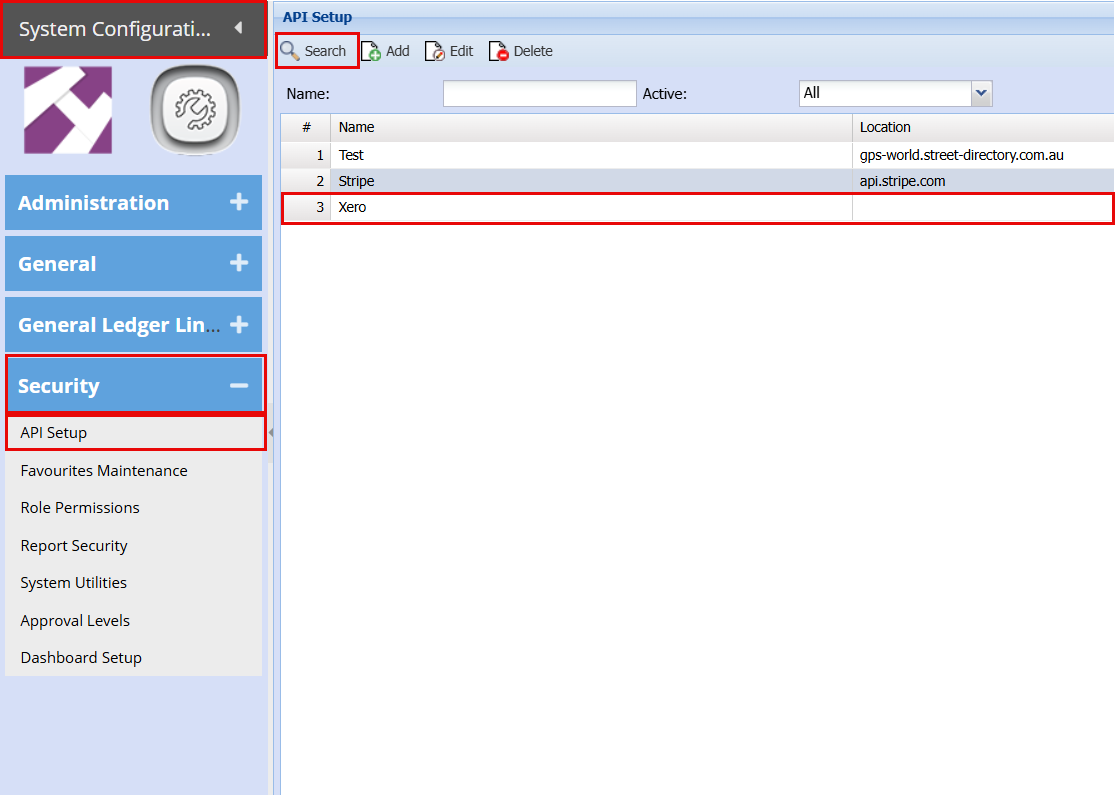
System Configuration > Security >API Setup
Click Search
Double click on Xero to open
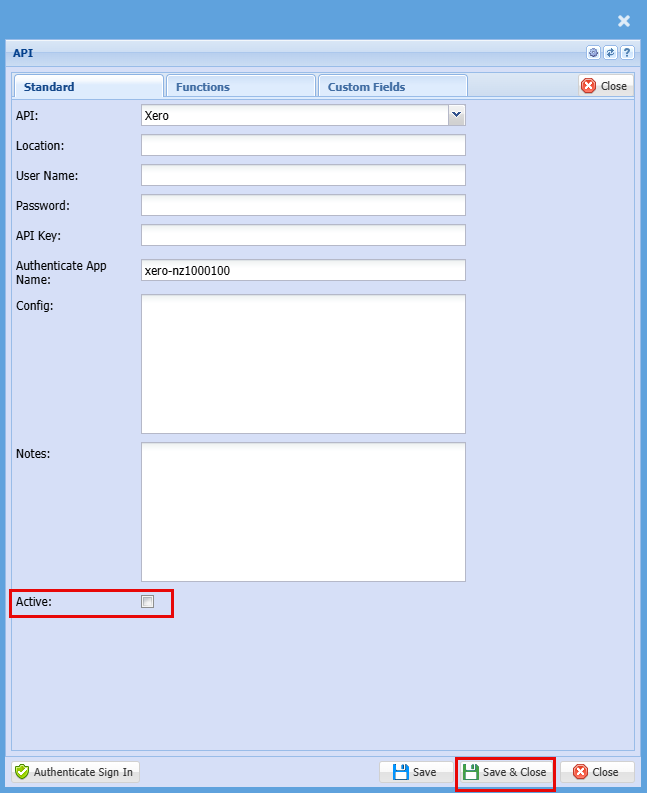
Untick the Active Box and click save and close
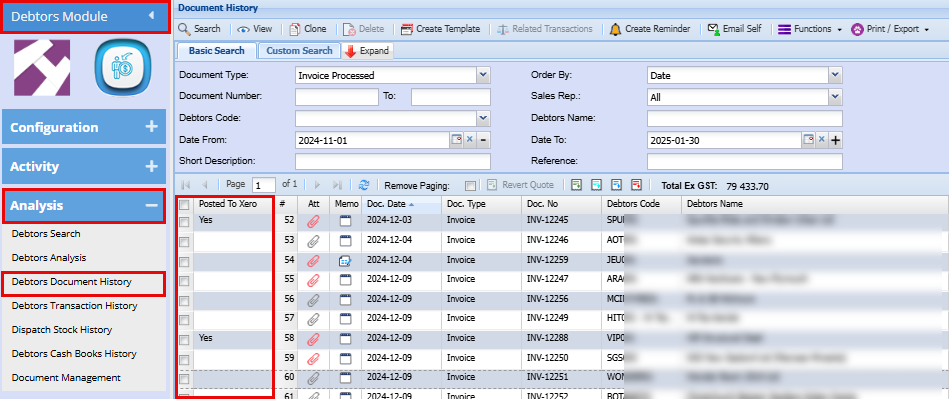
Debtors Module > Analysis >Debtors Document History
Invoice Failed to post to Xero
Debtors Module > Activity > Invoice
When you have an invoice that Fails to push through to Xero, you can process this manually.
Open your invoice
Click the "Action" Tab, you will see the button "Push to Xero" by clicking this button the transaction will be pushed to Xero.

View Posted and Non posted Invoices
Debtors Module > Analysis >Debtors Document History
In the column "Posted to Xero" you will see either Yes which means it was posted to Xero or blank which means it has not been posted to Xero
To post to Xero double click to open the transaction
Click the "Action" Tab, you will see the button "Push to Xero" by clicking this button the transaction will be pushed to Xero.
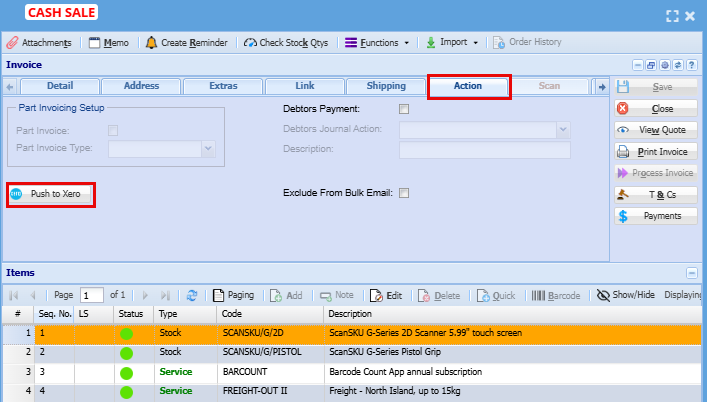
Double check your transaction is not already in Xero as clicking this will duplicate the transaction if it was already posted