Inventory Additional Properties
Inventory Categories are another way to categories your inventory listing.
if you use group codes to categorise or group your inventory items and you require an addition level of categorization, then inventory category setup will be an option.
| Search |
willReturns searchall accordingexisting inventory Categories previously created. Leave the Code and Description fields blank to thesee selectedall tab and will bring out the existing Items.categories. |
| Code |
Search by code. Enter the code or part of the code. |
| Description |
Search by DescriptionDescription. Enter description or part of the description. |
| Add |
ThisBrings Functionup willthe bringwindow outto create a windownew where a user will add The Brand Propertiescategory |
| Edit |
Allows the User to amend thean addedexisting detailscategory. |
| Delete |
Allows the User to delete thea Added detailscategory provided they have not been used or linked to otherinventory itemsitems. |
| Print Grid |
thisAllows willthe user to print outthe ancategories Additionaldisplayed Inventoryin Propertiesthe Reportgrid based on the respective search. |
BrandStock Category import/export |
This is where you set up a brand |
Make |
This is where you setup a Make linking itoptions to aeither certainexport Brand | existing
categories or Model | import Thisnew iscategories whereform youan setupexcel a model linking it to a certain make and brand. |
Tree View |
This is where you can view all the added brand make and modelsworksheet. |
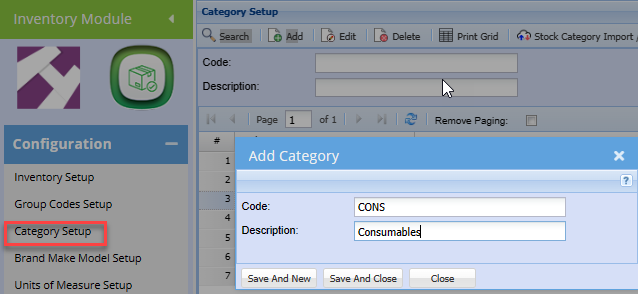
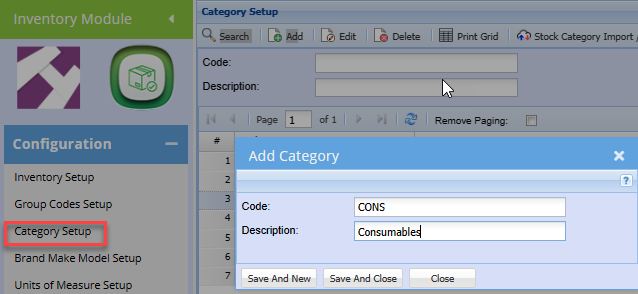
To Create a new inventory category, click the Add button
Enter a Code
Enter a description.
Click Save and Close
or Save and New to add another category.