
Group Codes Setup
Group codes are used for the following reasons:
- Categorise stock listing.
- Sales mapping - this caters for automatic postings to specific GL accounts when documents are processed.
Inventory Module>Configuration Menu>Group Codes Setup
.png)
Click search to find the existing group codes.codes and click on edit button to edit any existing group code.
To create a new group code, click the Add button.
.png)
| Code | Enter a code of your choice |
| Description | Enter a description |
Click Save
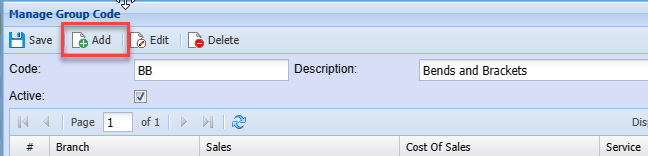
Then click the Add button on the same screen.
.png)
| Branch |
|
| Sales - Short Search | Select the sales account |
| Cost of |
Select the required Cost of Sales account |
| Custom | |
| Select the alternate Cost of Sales account. This is for service and Custom items. | |
| Service - Short Search | Select the alternate Cost of Sales account. This is for service and Custom items. |
ClickTo Saveexport the Group code list to excel, click on Print grid and Closeselect export.