
Group Codes Setup
Group codes are used for the following reasons:
- Categorise stock listing.
- Sales mapping -
thethis caters for automatic postings to specificSales and Cost of SalesGL accounts wheninvoicedocuments are processed.
Inventory Module>Configuration Menu>Group Codes Setup
.png)
Click search to find the existing group codes and click on edit button to edit and existing group code.codes.
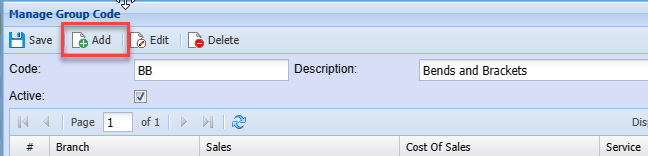
To create a new group code, click the Add button.
.png)
| Code | Enter a code of your choice |
| Description | Enter a description |
Click Save
Then click the editAdd button on the same screen.
.png)
| Branch |
If you have branches setup, you can select the respective branch for the specific group code. If the group code is to be linked to multiple branches, you will need to click add to add a separate account postings setup linked to the relevant GL accounts for the branch. |
| Sales |
Select the sales account |
| Cost of |
Select the required Cost of Sales account |
| Custom | Select |
| Service | Select the alternate Cost of Sales account. This is for service |
ToClick export the Group code list to excel, click on Print gridSave and selectClose