
Group Codes Setup Process
ThisGroup iscodes whereare youused could setupfor the groupfollowing codesreasons:
- Categorise stock listing.
- Sales mapping - the caters for automatic postings to specific Sales and Cost of Sales accounts when invoice are processed.
Inventory Module>Configuration Menu>Group Codes Setup
.png)
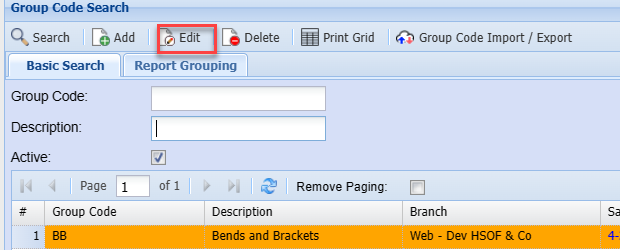
Click search to find the existing group codes and click on amendedit button to seeedit howand itexisting wasgroup created or click on delete button to delete it.code.
To create a new group code, click onthe Add button.
.png)
| Code | Enter a code of your choice |
| Description | Enter a description |
GeneralClick Ledger Links Tab:Save
Then click the edit button on the same screen.
.png)
| Sales - Short Search | |
| Cost of sales - Short Search | |
| Custom - Short Search | |
| Service - Short Search | |
TheTo groupexport codesthe couldGroup becode printed out or emailed or even exportedlist to excelexcel, sheet.click on Print grid and select export.