Sales Margin warning
Setting up documents for Sales margin warning
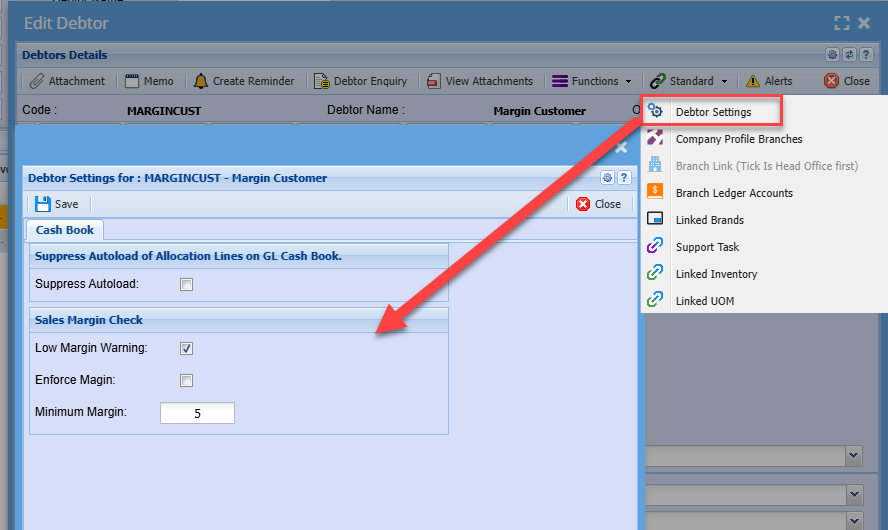
| Low Margin Warning |
If this is enable it will check low margin on adding an item to a sales document. It will check when invoice is processed, giving a warning to proceed or not |
| Enforce Margin | Will not allow an invoice to process if the user is not a margin supervisor |
| Minimum Margin | Enter value for checking margin percentage |
Margin check is on each customer
If you want any new customers to have a default setting, set this up in the system configuration module - Sales Margin Setup
Low Margin Warning
Low margin warning works on the following documents:
- Quotation
- Sales Order
- Invoice
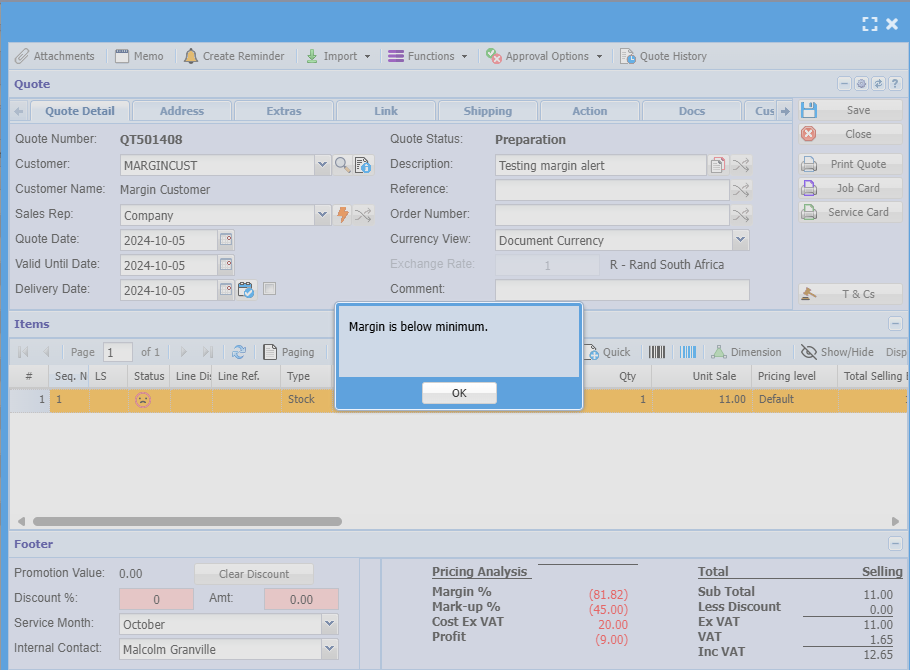
The warning comes up when you add stock item line that is below the margin set up at the customer.
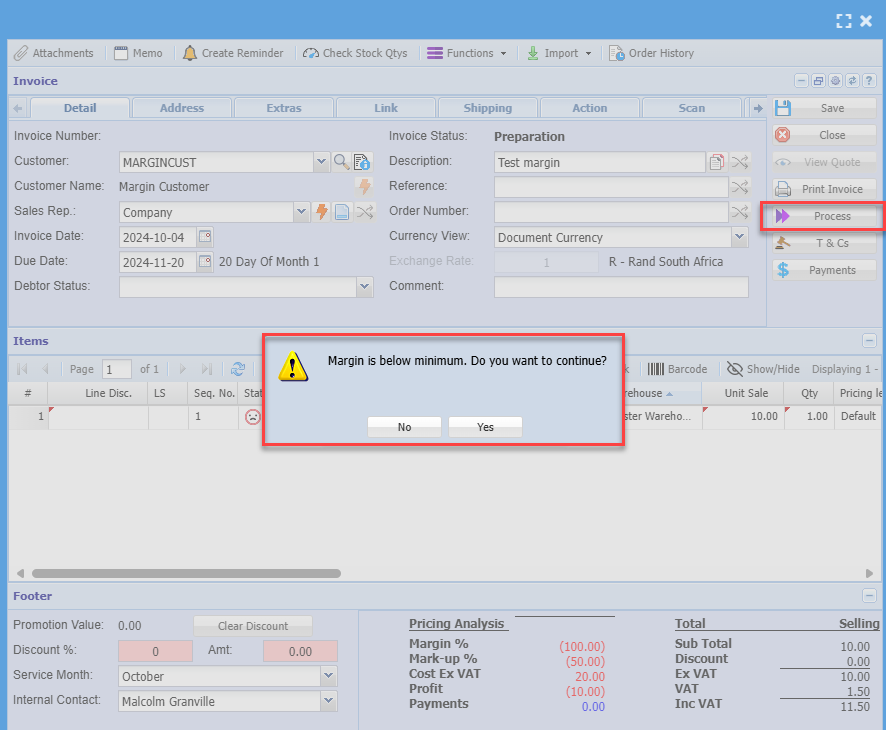
The margin warning also comes up when you are about to process the document and it is below margin.
The process warning will give you an option to either continue or to correct the margin on the document.
Example of a low margin warning on a stock item add
Example of a low margin warning when processing a document
Enforce Margin
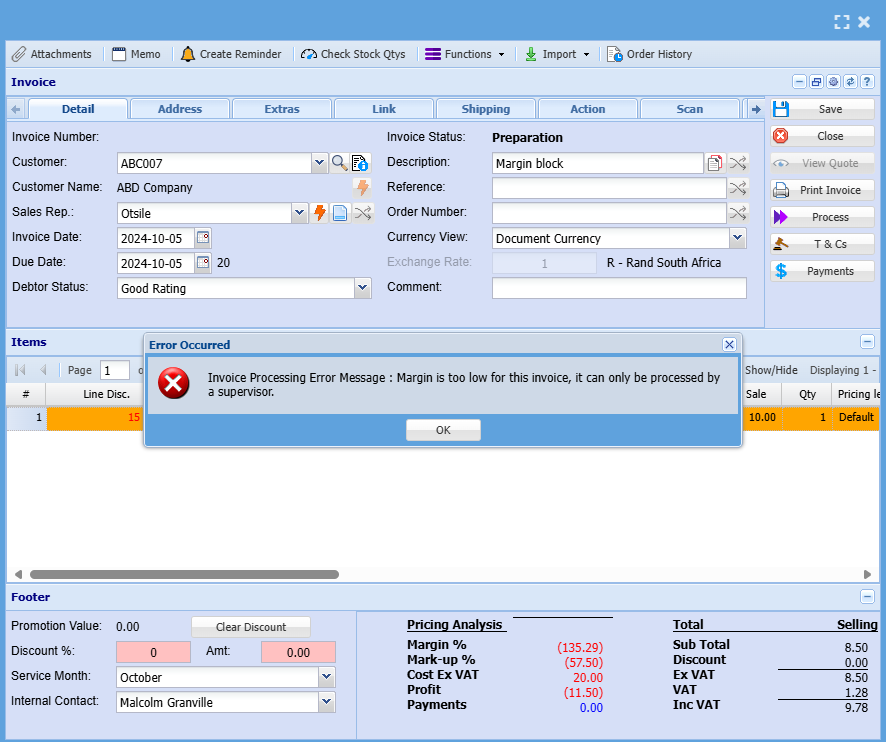
When a margin in force is activated on a customer, it means the user cannot process the invoice unless they correct the margin.
However a margin supervisor can process a document all the way through even though the margin is below.
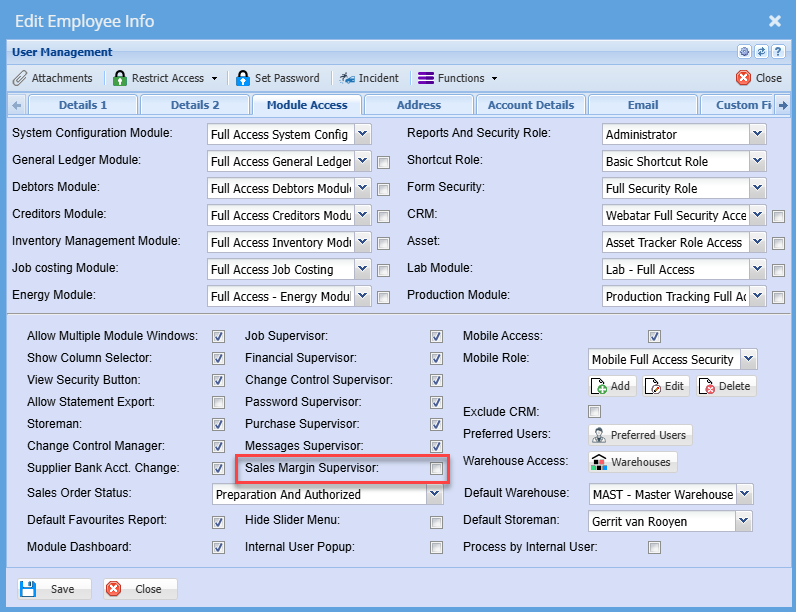
To setup a Sales Margin supervisor, go to the User setup
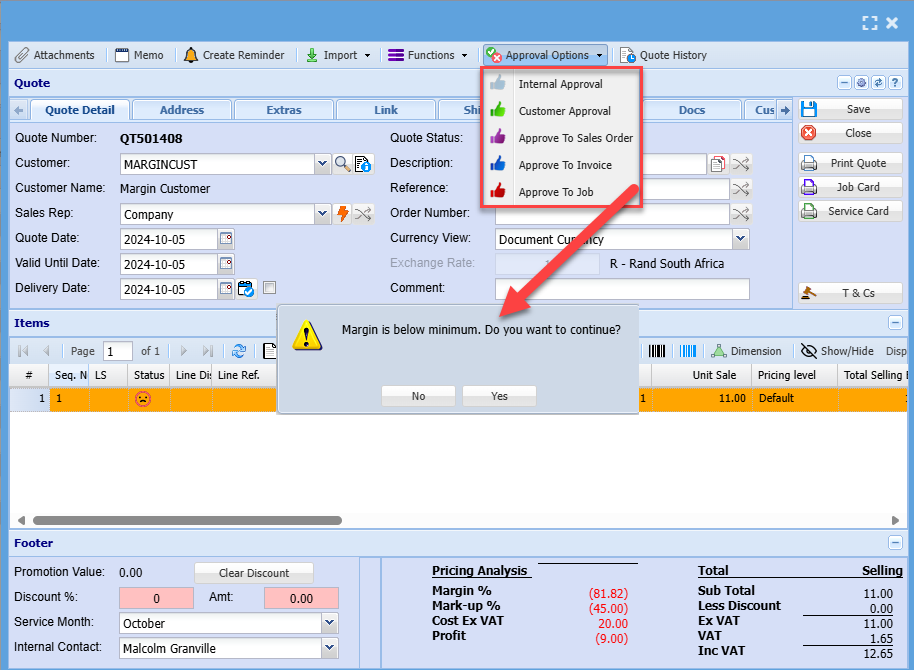
Document margin warnings
Quote warning will show when promoting quote.
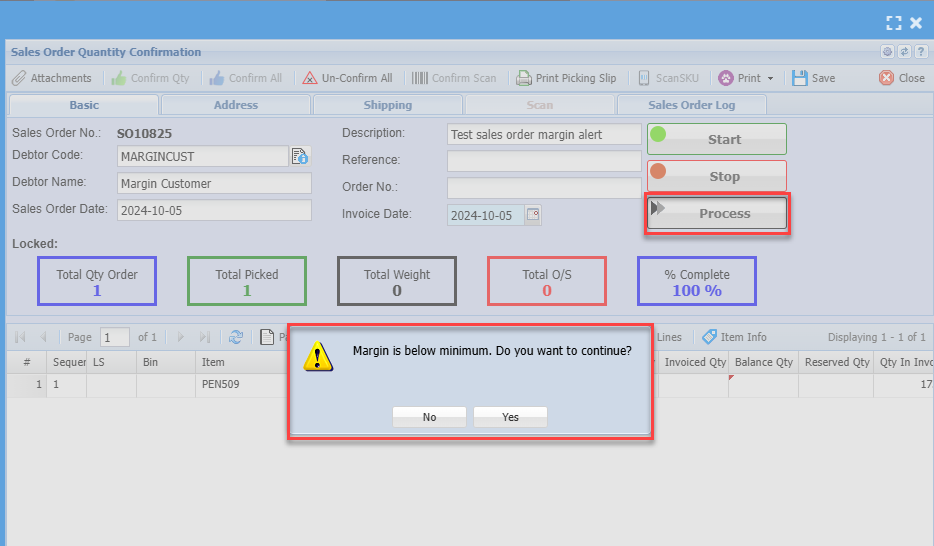
Sales order warning will show up when you Process to invoice
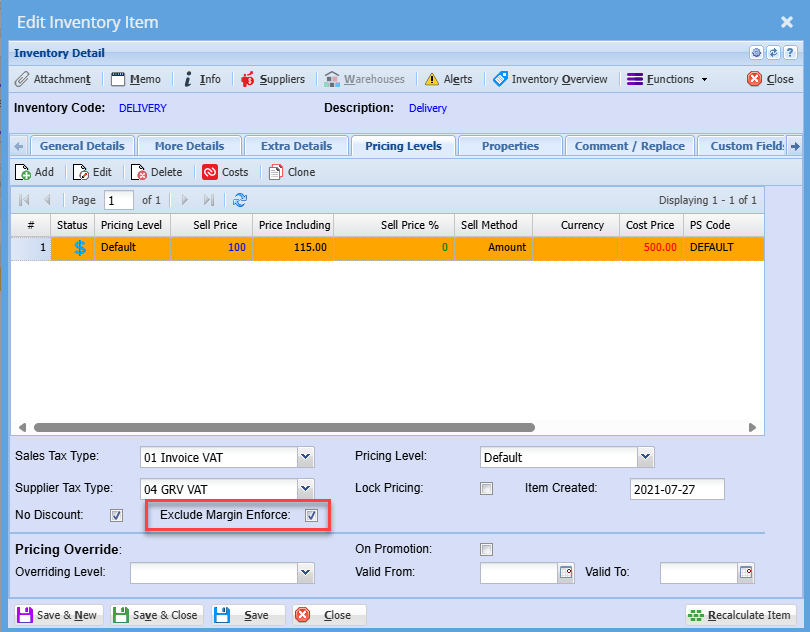
Exclude Margin enforce on inventory items
Exclude items so that one does not need to enter a password where enforce margin is on.
The system will bypass enforce password on items ticked to Exclude margin enforce.
The system will still warn of items below margin.
Good examples of this are Freight, shipping or labour