
Recurring Update Default Contact Person for Emailing
Update can be done on the invoice document or template or customer setup contact person
Debtors Module> Configuration> Debtors Setup> Edit Debtor> Contact Person> Add
An update has been done with new feature to update all recurring invoices for a new contact.
Update can be done on the invoice document or template or customer setup contact person
.png)
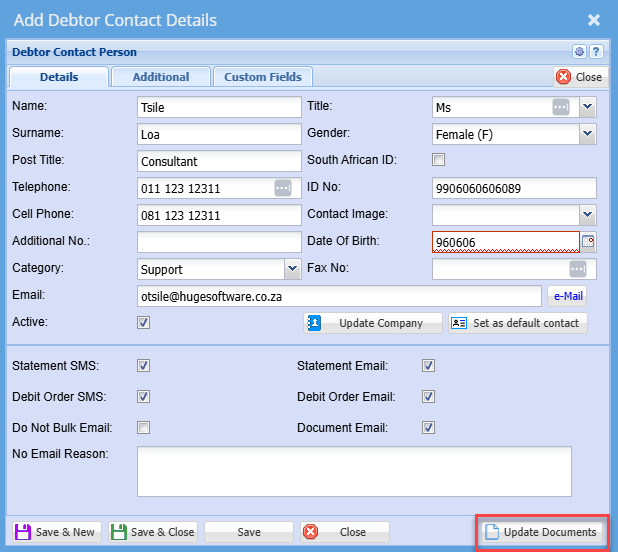
There are two optionsoption
After clicking update documents you will see the screen below:
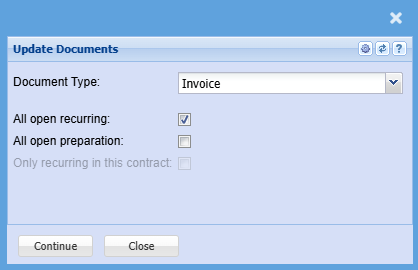
Select a document you want to update and put a tick on the option you want to update
Once, complete click continue
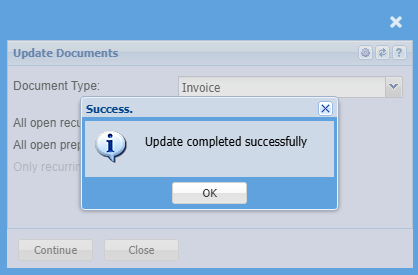
and the screen below will appear notifiying you that the update has been completed successfully
To access viaContacts anVia invoicedebtors documents
Go to an open document
After, accessing the invoice you wish to view or you have added go to the Address tabTab of document
.png)
CClicklick on View button
.png)
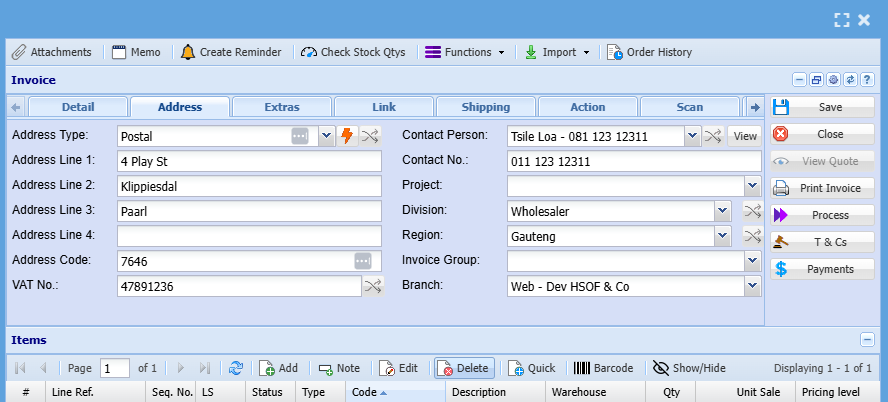
SelectTo theedit, add or delete a contact person click on the view button,
SelectIt editwill take you to the screen below:
.png)
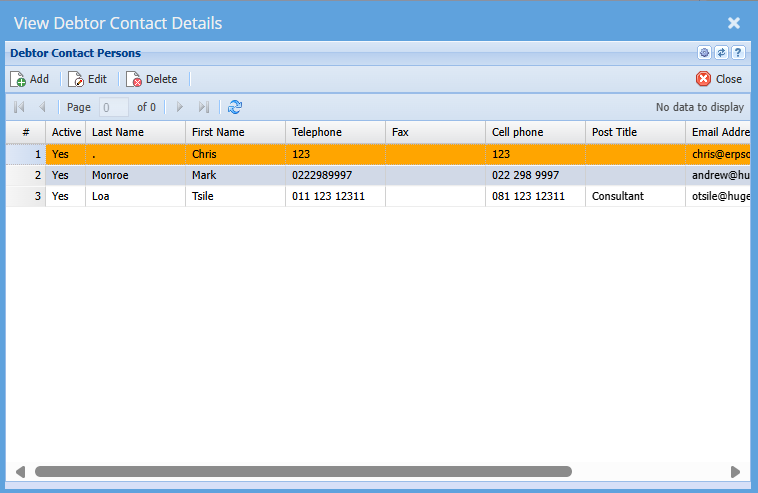
| Add | Click this button to add a new contact |
| Edit | Click this button to edit an existing debtor contact persons |
| Delete | Click this button to delete an exisiting contact persons |
.png)