Payment Terms
ToDebtors bewill abletypically tohave selectaccount aterms creditsuch reasonas onCOD, credit30 notesdays, credit60 reasonsdays applicableetc. tofor your business needsaccounts to be createdsettled.
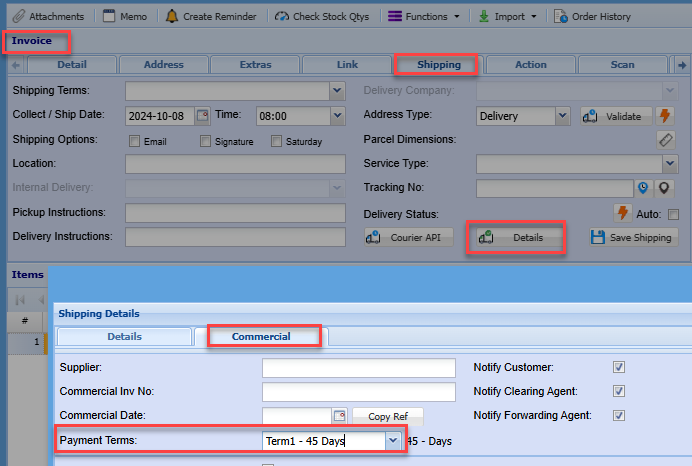
There are however instances where you may wish to allow an exception to these terms and apply special payment terms for specific purchases or you may have certain pre-defined custom terms. in such cases you can use the payment terms option.
To add or edit apayment credit reasaonterms go to:
Debtors module> Configuration> Add. Debtor Properties> CreditPayment ReasonTerms
Click the tab CreditPayment ReasonTerms

Click Add (To create a new Category)
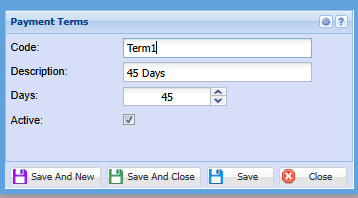
Enter a Code and Description
Click Save and close or,
Save and New to add another CreditPayment reasonterm
These payment terms options can be found on the sales documents, shipping tab