
Duplicate Entry Fix
Fixing out of balance entry
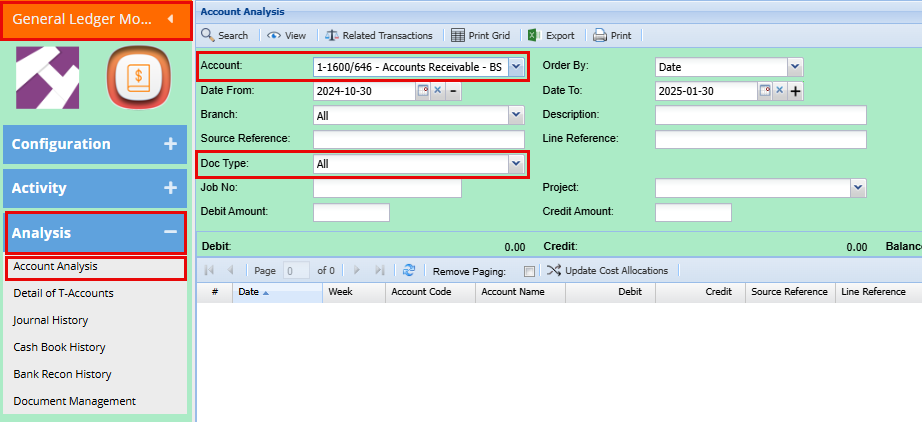
General Ledger Module > Analysis > Account Analysis
In the Account drop down menu, look for Accounts Receivable
Take your date back to the first of the previous month
Change Doc Type to Invoices
Click Search
Export your search to excel

Freeze the top row
Add filters
Sort the "Transactions Reference" Column A-Z
Highlight the "Transactions Reference" Column
Click Home > Conditional Formatting > Highlight Cells Rules > Duplicate Values
Click Ok
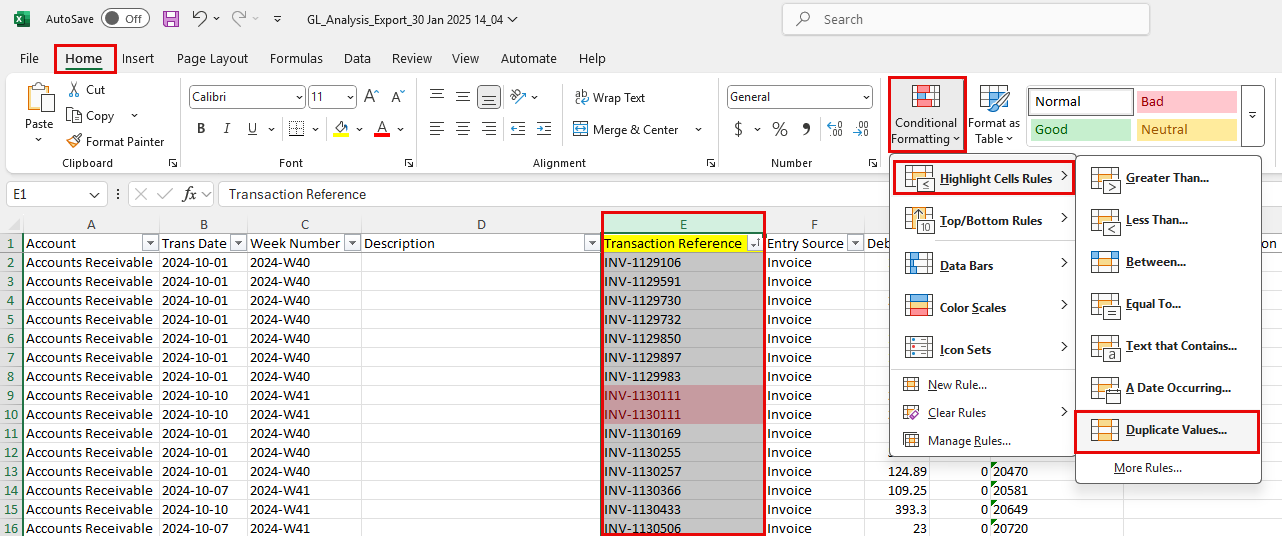
This will now highlight the duplicated in light red with Dark red writing
Scroll through the spreadsheet and make not of the duplicate Transactions.
Go back into the system
System Configuration Module > Security > System Utilities
Click Fix Trans at the top right
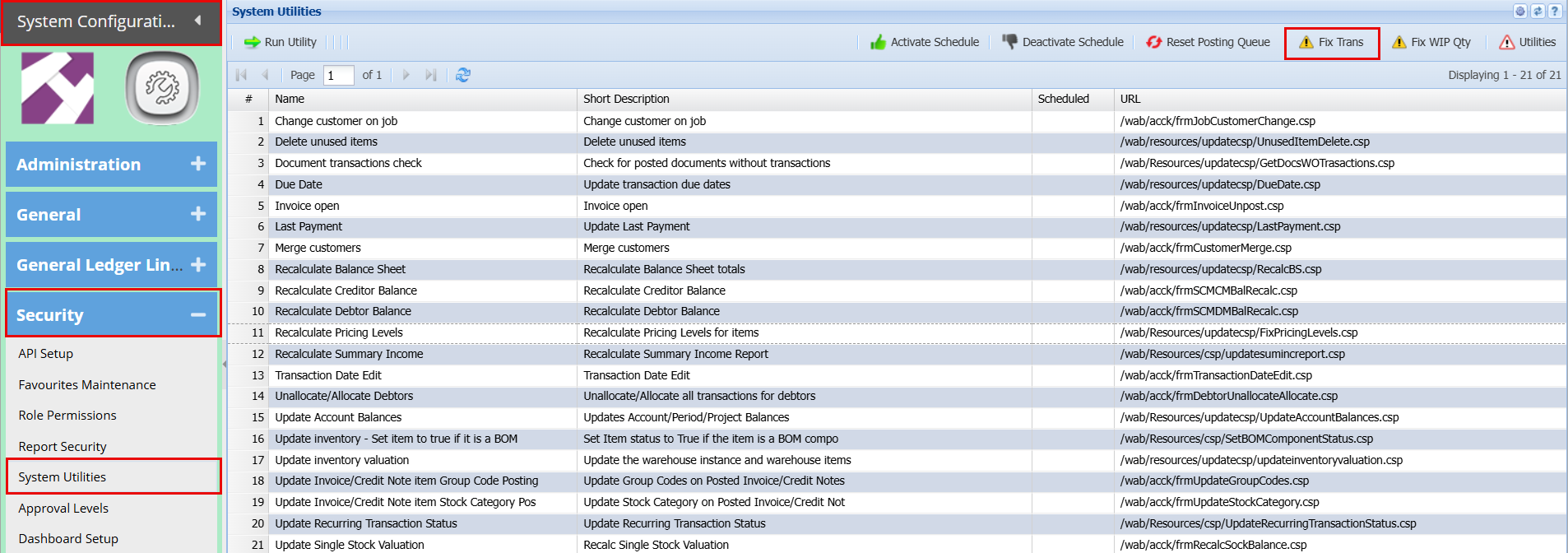
Add Password

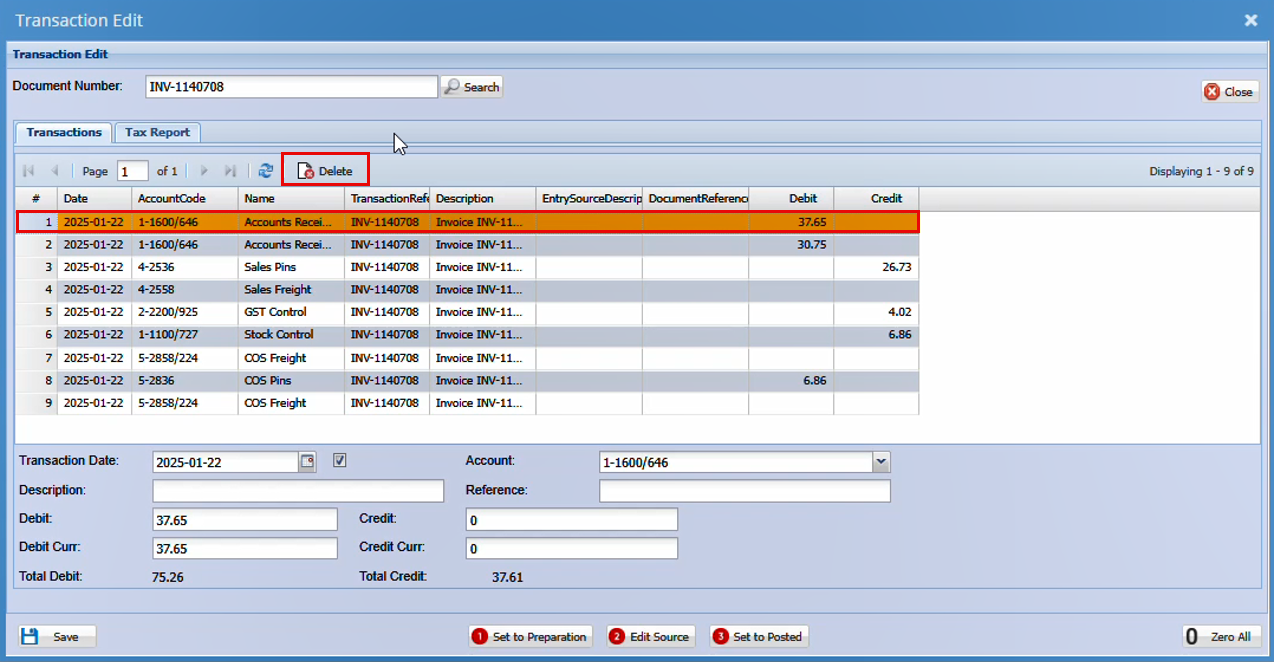
From your spreadsheet copy and paste one of the duplicate invoice numbers into the Document number box and click search.
You will see two accounts receivable lines at the top.
Do not sort the columns
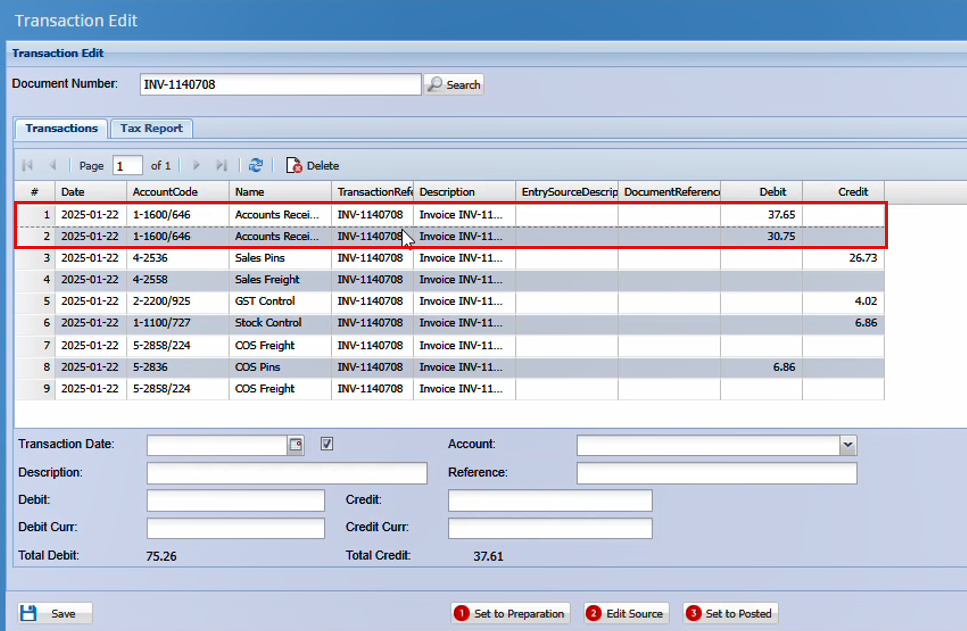
Click on and highlight the first line and click Delete.
Repeat this with all the duplicate transaction that were highlighted in your spreadsheet.
Recalculating your Balance sheets
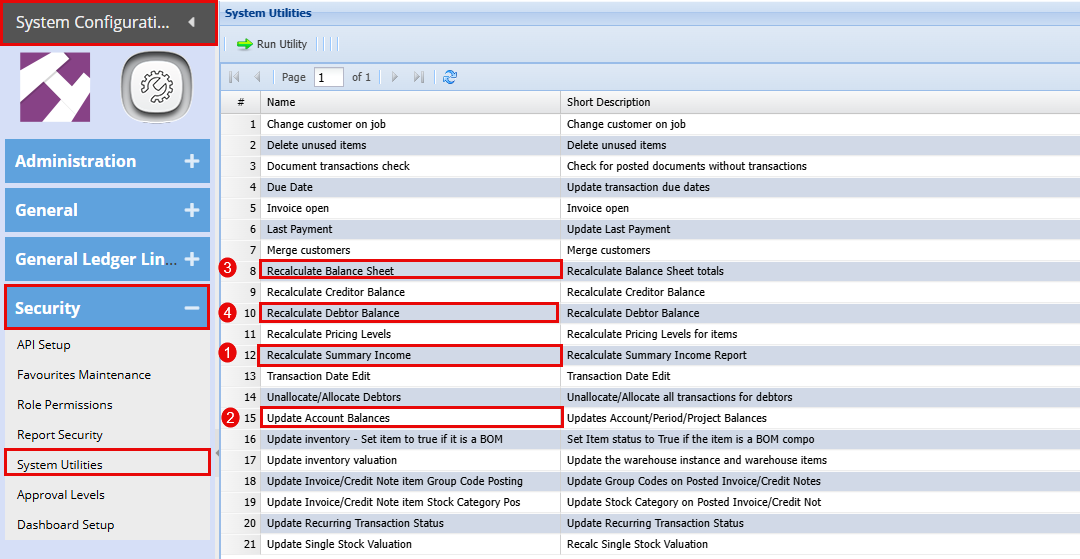
System Configuration Module > Security > System Utilities
Run the below utilities:
Double click on each line and click "Yes"
- Recalculate Summary Income
- Update Account Balances
- Recalculate Balance Sheet
- Recalculate Debtor Balance
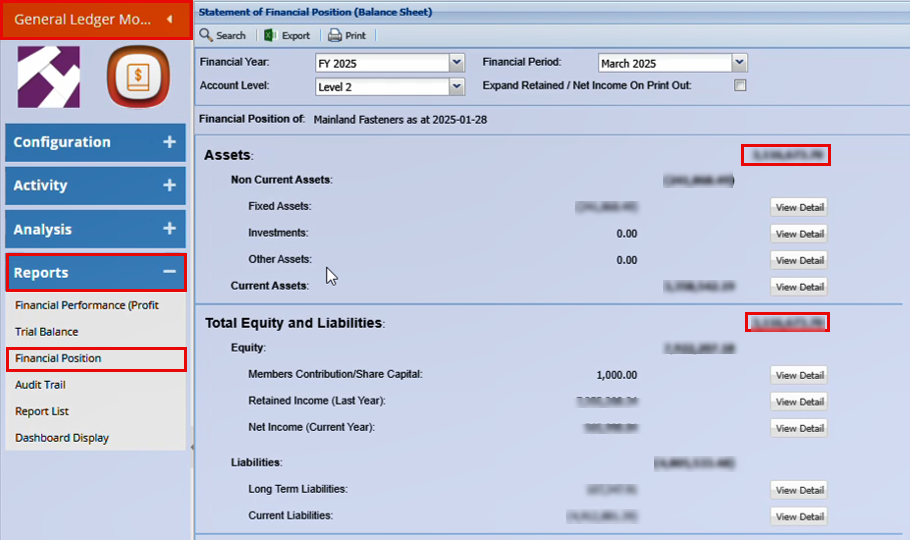
Balance Check
General Ledger Module > Reports> Financial Performance
No Comments