
Stock Count - Receive Stock
Create a Stock Count and Receive Stock
There are two methods for Receiving stock, link to each video manual 202311 below
- Receive stock (Quantity only) - Stock_Count_Receive_Stock.mp4
- Receive stock and update prices (Quantity and price) - Stock_Count_GRV_Price.mp4
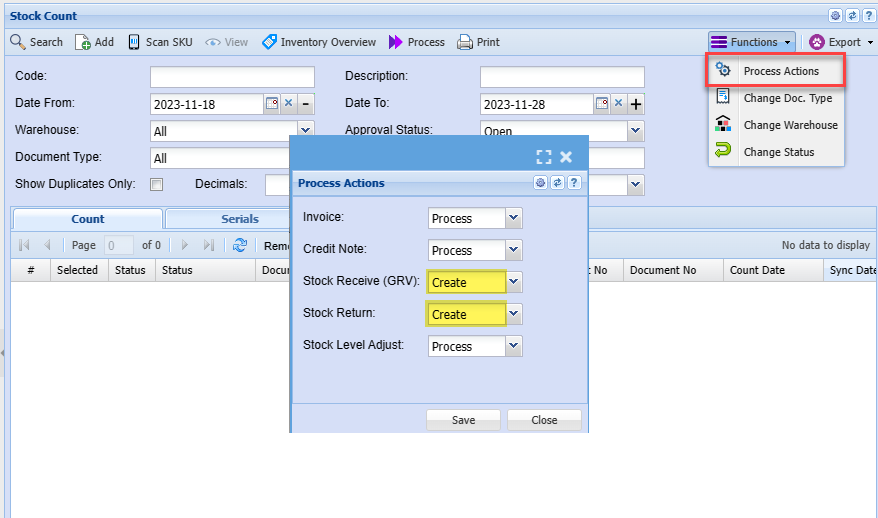
The methods above require a system change in order to run processes.
Receive stock and update prices require two steps
Process actions
| None | Logs stock count only |
| Create | Logs stock count and creates document |
| Logs stock count and creates document and processes document |
Webatar App Stock Receive
