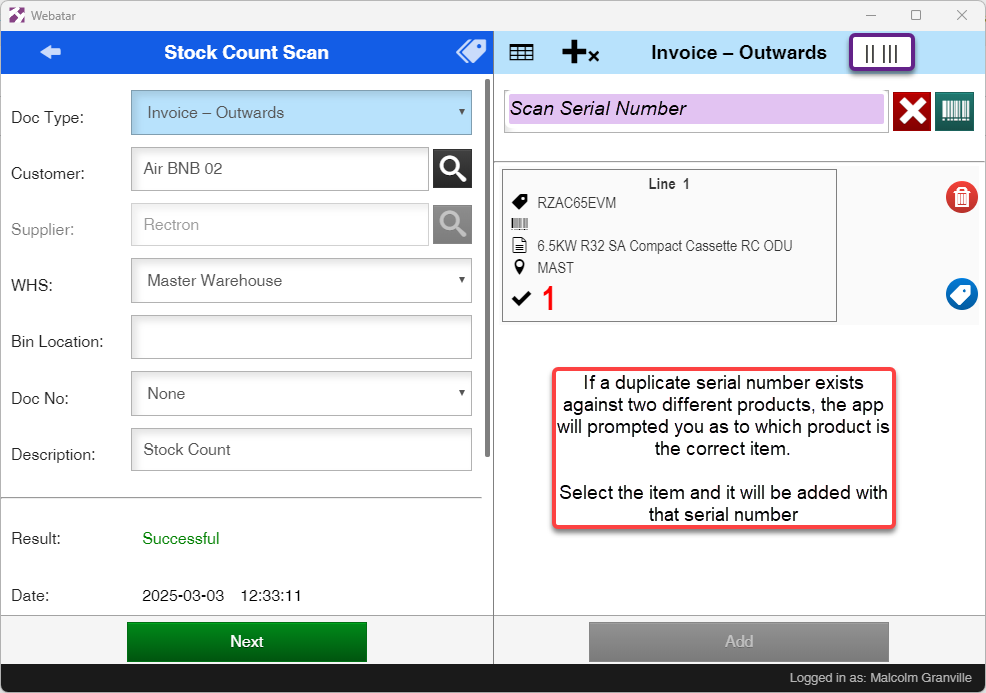
Serial number scanning
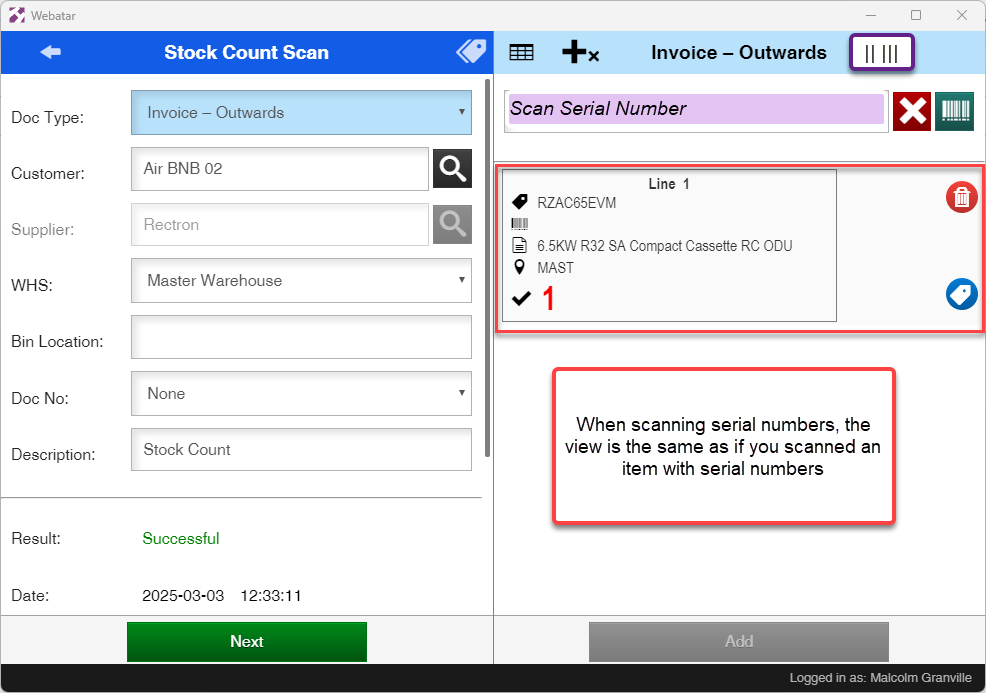
The Webatar app allows one to scan via serial numbers
Only outwards serial number will check database to see if the serial number exists.
Inwards serial numbers do not check database, but will create new serial numbers.
Serial number scanning does not work with outwards which includes, Stock receive, stock adjustment, Credit note.
Only Serial numbers that are In Stock will sync to the device.
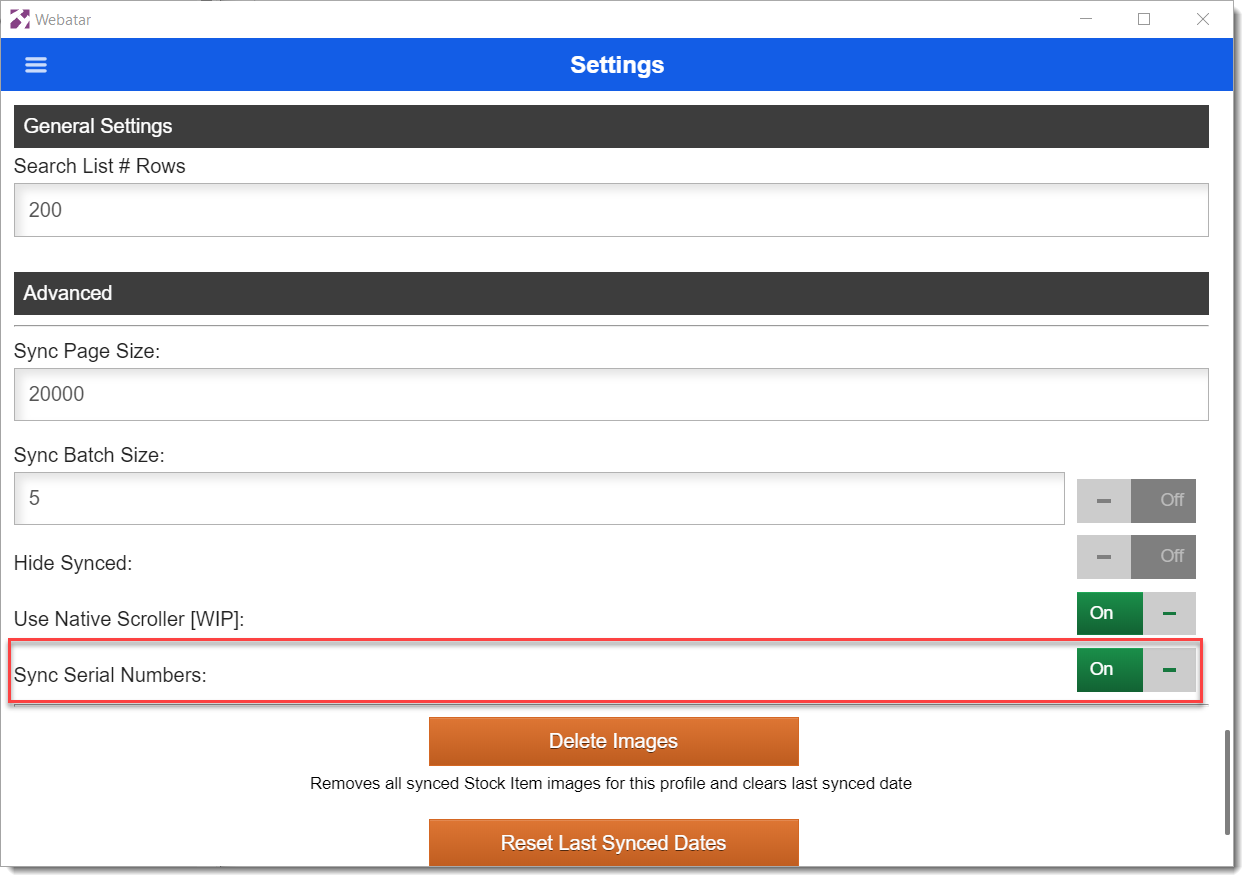
Serial numbers sync is off by default, click to activate serial number scanning.
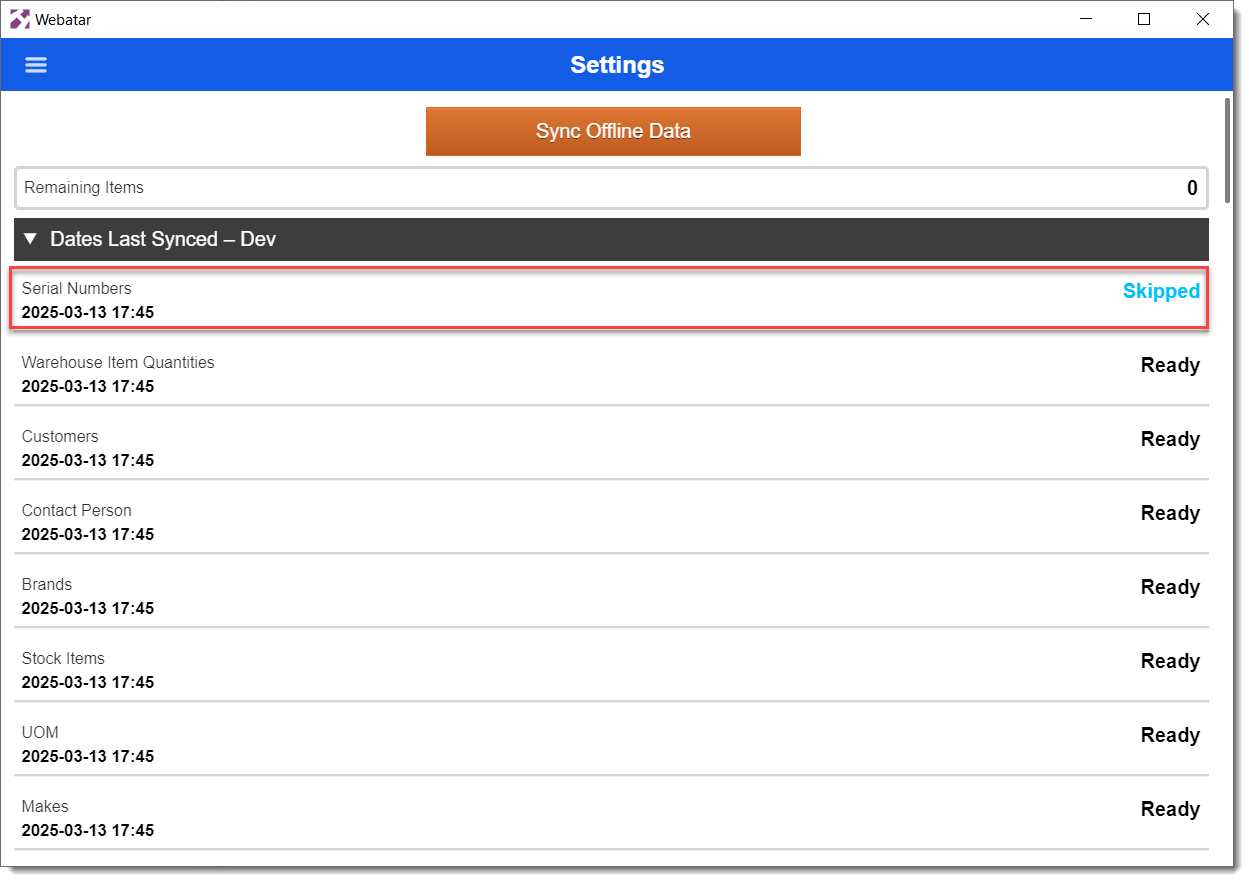
If Sync is Off for serial numbers, then the Skipped message will show on sync, otherwise it will sync
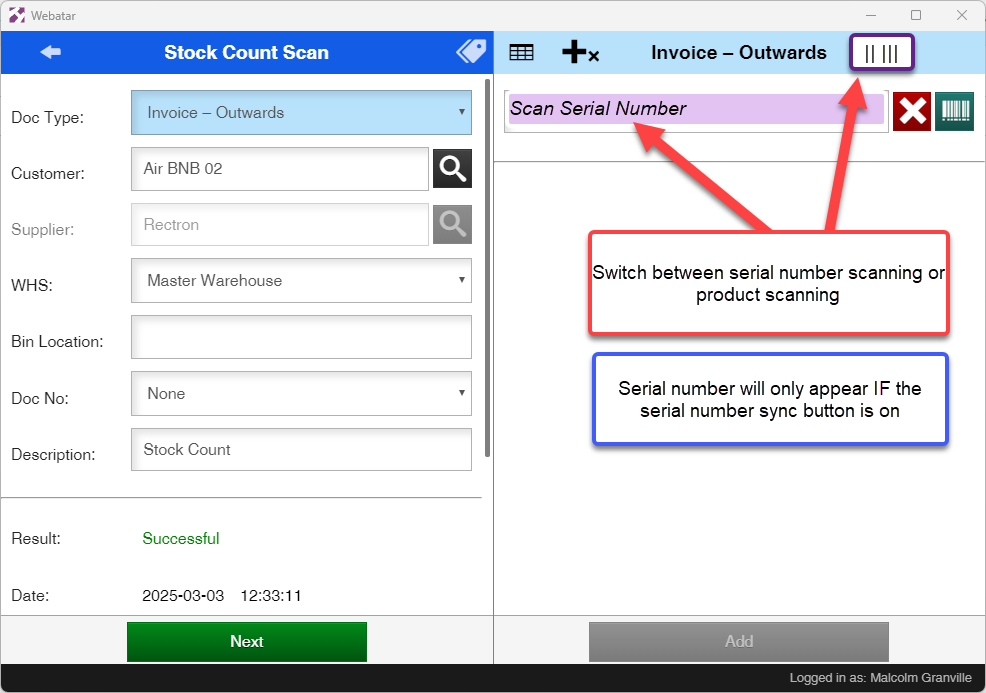
Serial numbers scanning button switch  is only available if the Serial number sync button is active.
If a serial number is scanned that does not exist in the database then an error will show. One cannot scan OUT a serial number that does not exist.
Serial item list will list the product and serial number linked to it
Duplicate serial numbers
App will prompted if it finds a duplicate serial number