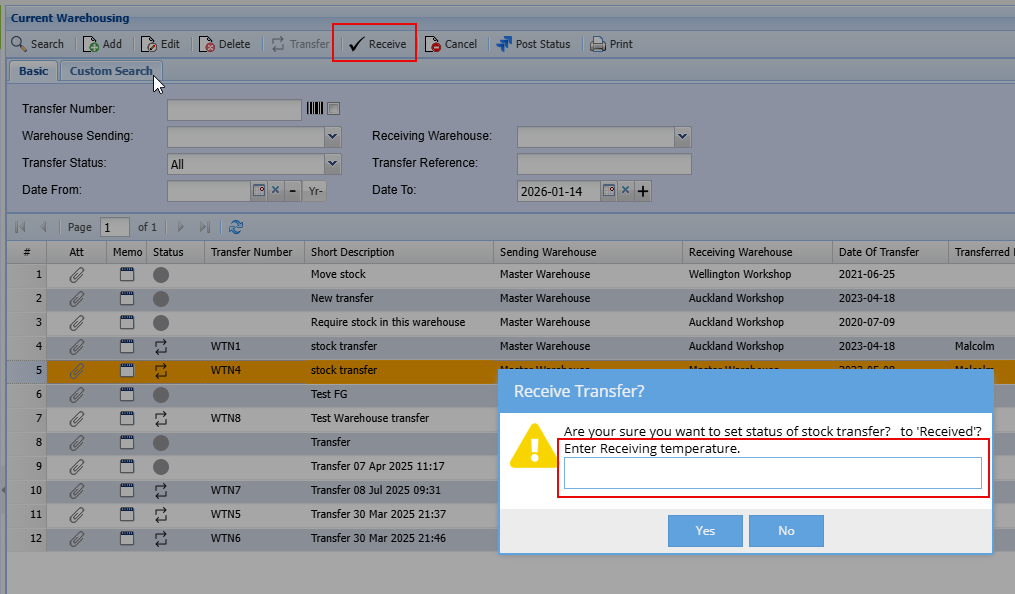
Temperature Logging
The system caters for logging temperature of products in the following areas:
- Sales Order picking
- Invoice
- Dispatch stock
- O/S Orders and Receiving
- GRV (Supplier Invoice)
- Warehouse Transfer
Temperature columns may be hidden on some of the grids. Check to see if temperature column is available.
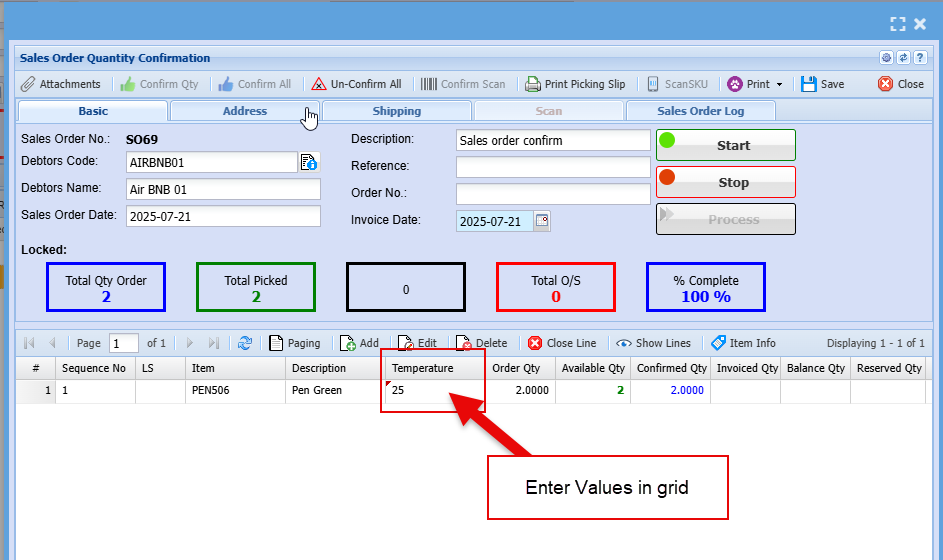
These columns have editable functions meaning that temperature can be entered directly on grid.
Sales Order Picking
The temperature column is hidden by default
Invoice
The temperature column is hidden by default
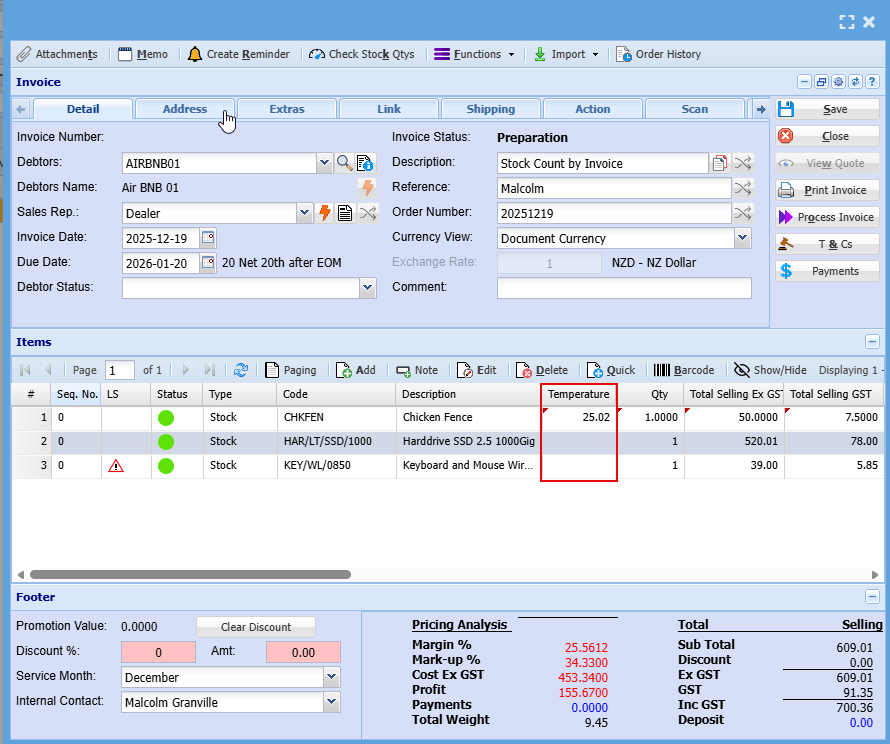
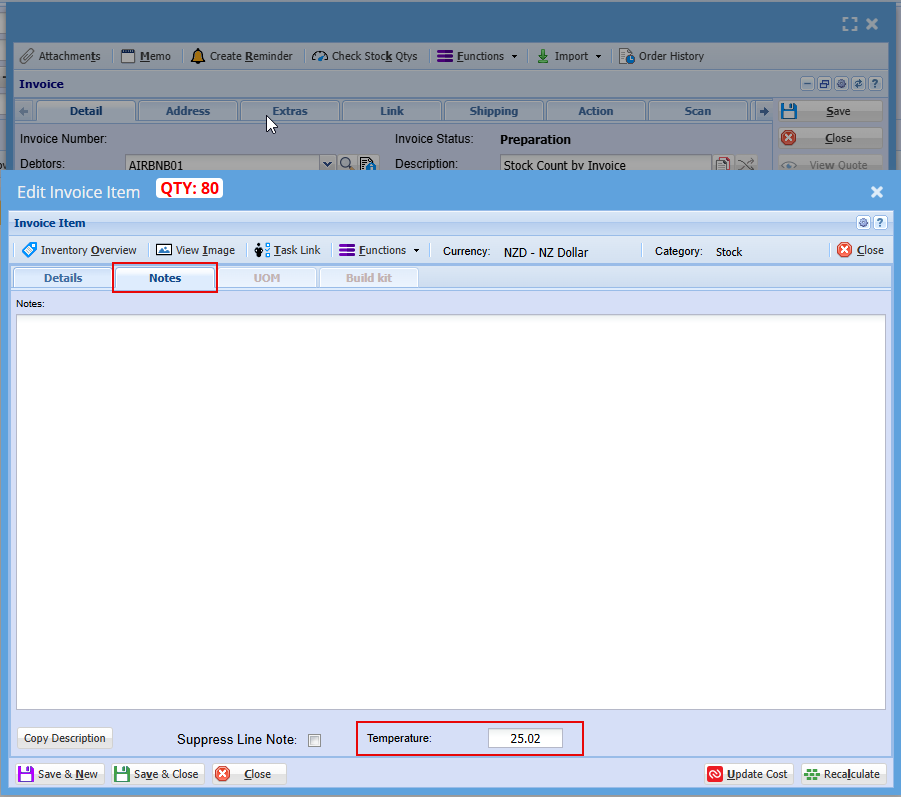
The temperature is captured per invoice line
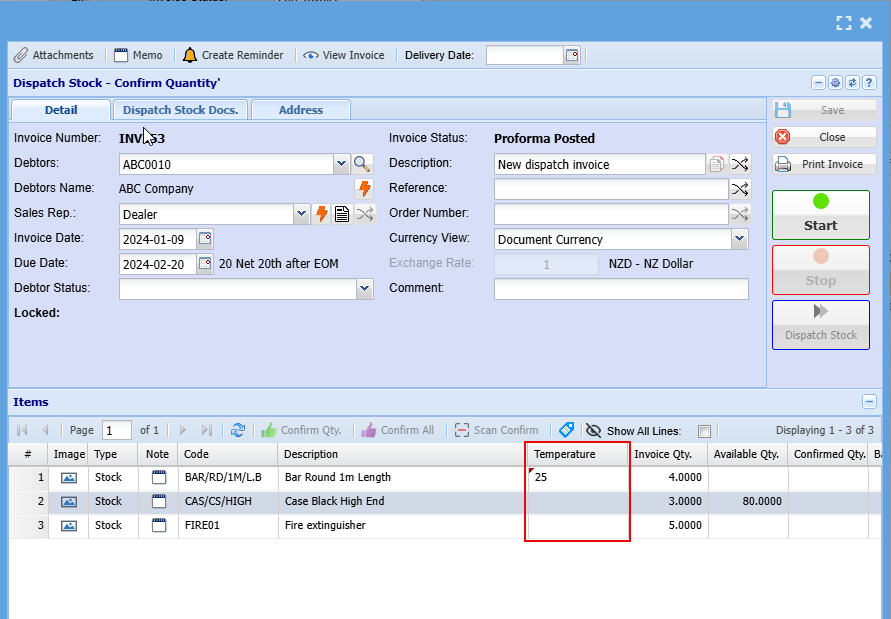
Dispatch Stock
The temperature column is hidden by default
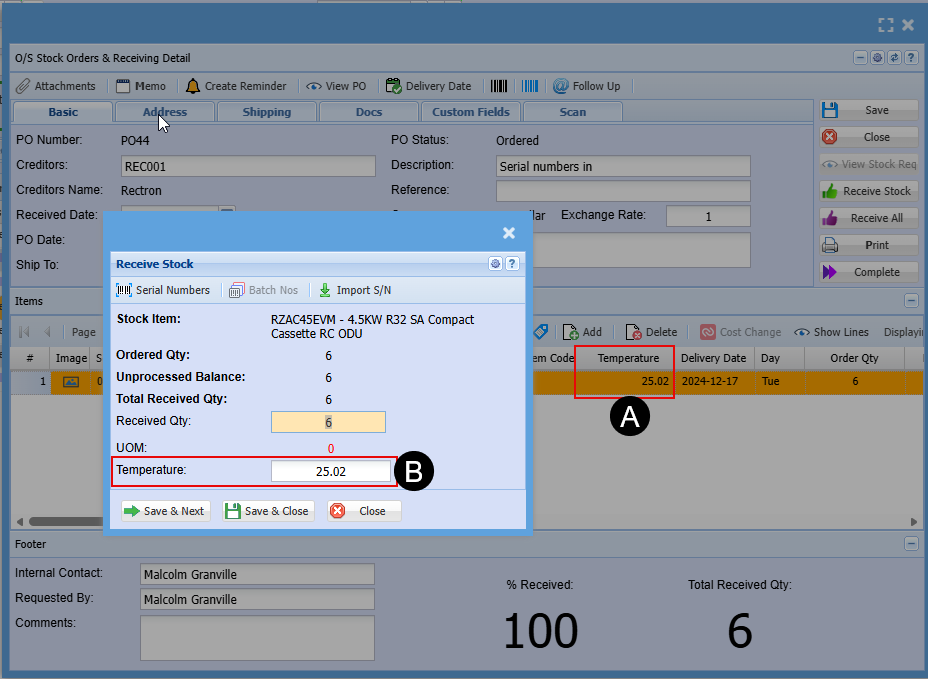
Outstanding orders and Receiving
The temperature column is hidden by default
A - Temperature can be added in grid
B - Temperature can be added on receiving
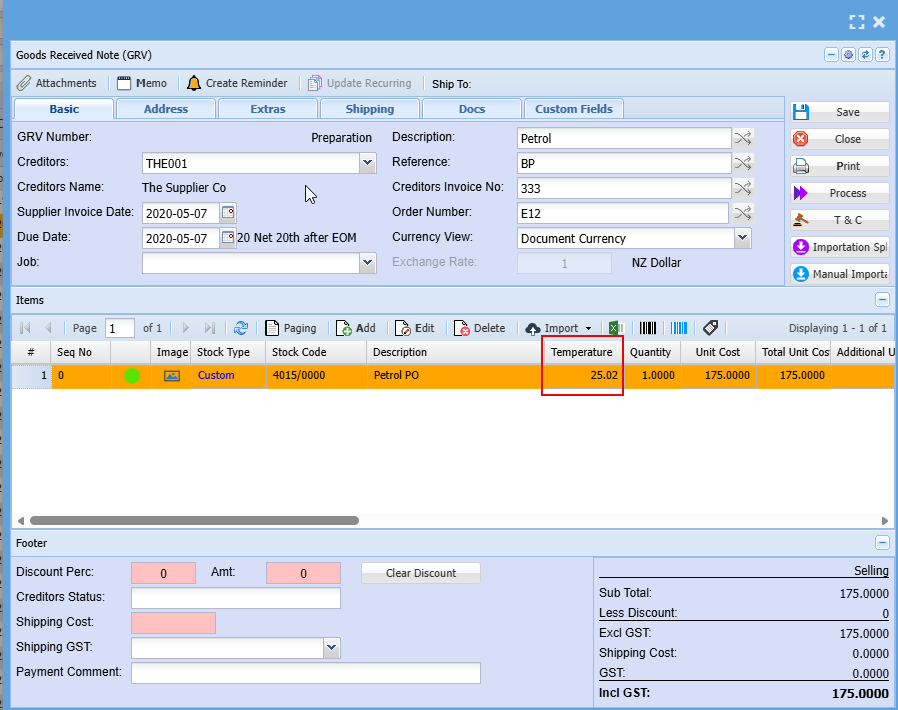
GRV - Supplier Invoice
The temperature column is hidden by default
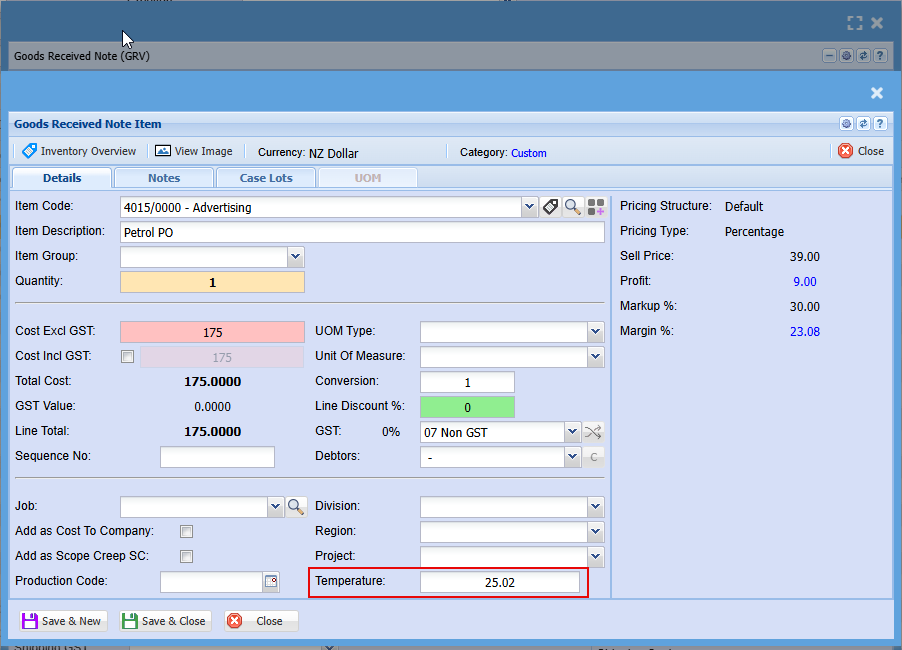
GRV Line update with temperature
Warehouse transfer
The temperature column is hidden by default
Warehouse transfer has Sending temperature and receiving temperature
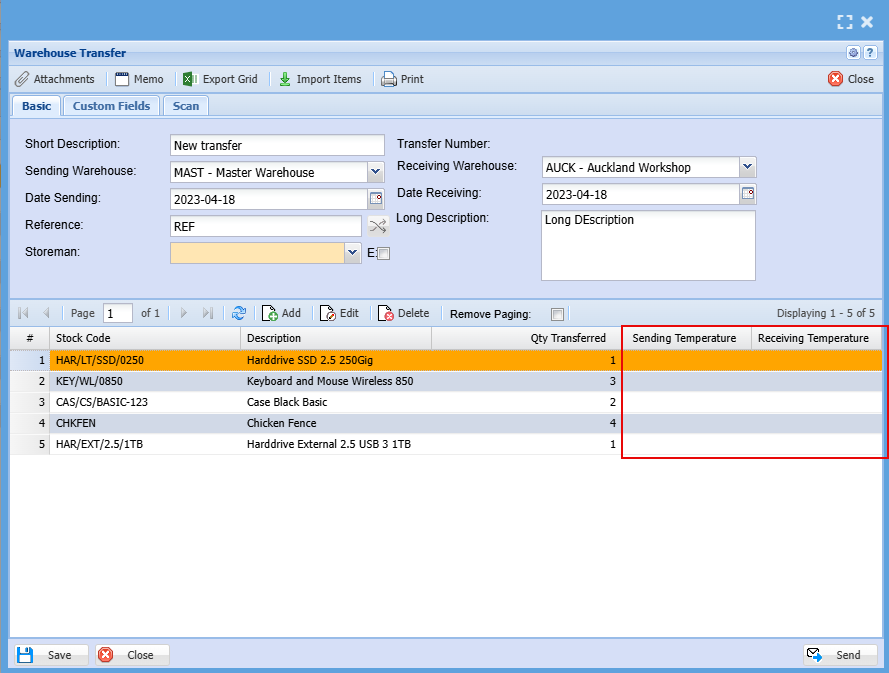
Temperature update on sending
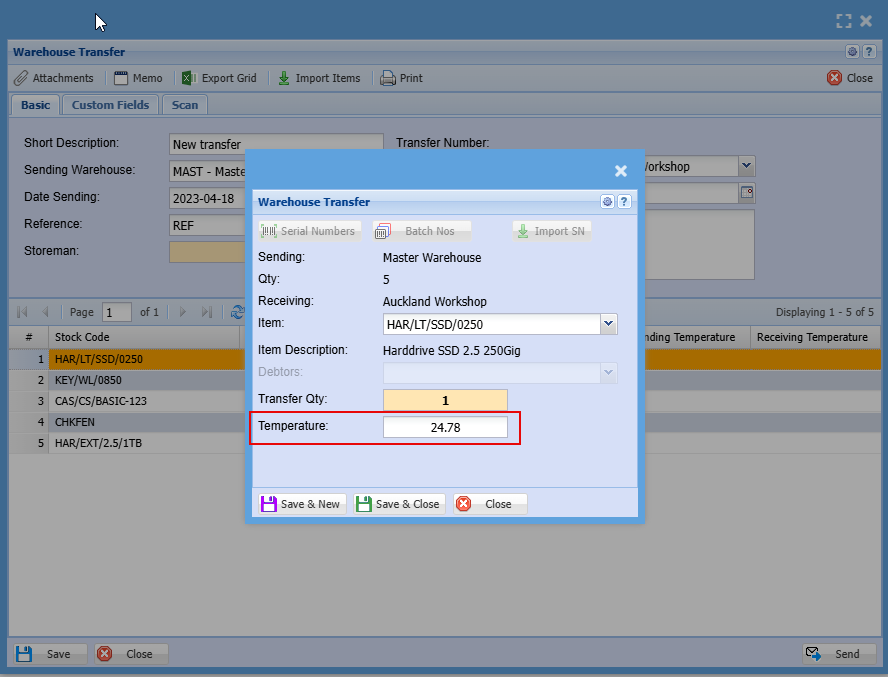
Receiving stock and receiving temperature