
Stock Management
Adding a Stock Item
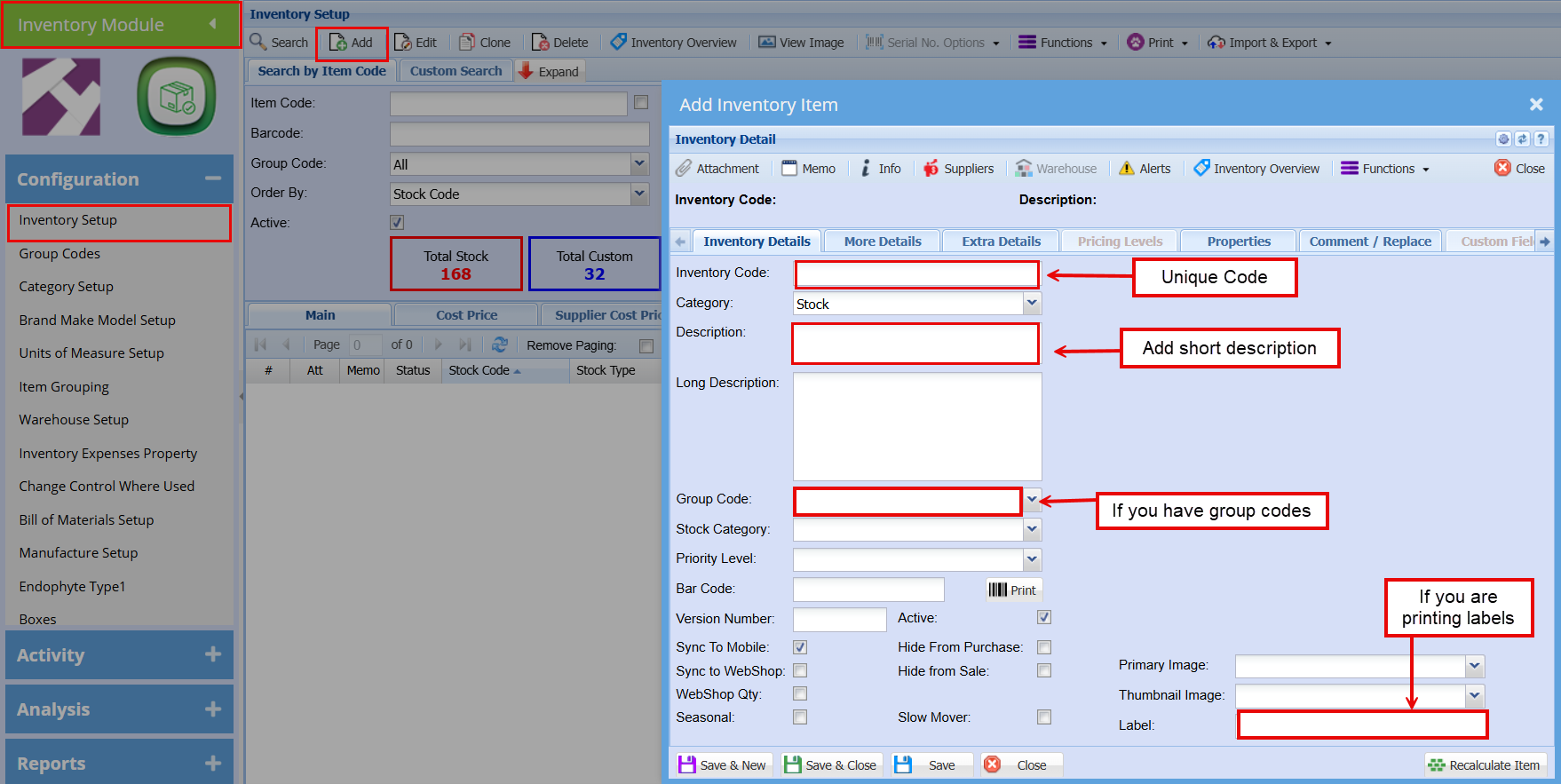
Go to "Inventory module"Click on "Configuration"Click on "Inventory Setup"Complete the fields as shown in screenshot belowRun through the tabs along the top to add additional information such as:SupplerUOMItem DimensionsBrand, Make and Model etc.
{{@783}}
ForOriginal detailed stock managementContent Click Here
Making Changes to an Inventory Item
To make changes to an item you would go to:
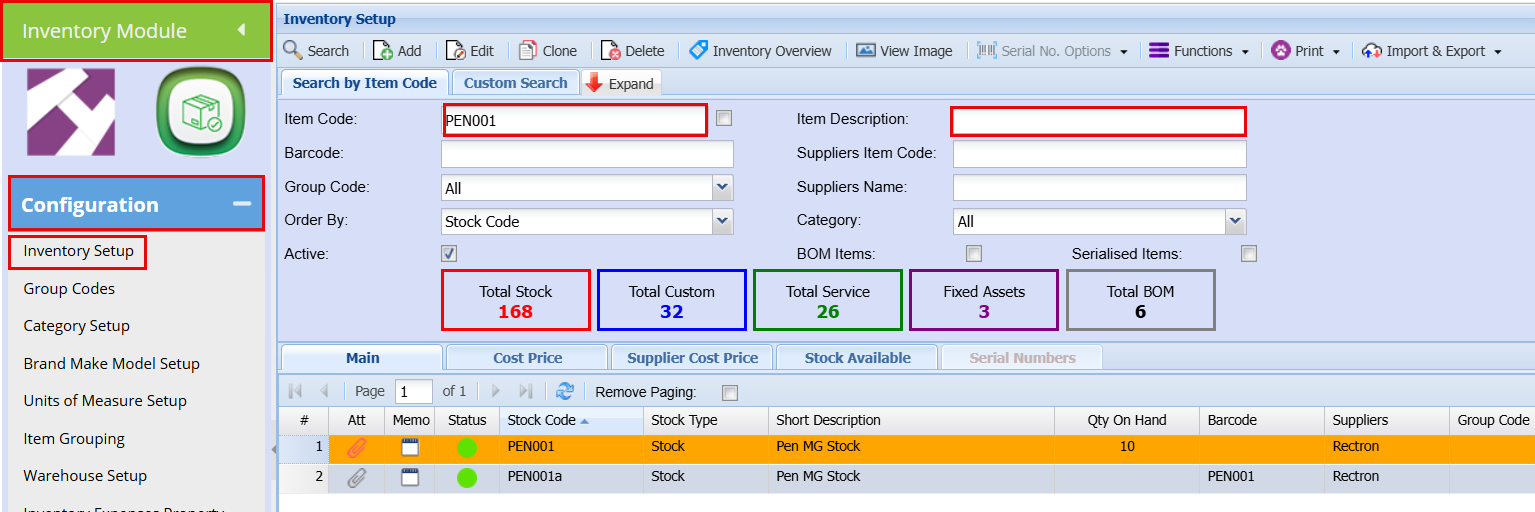
Inventory Module"Configuration""Inventory Setup"Then search for the item either by Item code or description.Follow the Tabs to make the needed changes.
Processing a Stock Adjustment
To process a Stock Adjustment, you will need to:
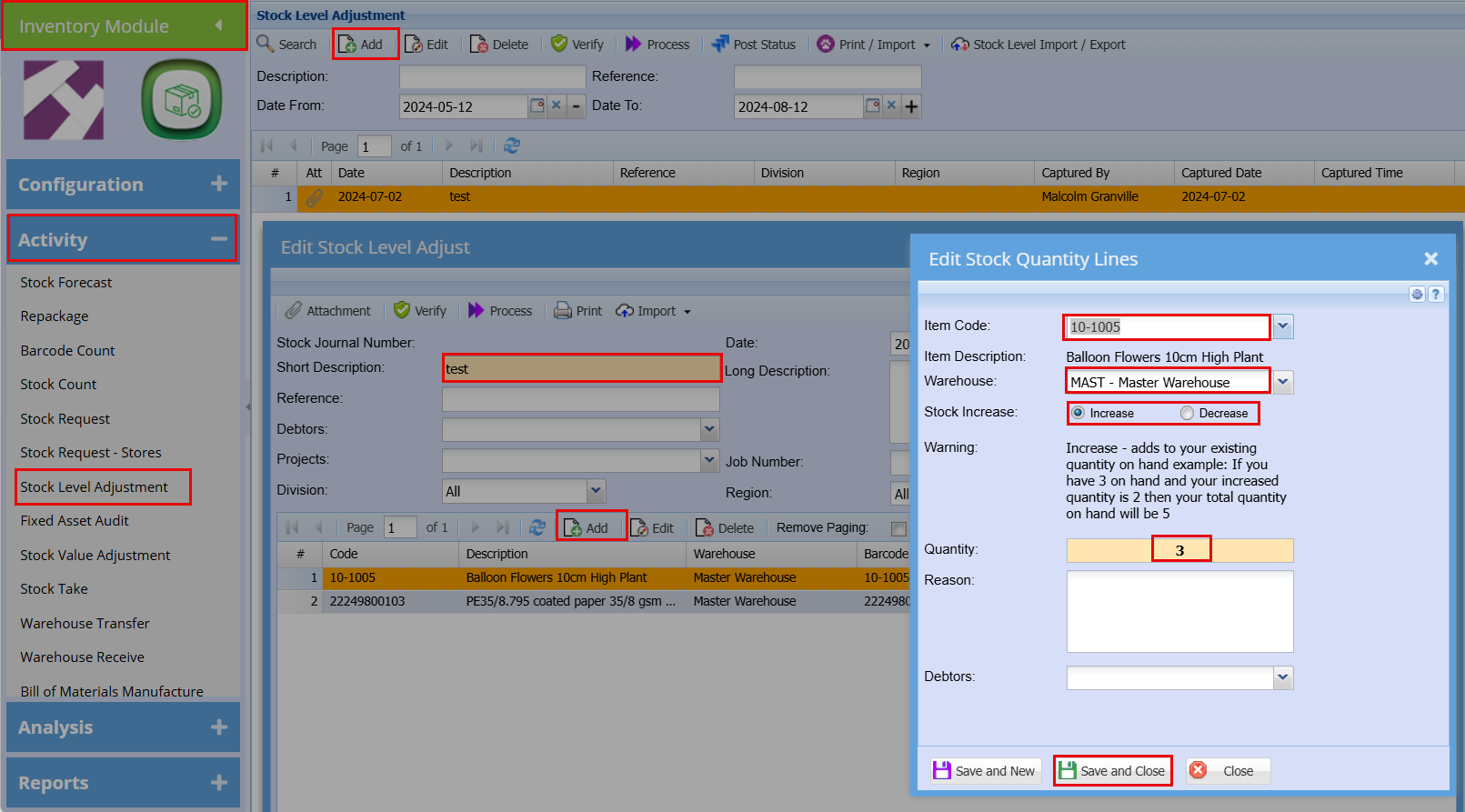
Go to the "Inventory Module""Activity""Stock Level Adjustment"Click "Add" at the topComplete a short description as to why you are doing the adjustment (Damaged stock or lost stock or just Stock Adjustment)Click "Save" when you have completed all the field neededThen Click "Add" to select the item you are wanting to do a "Stock Level Adjustment" onSearch for the item in the "Item Code"Choose the "Warehouse" it's inSelect weather you are "Increasing" or "Decreasing" the quantityYou can add a reason if you need to and you can link it if its specific to a customer.You can do multiple items or just one.Click "Save and Close"
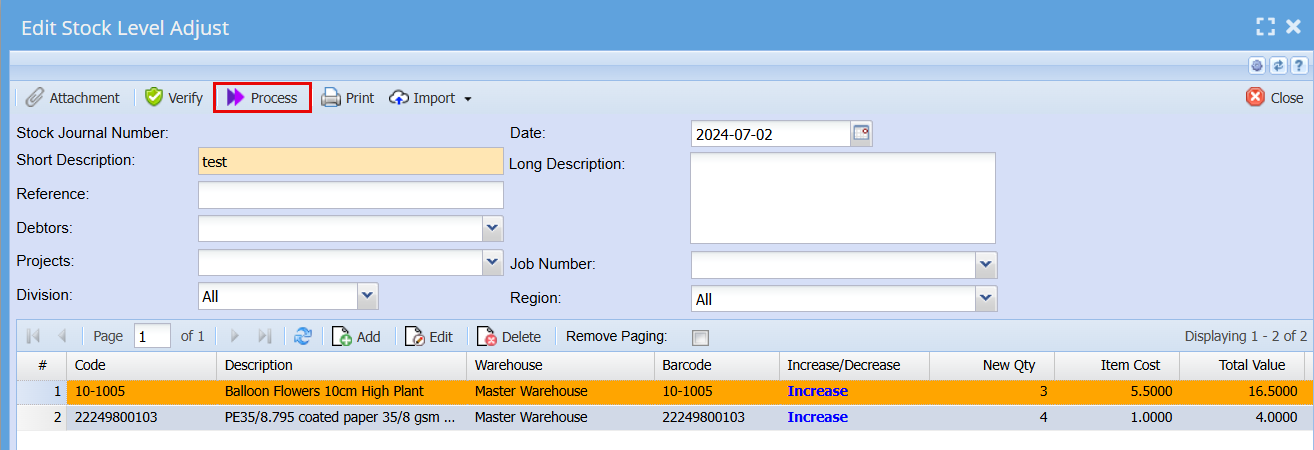
Check that your captured Stock Adjustments are correct.Click the "Process" button once you are happy with your adjustments
Processing a Stock Value Adjustment
To process a Stock Value Adjustment, you will need to:
Go to the "Inventory Module""Activity""Stock Value Adjustment"Click "Add" at the topComplete a short description as to why you are doing the adjustment (New Supplier, price increase)Click "Save" when you have completed all the field neededThen Click "Add" and select the item you are wanting to do a "Stock Value Adjustment" onSearch for the item in the "Item Code"Add the new Value of the item and complete a reason if you want.Click "Save and Close"
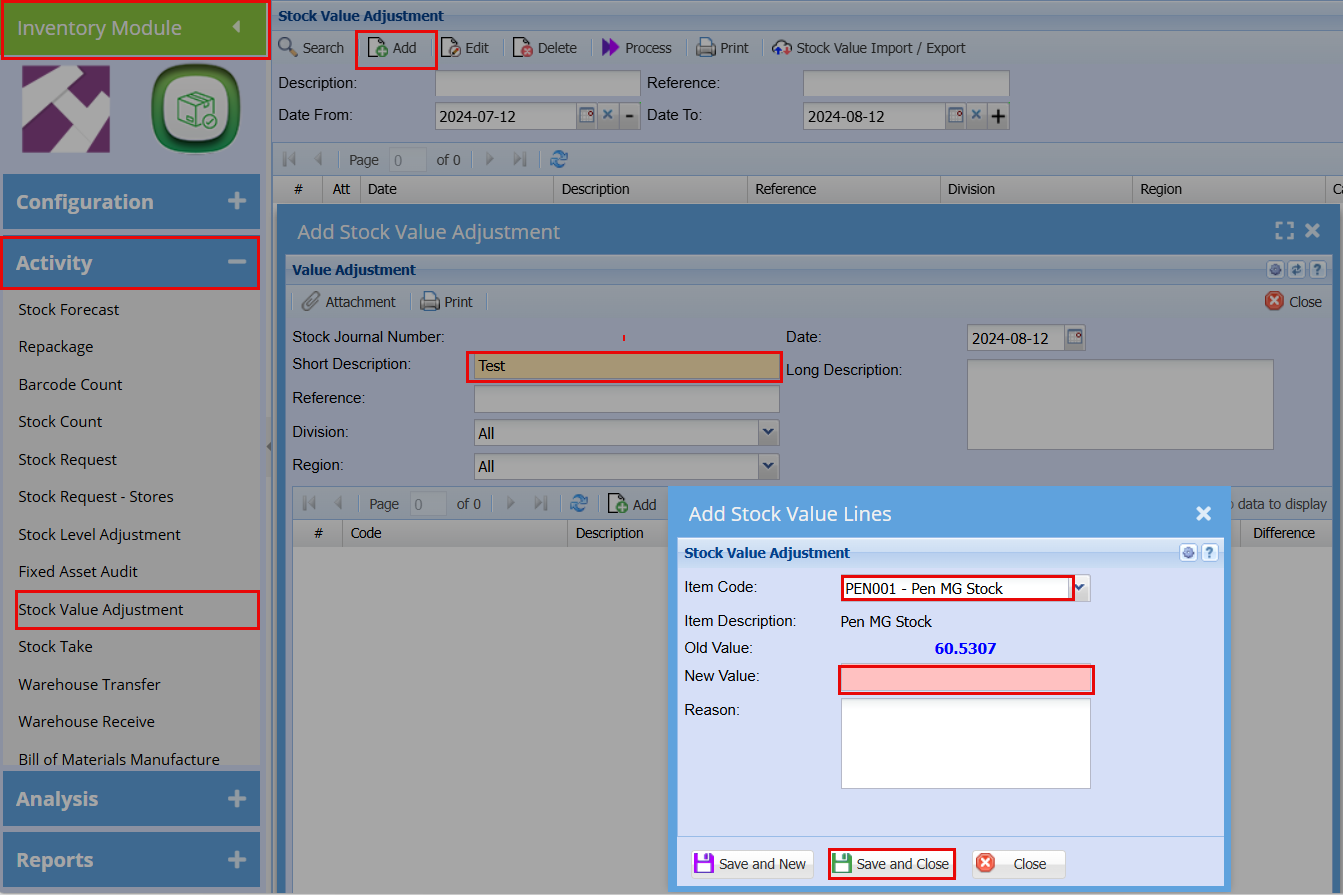
Check that you have captured Stock Value Adjustments are correctly.Click the "Process" button once you are happy with your adjustments