
Setting up a Debtor and Creditor
Debtor Setup
Login to the Debtors Module
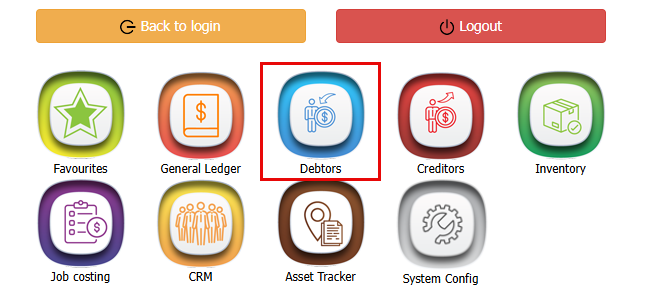
- Debtors Module
- Click on "Configuration"
- Debtors setup
- Click "Add"
- Choose a unique code for your customer
- Add the Company Name
- Add the web Address if you have it
- Make sure "Statement" is ticked so that invoices and statement will be sent out for this customer should they be on account.
- Click "Save"
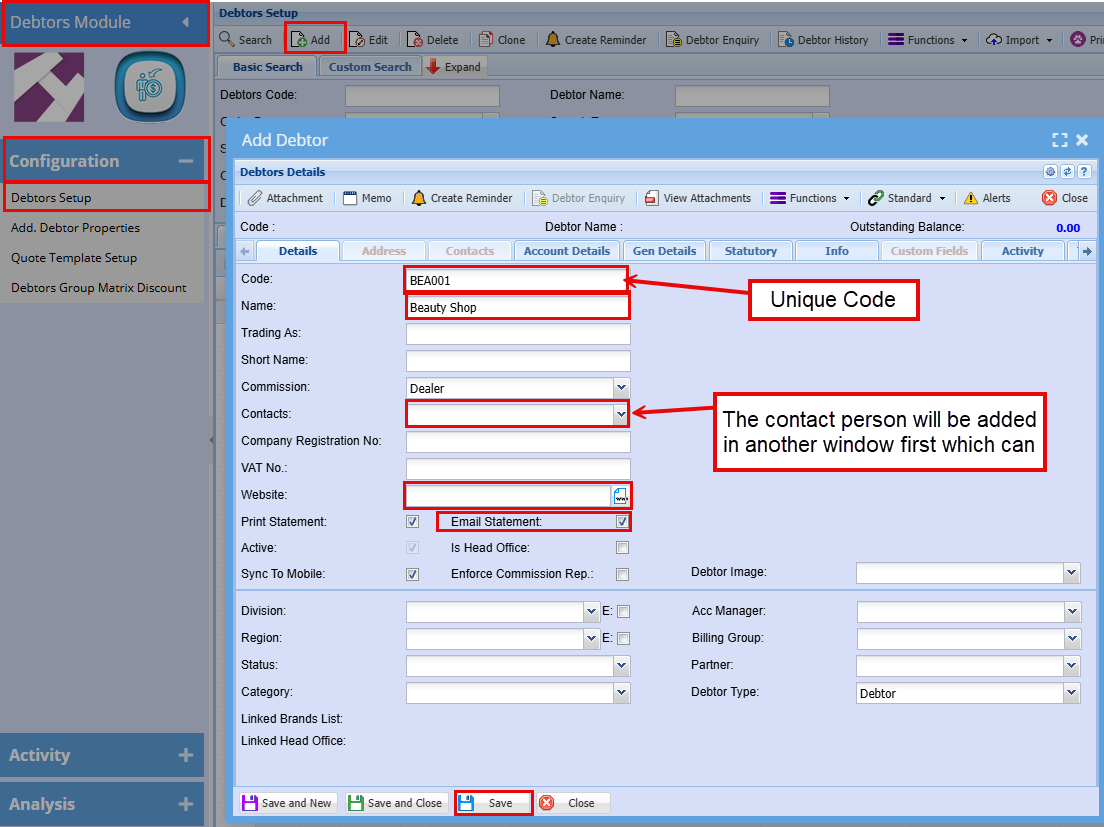
Once you click save you will see that the tabs running across the top are no longer blocked. You can now add the company address, contact person etc.
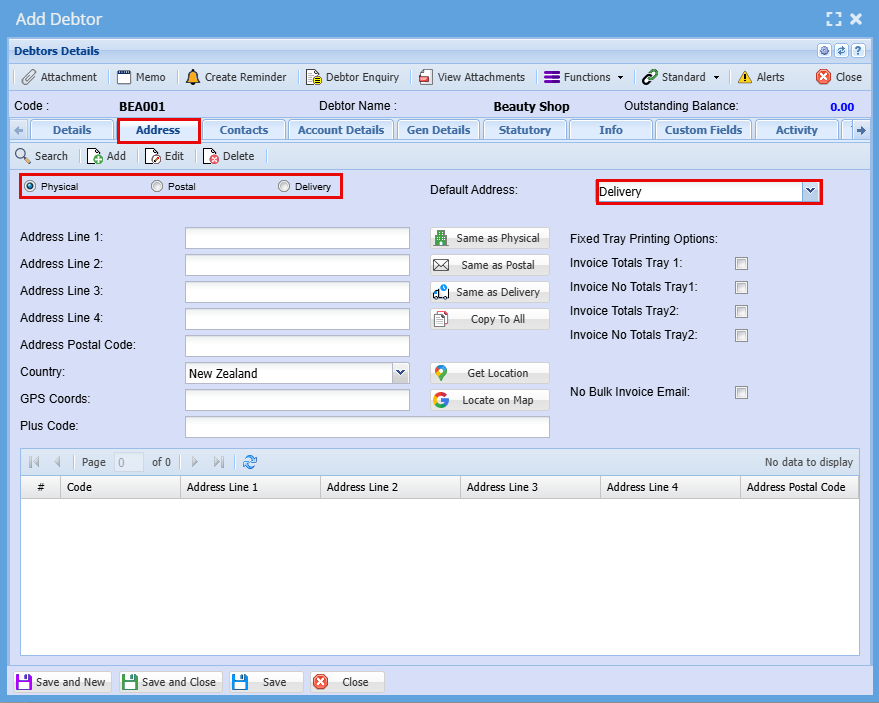
Adding an address:
- Add more than one address using the "Add" button
- You can have different address for Physical, Postal and Delivery
- Double check your Default address is correct should you be doing deliveries to this customer
Adding an Contact:
- Add more than one address using the "Add" button
- You can have different address for Physical, Postal and Delivery
- Double check your Default address is correct should you be doing deliveries to this customer