Quick Sales
Webatar Quick Sales app is used as a basic POS system.
It allows one to capture
- Invoice and credit note
- Inclusive or exclusive pricing
- Discount per line
- Payment for Invoice
- Receipt printing to Epson receipt printer
- Scan barcodes
Requirements before using Quick sales
- Items to be barcoded for quick item adding
- General Ledger links setup for Quick sales payment processing
- Enable security for payment and discount at user setup for Webatar
- Receipt printer if printing receipts
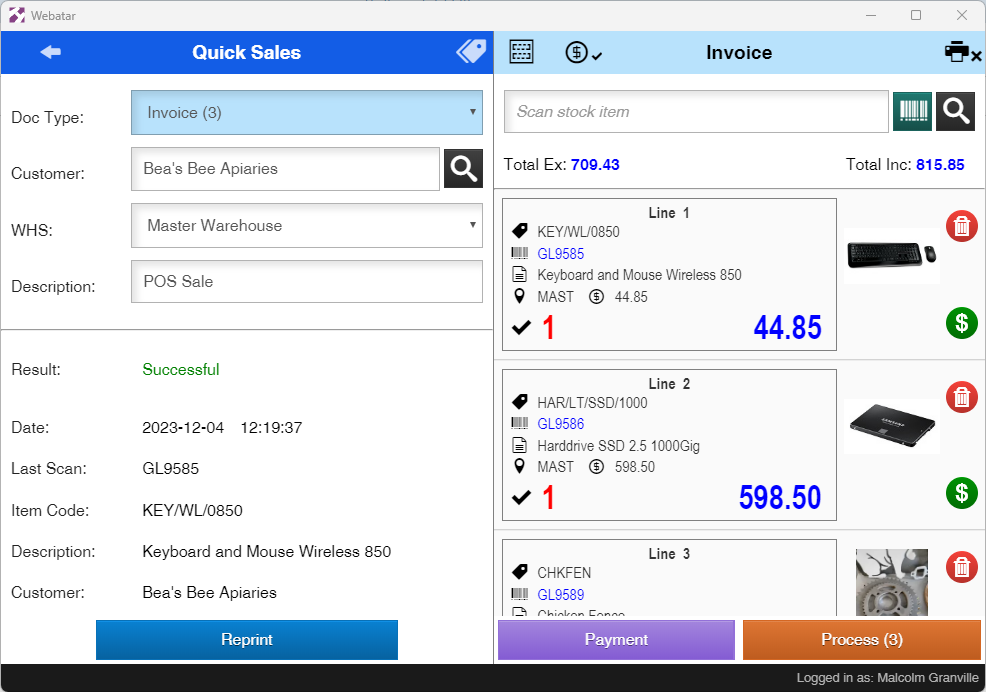
| Doc Type | Select Invoice or Credit Note |
| Customer | Select a customer |
| WHS | Select warehouse for stock out |
| Description | Enter a description for the invoice or credit note |
| Scan stock item |
Use a scanner to scan barcodes of items (picks up item code or barcode) Enter an item code in full to add |
| Reprint |
Reprint an invoice |
| Payment |
Capture a payment for invoice Only applicably for Invoices, credit notes not supported |
| Process |
Process the sale and sync to main system Clears the invoice or credit note after processing |
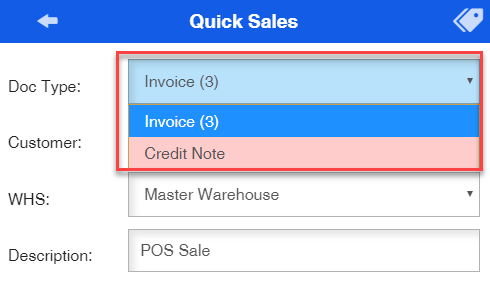
Invoice or Credit Note
Select between Invoice - Blue or Credit note - Red