
RFID - Settings
RFID Serialized Tagging in the Inventory Module
This system uses RFID technology to track individual items through serialized tagging. Each product is assigned a unique RFID tag number, allowing it to be identified and recorded as it moves through the detection gate. As items pass through the gate, the system logs their movement, helping maintain accurate stock records and improving visibility across the inventory lifecycle.
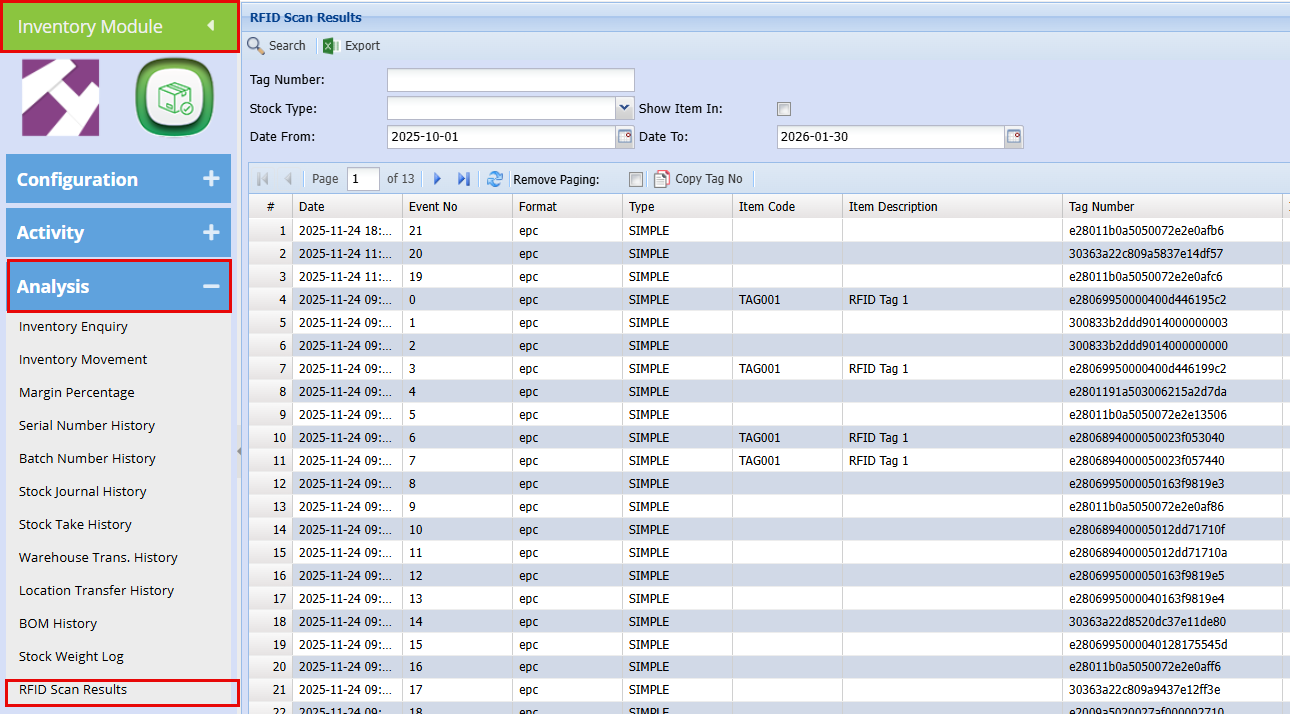
Inventory Module > Analysis > RFID Scan Results
At the top right-hand corner are the settings:
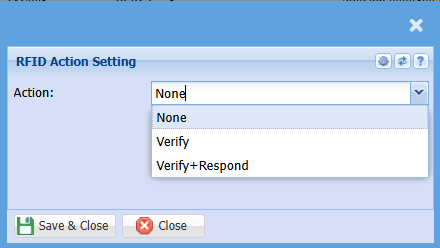
| None | No Action will be taken, it will just log the results |
| Verify |
When they walk through the scanners, the system will capture the scan result, log it, and verify that the detected tag matches the correct product in the system. It will then record the corresponding product name in the log.
|
| Verify + Respond |
When they walk through the scanners, the system will capture and log the result. If the scan shows that the item has not been sold, a siren and/or light will activate.
|
No Comments