
Stock Level Adjustment In and Out
After working through this manual, you should be able to do a stock level adjustment to convert paper reams into paper sheets.{{@847#}
Open the Inventory module.
Click on activity and then stock level adjustment.
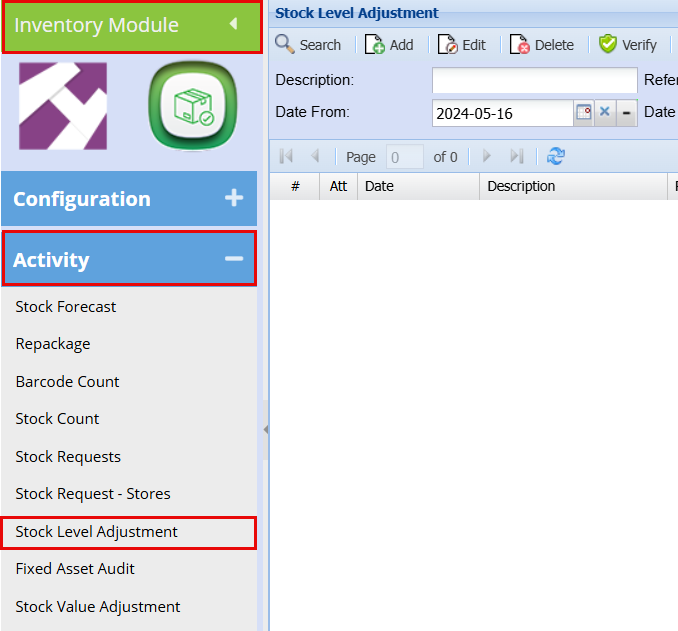
This will open up the stock level adjustment screen. From here you can search for all existing stock level adjustments or create a new one. To create a new stock level adjustment click on Add.
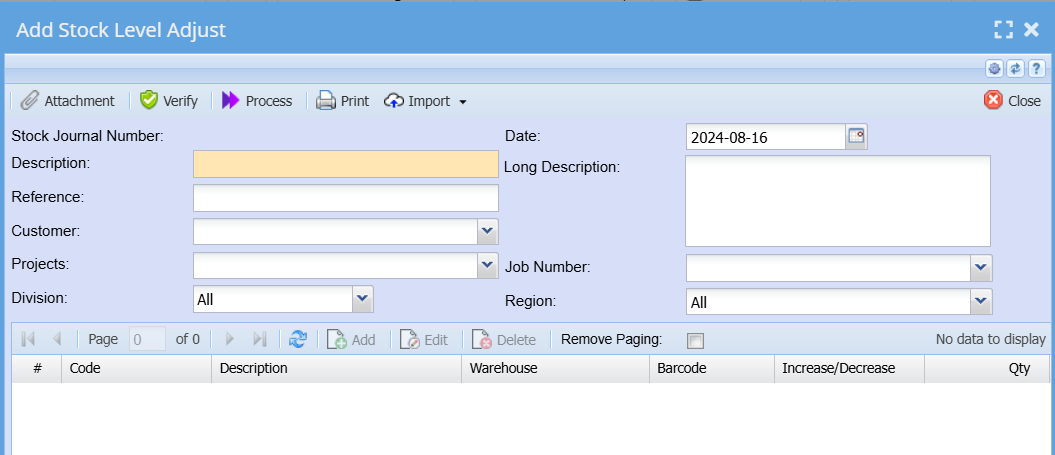
Once all the fields have been completed click on save.
Notice that the greyed-out buttons (Add, Edit, Delete) in the middle of the screen now opens up. To add an item
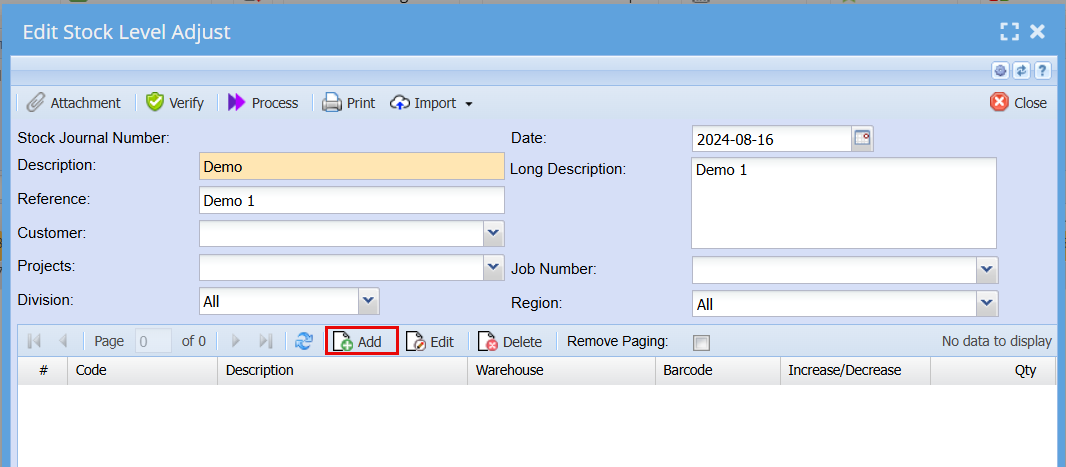
This will take you to the stock level adjustment click on Add.
This will open the stock level adjustment.
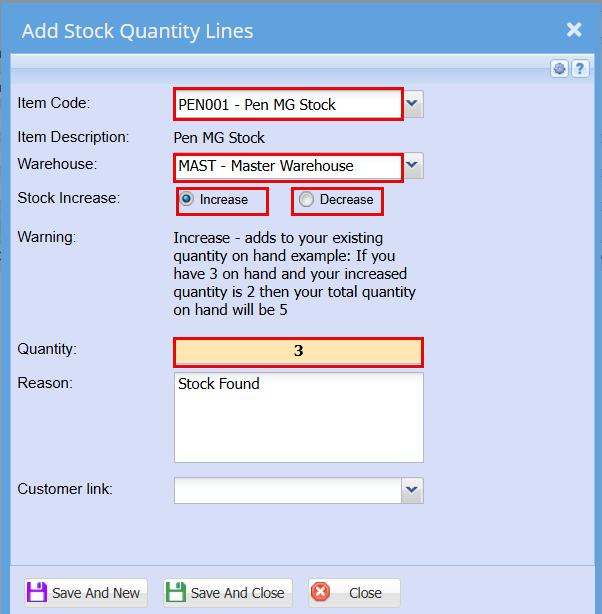
Here you can adjustment one or more items at the same time.
Click save and close or close when you are done.
This will take you back to the stock level adjustment screen will be able to see all your adjustments on individual itema.
When you are happy with your list, click process at the top of your page.
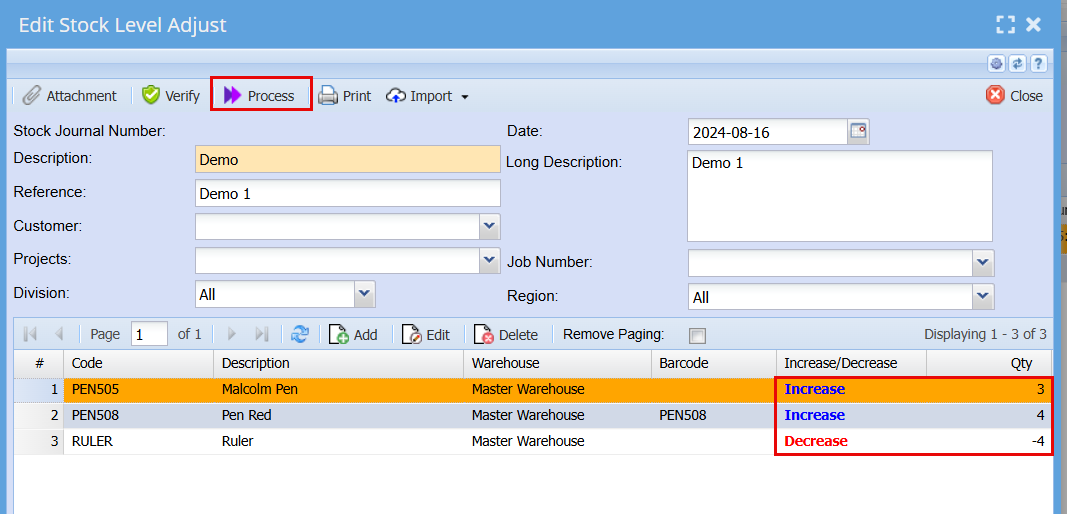
A processing screen will pop up, click Refresh status and then close.

This completes your stock level adjustment.
Original Content Stock level Adjustment... | Huge ERP Manual (hugeerp10.co.za)