
Mobile App (Webatar)

The Mobile App (Webatar) provides secure, real-time access to key ERP functions from Android, iOS and Windows devices. Designed for staff working in the field, warehouse, workshop, office, or customer locations, Webatar enables users to capture and access information anytime, anywhere.

The application integrates directly with Huge ERP and includes functionality for:

  • Production Tracking – Record production activities and monitor job progress.
  • Job Costing & Time Tracking – Manage schedules, jobs, labour time, and client visits.
  • Inventory Management – Perform stock enquiries, stock counts, transfers, receiving, and barcode scanning.
  • Asset Management – Search, track, audit, and manage company assets.
  • Client Management – Create and maintain customer information on the go.
  • Financial Processing – Submit expenses, review purchase orders, and approve transactions remotely.
  • Sales Management – Manage leads, quotes, orders, invoicing, payments, and sales reporting.
  • Support Services – Log support activities and complete operational checklists.

By providing mobile access to critical business processes, Webatar improves productivity, enhances data accuracy, reduces paperwork, and ensures information is updated immediately across the organisation.
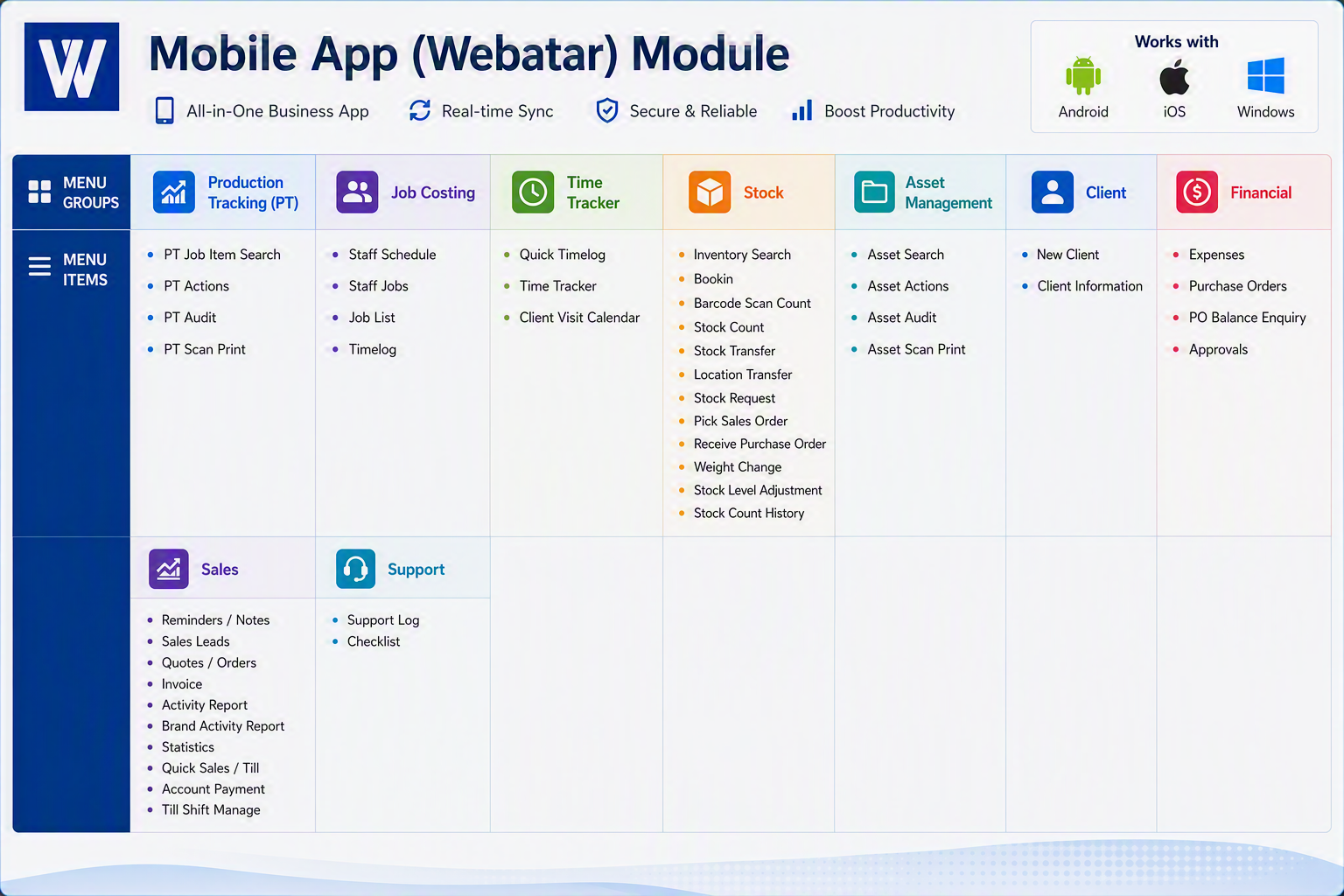
Webatar Module.png


Mobile App (Webatar) Modules

The Mobile App (Webatar) extends Huge ERP functionality to Android, iOS and Windows devices, enabling staff to access key business processes from the field, warehouse, office, or customer site in real time.


Production Tracking (PT)
Menu ItemDescription
PT Job Item SearchSearch and view production job items, specifications, progress, and status information.
PT ActionsRecord production activities, job completions, and operational transactions against production jobs.
PT AuditReview production activity history and audit trails for compliance and traceability.
PT Scan PrintScan barcodes and print production labels or documentation directly from the mobile device.

Job Costing
Menu ItemDescription
Staff ScheduleView employee schedules and planned work assignments.
Staff JobsDisplay jobs allocated to individual staff members.
Job ListAccess and search all available jobs and project records.
TimelogRecord labour hours and job-related activities against specific jobs.

Time Tracker
Menu ItemDescription
Quick TimelogRapid entry of labour hours from the field or workshop.
Time TrackerStart, stop and monitor time spent on jobs and activities.
Client Visit CalendarView and manage customer appointments, site visits and scheduled meetings.

Stock
Menu ItemDescription
Inventory SearchSearch inventory items and view stock availability, pricing and locations.
BookinRecord the receipt of incoming assets for repair.
Barcode Scan CountUse barcode scanning to perform stock take counts quickly and accurately.
Stock CountConduct manual inventory stock counts.
Stock TransferTransfer stock between warehouses, stores or locations.
Location TransferMove inventory between storage bins or specific warehouse locations.
Stock RequestCreate requests for inventory replenishment or transfer.
Pick Sales OrderPick stock for customer orders using mobile scanning functionality.
Receive Purchase OrderReceive goods against approved purchase orders.
Weight ChangeRecord weight adjustments for variable-weight inventory items.
Stock Level AdjustmentIncrease or reduce stock quantities due to corrections, damage or write-offs.
Stock Count HistoryReview previous stock level adjustments and inventory count transactions.

Asset Management
Menu ItemDescription
Asset SearchSearch and locate assets using barcode, serial number or asset details.
Asset ActionsRecord maintenance, movement, issue, return or disposal transactions.
Asset AuditView complete asset history and transaction records.
Asset Scan PrintScan asset labels and print identification tags or documentation.

Client
Menu ItemDescription
New ClientCreate new customer records directly from the mobile application.
Client InformationView customer contact details, addresses, account information and related activity.

Financial
Menu ItemDescription
ExpensesCapture employee expenses and submit them for processing.
Purchase OrdersView and manage approved purchase orders.
PO Balance EnquiryReview outstanding purchase order balances and commitments.
ApprovalsApprove transactions, requests and workflows while away from the office.

Sales
Menu ItemDescription
Reminders / NotesCreate and view customer notes, follow-ups and reminders.
Sales LeadsManage prospective customers and sales opportunities.
Quotes / OrdersCreate, review and update customer quotations and sales orders.
InvoiceGenerate and view customer invoices.
Activity ReportReview sales activities, appointments and customer interactions.
Brand Activity ReportAnalyse sales and marketing activity by brand or product category.
StatisticsView sales performance metrics and summary information.
Quick Sales / TillProcess point-of-sale sales transactions directly from the device.
Account PaymentRecord customer payments against accounts and invoices.
Till Shift ManageOpen, close and manage cash register or till shifts.

Support
Menu ItemDescription
Support LogRecord service calls, support incidents and customer issues.
ChecklistComplete operational, maintenance or compliance checklists in the field.


Mobile App (Webatar)

The Webatar Mobile App provides real-time access to core Huge ERP functions from Android, iOS and Windows devices. It enables staff to manage production activities, job costing, time tracking, inventory, asset management, sales, financial approvals and customer support from anywhere. By connecting directly to Huge ERP, Webatar improves productivity, reduces paperwork, accelerates data capture and ensures information is updated instantly across the organisation.
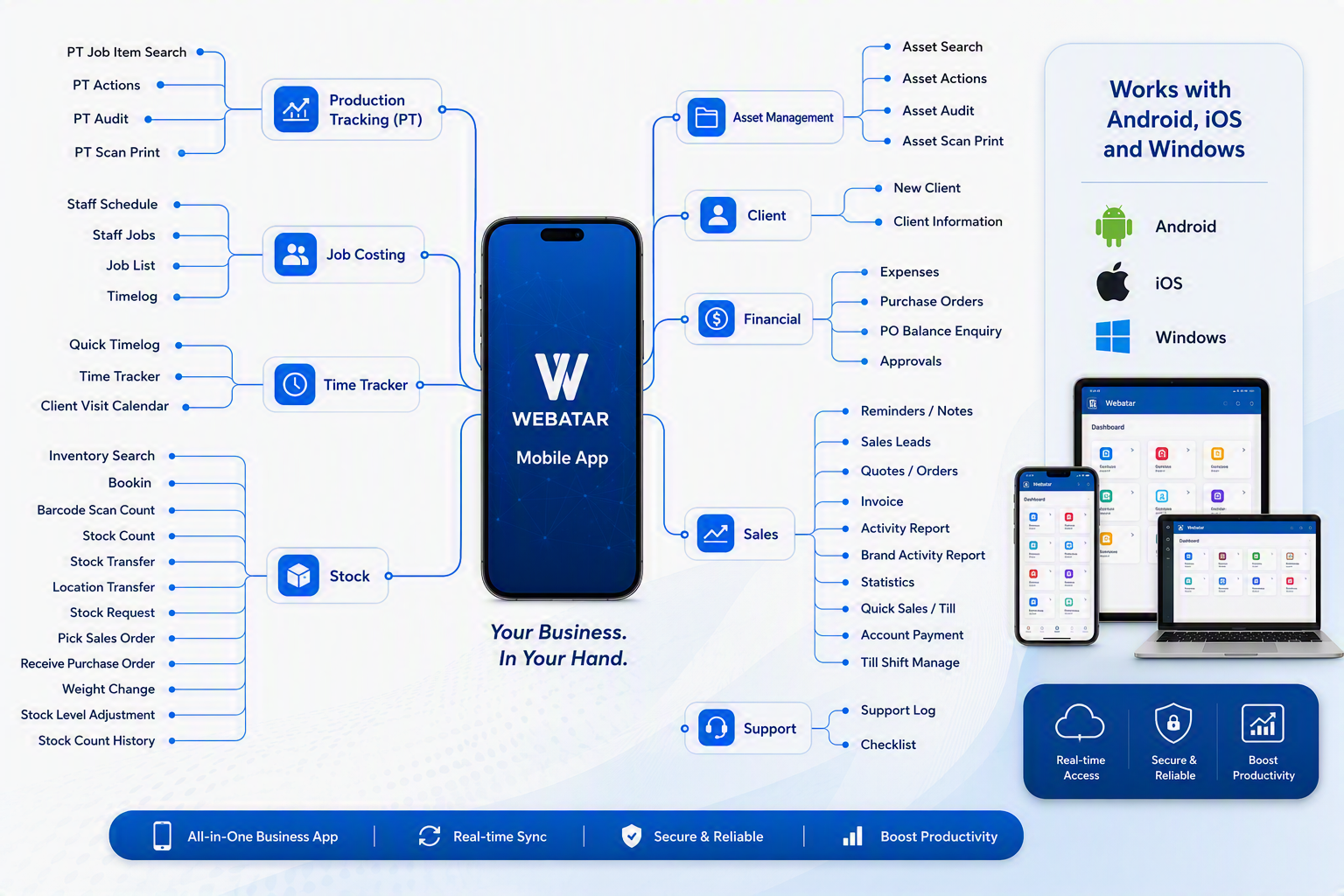
Webatar map.png